

InvenTrac vs StockPulse Alerts
Two Shopify apps, side by side: detected stores, momentum, reviews, plans, listed features and who runs each. Store counts as of Sep 23, 2026 for InvenTrac, Aug 11, 2026 for StockPulse Alerts.
The short answer
- InvenTrac lists 5 features StockPulse Alerts’s listing doesn’t mention, including Alert settings, Inventory tracking, Out of stock.
Head to head


Coverage counts what each App Store listing names. Every feature, checked off app by app, is in Shoplist.
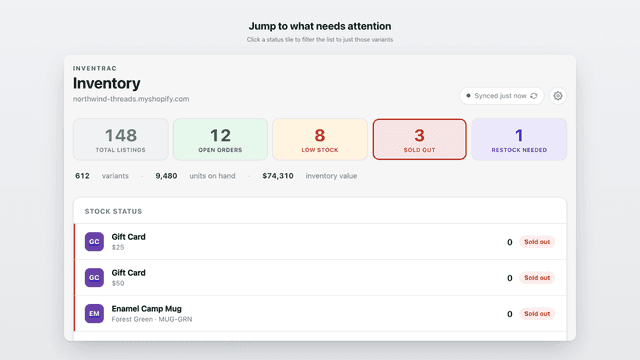
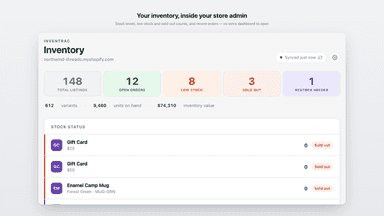
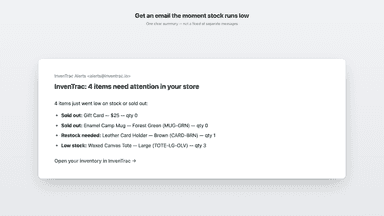
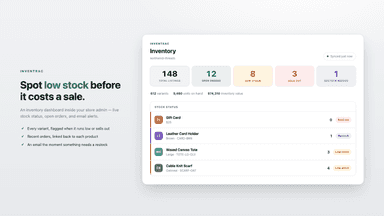
See every featureInvenTrac adds an inventory dashboard inside your Shopify admin. It shows current stock levels for each variant, flags items that are low or sold out, counts open orders, and lists recent orders — so you can catch problems without scrolling through your product list. It also emails you when an item runs low or sells out, so you can restock before it costs a sale.
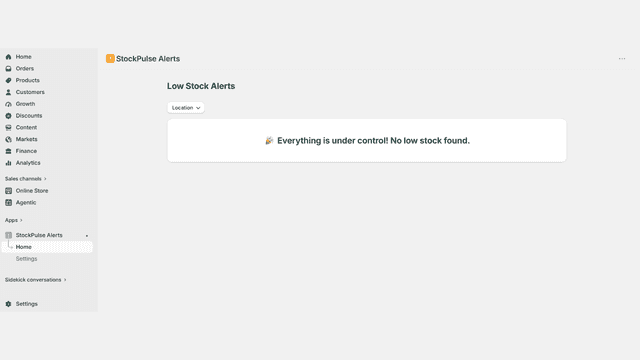
StockPulse Alerts watches your Shopify inventory and flags any product that falls at or below a stock threshold you choose. Instead of checking inventory manually, you get a single table inside your Shopify admin showing every product that needs attention, sorted by how low it is.
- See current stock for every variant and spot low or sold-out items.
- Get an email alert the moment a product runs low or sells out.
- Review recent orders with thumbnails that link straight to your admin.
- Set the stock level that counts as low for your store.
- Configurable low-stock threshold, applied across your whole catalog
- One table showing every low-stock product across all your locations
- Sort and filter alerts by location to focus on what needs attention
- Jump straight to any product's edit page from the alerts table


All the numbers
Every figure, side by side
A green dot marks the app ahead on a measured figure. Estimates, gaps and apps that leave no storefront trace never take the lead.
Adoption
| Measure |  InvenTrac |  StockPulse Alerts |
|---|---|---|
| Detected stores | Not published | Not published |
| Net store change, 28 days | 0 | 0 |
| Stores added, 28 days | Not enough data | Not enough data |
| Big-brand share | Not enough data | Not enough data |
| Top store categories | Not published | Not published |
| Top store countries | Not published | Not published |
Reviews
| Measure | InvenTrac | StockPulse Alerts |
|---|---|---|
| App Store rating | Not published | Not published |
| App Store reviews | Not published | Not published |
| New reviews, 28 days | Not enough data | Not enough data |
| Reviewers a year or more in | Not enough data | Not enough data |
Pricing
| Measure | InvenTrac | StockPulse Alerts |
|---|---|---|
| Free plan | Not listed | Not listed |
| Lowest paid monthly plan | No monthly plan listed | No monthly plan listed |
| Longest free trial | Not listed | Not listed |
| Plans listed | Not published | Not published |
Listing
| Measure | InvenTrac | StockPulse Alerts |
|---|---|---|
| Shopify category rank | #202(ahead) | #305 |
| Shopify App Charts | Not on this week’s charts | Not on this week’s charts |
| Built for Shopify | No | No |
| Launched | Sep 23, 2026 | Aug 10, 2026 |
| Languages | 1 | 1 |
| Developer | InvenTrac.io | Minimal Apps |
FAQ
InvenTrac and StockPulse Alerts: common questions
- What features does each app list that the other doesn’t?
- InvenTrac lists 5 the others don’t mention, such as Alert settings, Inventory tracking, Out of stock, Performance reports. StockPulse Alerts lists 1 the others don’t mention, such as Auto-alerts. A feature missing from a listing may still be supported; this compares what each App Store listing says.
- Where does this comparison’s data come from?
- Shoplist crawls Shopify storefronts to detect which apps each store runs, and reads each app’s Shopify App Store listing for reviews, pricing, features and integrations. Store counts are as of Sep 23, 2026 for InvenTrac, Aug 11, 2026 for StockPulse Alerts; estimated figures are labeled.
How Shoplist compares apps
Store counts come from Shoplist’s crawl of Shopify storefronts, which detects the apps each store runs; they are as of Sep 23, 2026 for InvenTrac, Aug 11, 2026 for StockPulse Alerts. Reviews, ratings, plans, features and integrations come from each app’s Shopify App Store listing. 28-day figures are labeled when estimated, and a figure that is missing or estimated never decides who leads. Read the methodology.