

InfoPin: Image Hotspots vs Singleton | Second Image Hover
Two Shopify apps, side by side: detected stores, momentum, reviews, plans, listed features and who runs each. Store counts as of Nov 18, 2026 for InfoPin, Nov 19, 2026 for Singleton.
The short answer
- Only InfoPin lists a free plan. Paid plans start at $2/month for InfoPin and $3.99/month for Singleton.
Head to head


Show product second image in your collections on mouse hover


- United States
- Canada
- United Kingdom
Momentum
New reviews each month
Review pace is the clearest public read on how fast an app is winning new merchants.
Free
- · 1 product · 5 hotspots per image
Unlimited
- · Unlimited products and hotspots
Basic plan
- · All features included
Coverage counts what each App Store listing names. Every feature, checked off app by app, is in Shoplist.
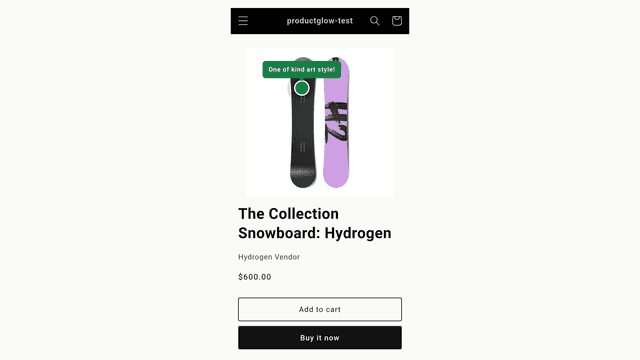
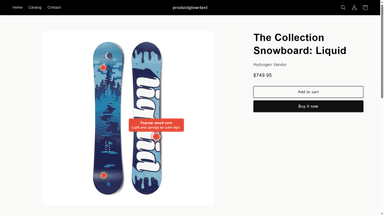
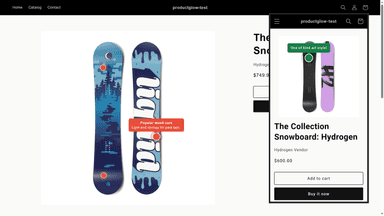
See every featureShoppers scroll product photos looking for details — what a material is, how a feature works. InfoPin lets you place small hotspots directly on product images; a tap or hover shows a short label and description where shoppers are looking. Place and drag pins in a visual editor, customize shapes and colors, and enable one app embed — no theme code, and pins keep working when you switch themes.
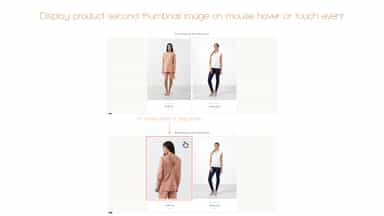
Offer to your customers faster way, how to show more about your products. In all collections, product image is switch to second, after customer move cursor over product thumbnail. App will take second image from your product administration. Thats mean, you can set second image to show like you wish.
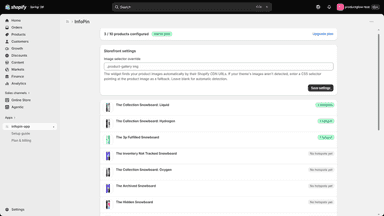
- Click-to-place visual editor: add hotspots on the product image
- Draggable pins with percentage positions that hold across screen sizes
- Custom label, description, shape, and colors for every hotspot
- Theme-agnostic widget: enable one app embed, no theme code to edit
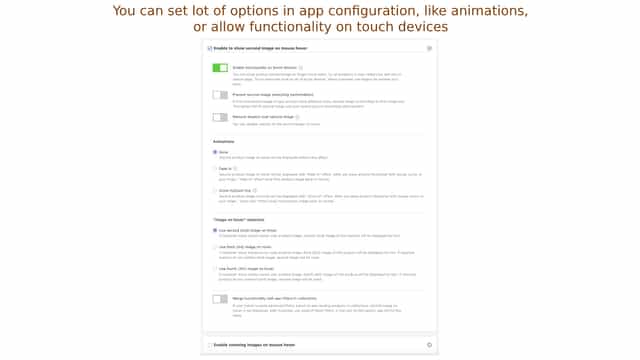
- Show second product image on mouse hover, or touch event (on mobiles or tablets)
- Select animations between first and second image on hover (Fade In, Zoom In/Out)
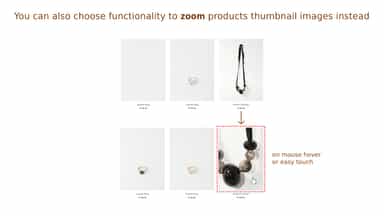
- You can even select to zooming product images in collections on hover, or touch
- Prevent images stretching (deformation), between first and second image


All the numbers
Every figure, side by side
A green dot marks the app ahead on a measured figure. Estimates, gaps and apps that leave no storefront trace never take the lead.
Adoption
| Measure |  InfoPin |  Singleton |
|---|---|---|
| Detected stores | Not published | 69 |
| Net store change, 28 days | 0 | −4 |
| Stores added, 28 days | Not enough data | Not enough data |
| Big-brand share | Not enough data | Not enough data |
| Top store categories | Not published | Apparel & Accessories, Home & Garden, Health & Beauty |
| Top store countries | Not published | United States, Canada, United Kingdom |
Reviews
| Measure | InfoPin | Singleton |
|---|---|---|
| App Store rating | Not published | 4.8 ★ |
| App Store reviews | Not published | 21 |
| New reviews, 28 days | Not enough data | 0 |
| Reviewers a year or more in | Not enough data | Not enough data |
FAQ
InfoPin and Singleton: common questions
- Is InfoPin or Singleton cheaper?
- Only InfoPin lists a free plan. Paid plans start at $2/month for InfoPin and $3.99/month for Singleton. Shoplist compares base prices only between monthly plans in the same currency; usage charges and annual plans vary, so check each plan’s limits.
- Where does this comparison’s data come from?
- Shoplist crawls Shopify storefronts to detect which apps each store runs, and reads each app’s Shopify App Store listing for reviews, pricing, features and integrations. Store counts are as of Nov 18, 2026 for InfoPin, Nov 19, 2026 for Singleton; estimated figures are labeled.
How Shoplist compares apps
Store counts come from Shoplist’s crawl of Shopify storefronts, which detects the apps each store runs; they are as of Nov 18, 2026 for InfoPin, Nov 19, 2026 for Singleton. Reviews, ratings, plans, features and integrations come from each app’s Shopify App Store listing. 28-day figures are labeled when estimated, and a figure that is missing or estimated never decides who leads. Read the methodology.