
ImBox vs Wapshark ‑ Whatsapp Marketing
Two Shopify apps, side by side: detected stores, momentum, reviews, plans, listed features and who runs each. Store counts as of Nov 9, 2026 for ImBox, Nov 7, 2026 for Wapshark.
The short answer
Head to head


- Sweden
- United States
Momentum
New reviews each month
Review pace is the clearest public read on how fast an app is winning new merchants.
Lite
- · 1 Click Install
- · 5 Marketing & 10 Free Utility Messages
- · Abandoned Cart Messages
- · COD Confirmation Messages
- · Order Cancelled Messages
- · Order Delivered Messages
Pro
- · Abandoned Cart Recovery,COD Verification
- · Campaign Management
- · Multi-User Inbox
- · Order Status Updates
- · Own Company Number
- · Pay directly to Meta for usage charges.
Enterprise
- · 24*7 support
- · AI Sales Agent on Shopify Store
- · API access for Integrations with ERP, CR
- · Custom built AI Chatbot for your store
- · Dedicated Consultant for campaigns
- · Everything in Pro plan, plus
Coverage counts what each App Store listing names. Every feature, checked off app by app, is in Shoplist.
See every featureThis integration tool is designed specifically for merchants using the ImBox platform. The app provides seamless data synchronization between Shopify and the ImBox platform. It enables merchants to gain insights into how customer interactions within ImBox platform facilitates completed purchases.
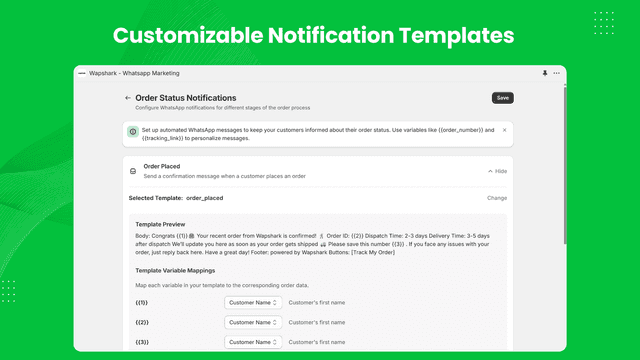
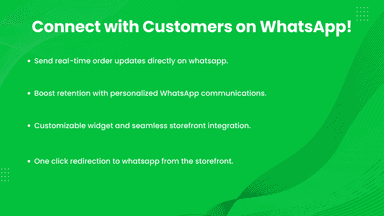
Our app, seamlessly integrates with Wapshark platform and Shopify notifications such as Order Placed, Fulfilled or even cancelled order. We also help you sync your customer data to Wapshark platform to send out marketing campaigns or build out AI Chatbots for your store.
- Data Sync: Automatically synchronizes order data with the ImBox platform
- Anonymized data: Purchase metrics are not connected to individual persons
- Headless integration: App does not contain a user interface
- Order Notifications Message
- Customer Data Sync for Marketing Campaigns
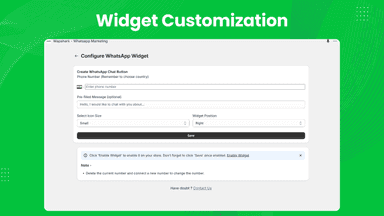
- Whatsapp widget in storefront.

All the numbers
Every figure, side by side
A green dot marks the app ahead on a measured figure. Estimates, gaps and apps that leave no storefront trace never take the lead.
Adoption
| Measure |  Wapshark | |
|---|---|---|
| Detected stores | 5 | Not published |
| Net store change, 28 days | 0 | 0 |
| Stores added, 28 days | Not enough data | Not enough data |
| Big-brand share | Not enough data | Not enough data |
| Top store categories | Apparel & Accessories, Electronics, Food, Beverages & Tobacco | Not published |
| Top store countries | Sweden, United States | Not published |
Reviews
| Measure | Wapshark | |
|---|---|---|
| App Store rating | Not published | 5.0 ★ |
| App Store reviews | Not published | 3 |
| New reviews, 28 days | Not enough data | Not enough data |
| Reviewers a year or more in | Not enough data | Not enough data |
FAQ
ImBox and Wapshark: common questions
- Where does this comparison’s data come from?
- Shoplist crawls Shopify storefronts to detect which apps each store runs, and reads each app’s Shopify App Store listing for reviews, pricing, features and integrations. Store counts are as of Nov 9, 2026 for ImBox, Nov 7, 2026 for Wapshark; estimated figures are labeled.
How Shoplist compares apps
Store counts come from Shoplist’s crawl of Shopify storefronts, which detects the apps each store runs; they are as of Nov 9, 2026 for ImBox, Nov 7, 2026 for Wapshark. Reviews, ratings, plans, features and integrations come from each app’s Shopify App Store listing. 28-day figures are labeled when estimated, and a figure that is missing or estimated never decides who leads. Read the methodology.