

HyperSync vs SLSync
Two Shopify apps, side by side: detected stores, momentum, reviews, plans, listed features and who runs each. Store counts as of Oct 13, 2026.
The short answer
- Only SLSync lists a free plan. Paid plans start at $12/month for HyperSync and $36/month for SLSync.
- SLSync lists 9 features HyperSync’s listing doesn’t mention, including Bulk edit, Collections, Discounts.
Head to head


Single store
- · Every run reports what it changed
- · Export and import on one store
- · No copying between stores
- · One run at a time
- · Re-imports update, never duplicate
1 store pair
- · Copy between two stores you own
- · Export and import included
- · One copy at a time
- · One store pair, both directions
- · Re-runs update, never duplicate
3 store pairs
- · Export and import included
- · Extra runs queue, never refused
- · Pair unrelated client stores
- · Three copies at once
- · Three store pairs, both directions
10 store pairs
- · Export and import included
- · Extra runs queue, never refused
- · Pair unrelated client stores
- · Ten copies at once
- · Ten store pairs, both directions
Free to install
- · 1 deploy / month
Starter
- · 10 deploys / month
- · Store comparison (all resource types)
- · Sync history & audit log
Pro
- · 50 deploys / month
- · All included in Starter +
- · Recurring sync
Enterprise
- · Additional paired store
- · All included in Pro +
- · Unlimited deploys / month
Coverage counts what each App Store listing names. Every feature, checked off app by app, is in Shoplist.
See every featureHyperSync copies store data between two stores you own: products and variants, collections, files, pages, blogs, redirects, menus, metafields and metaobjects. Pick whole resource types or individual products. Links between them are re-pointed to the destination's own copies; anything that can't be linked is named in the report.
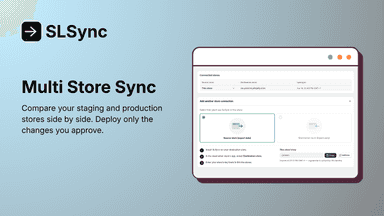
Managing updates across a staging and production Shopify store is time-consuming and risky when done manually. This app connects your two stores, compares them automatically, and lets you choose exactly which changes to deploy to production. After pairing your staging and production stores, the app scans both and surfaces differences across themes, products, metafields, navigation menus, pages, and files.
- Copy products, collections, files, pages and metafields between two stores
- Re-run safely: a second run updates what it created instead of duplicating it
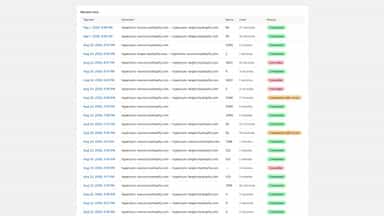
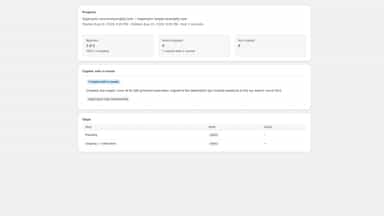
- Every run reports what was created, updated and skipped, and why
- Spot differences in products, pages, and files across both stores.
- Choose which changes to deploy and leave the rest untouched.
- Review past deployments and re-run any of them as a new job at any time.




All the numbers
Every figure, side by side
A green dot marks the app ahead on a measured figure. Estimates, gaps and apps that leave no storefront trace never take the lead.
Adoption
| Measure |  HyperSync |  SLSync |
|---|---|---|
| Detected stores | Not published | Not published |
| Net store change, 28 days | 0 | 0 |
| Stores added, 28 days | Not enough data | Not enough data |
| Big-brand share | Not enough data | Not enough data |
| Top store categories | Not published | Not published |
| Top store countries | Not published | Not published |
Reviews
| Measure | HyperSync | SLSync |
|---|---|---|
| App Store rating | Not published | Not published |
| App Store reviews | Not published | Not published |
| New reviews, 28 days | Not enough data | Not enough data |
| Reviewers a year or more in | Not enough data | Not enough data |
FAQ
HyperSync and SLSync: common questions
- Is HyperSync or SLSync cheaper?
- Only SLSync lists a free plan. Paid plans start at $12/month for HyperSync and $36/month for SLSync. Shoplist compares base prices only between monthly plans in the same currency; usage charges and annual plans vary, so check each plan’s limits.
- What features does each app list that the other doesn’t?
- HyperSync lists 6 the others don’t mention, such as Bulk export, Bulk import, Inventory, Inventory sync. SLSync lists 9 the others don’t mention, such as Bulk edit, Collections, Discounts, Products. A feature missing from a listing may still be supported; this compares what each App Store listing says.
- Where does this comparison’s data come from?
- Shoplist crawls Shopify storefronts to detect which apps each store runs, and reads each app’s Shopify App Store listing for reviews, pricing, features and integrations. Store counts are as of Oct 13, 2026; estimated figures are labeled.
How Shoplist compares apps
Store counts come from Shoplist’s crawl of Shopify storefronts, which detects the apps each store runs; they are as of Oct 13, 2026. Reviews, ratings, plans, features and integrations come from each app’s Shopify App Store listing. 28-day figures are labeled when estimated, and a figure that is missing or estimated never decides who leads. Read the methodology.