
HeavyBag vs Upselly: Real Bundles & FBT
Two Shopify apps, side by side: detected stores, momentum, reviews, plans, listed features and who runs each. Store counts as of Oct 13, 2026.
The short answer
- Only Upselly lists a free plan. Paid plans start at $4.99/month for HeavyBag and $9.99/month for Upselly.
- Upselly lists 8 features HeavyBag’s listing doesn’t mention, including AI recommendations, Cart drawer, Cart upsell.
Head to head


1-Click Upsell & Cross Sell & Frequently Bought Together!
Momentum
New reviews each month
Review pace is the clearest public read on how fast an app is winning new merchants.
Starter
Free
- · All features included — no gates
- · Bundles, BOGO, gifts & cart goals
- · Removable "Powered by Upselly" credit
- · Up to 50 online store orders/month
Growth
- · 14-day free trial
- · 51–500 online store orders/month
- · Everything in Free, no gates
- · No "Powered by" credit
Pro
- · 14-day free trial
- · 501–2,000 online store orders/month
- · Everything in Growth
- · Priority support
Scale
- · 14-day free trial
- · 2,000+ online store orders/month
- · Everything in Pro
- · Priority support
Coverage counts what each App Store listing names. Every feature, checked off app by app, is in Shoplist.
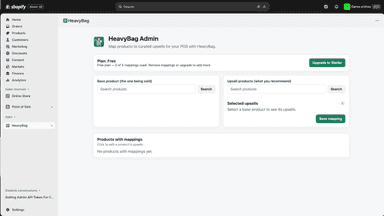
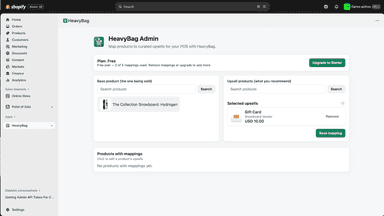
See every featureHeavyBag helps retail staff suggest complementary products during in-store sales. When viewing a product in Shopify POS, staff see curated recommendations that can be added to the cart with one tap. You control the mappings. Staff see suggestions instantly — no training needed. Perfect for accessories, warranties, complementary items, or bundles your staff should suggest.
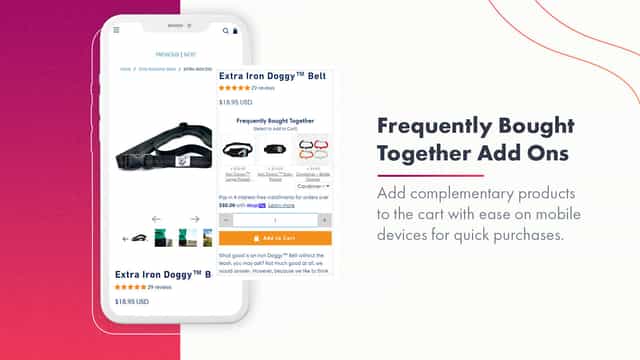
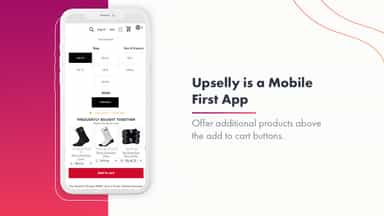
Upselly builds real Shopify bundle products. Each bundle shows up as one line at checkout, with native inventory tracking and a genuine discounted price next to the original. There is no widget faking totals in the cart. You can also add frequently bought together offers, BOGO deals, quantity breaks, free gifts and cart goal rewards, and every offer is applied as a real Shopify discount at checkout.
- Product Mapping. Manage your mappings directly in Shopify Admin.
- POS Integration. Recommendations appear seamlessly in Shopify POS
- One-Tap Add to Cart. Staff can add upsells without leaving the current screen
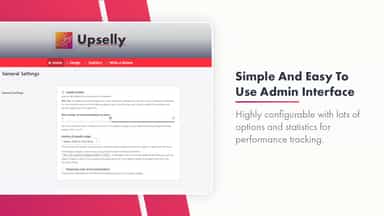
- Simple Admin UI. Search and configure product mappings in seconds
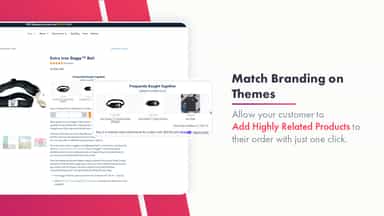
- Automatically match the color of selected recommended product to your theme
- Display price and discounted price on the product page with recommended products
- Manual recommendations: fine-tune manually the recommendations for each product


All the numbers
Every figure, side by side
A green dot marks the app ahead on a measured figure. Estimates, gaps and apps that leave no storefront trace never take the lead.
Adoption
| Measure |  HeavyBag |  Upselly |
|---|---|---|
| Detected stores | Not published | Not published |
| Net store change, 28 days | 0 | 0 |
| Stores added, 28 days | Not enough data | Not enough data |
| Big-brand share | Not enough data | Not enough data |
| Top store categories | Not published | Not published |
| Top store countries | Not published | Not published |
Reviews
| Measure | HeavyBag | Upselly |
|---|---|---|
| App Store rating | Not published | 4.5 ★ |
| App Store reviews | Not published | 13 |
| New reviews, 28 days | Not enough data | 0 |
| Reviewers a year or more in | Not enough data | Not enough data |
FAQ
HeavyBag and Upselly: common questions
- Is HeavyBag or Upselly cheaper?
- Only Upselly lists a free plan. Paid plans start at $4.99/month for HeavyBag and $9.99/month for Upselly. Shoplist compares base prices only between monthly plans in the same currency; usage charges and annual plans vary, so check each plan’s limits.
- What features does each app list that the other doesn’t?
- HeavyBag lists 2 the others don’t mention, such as Order editing, Save cart. Upselly lists 8 the others don’t mention, such as AI recommendations, Cart drawer, Cart upsell, Click-through rates. A feature missing from a listing may still be supported; this compares what each App Store listing says.
- Where does this comparison’s data come from?
- Shoplist crawls Shopify storefronts to detect which apps each store runs, and reads each app’s Shopify App Store listing for reviews, pricing, features and integrations. Store counts are as of Oct 13, 2026; estimated figures are labeled.
How Shoplist compares apps
Store counts come from Shoplist’s crawl of Shopify storefronts, which detects the apps each store runs; they are as of Oct 13, 2026. Reviews, ratings, plans, features and integrations come from each app’s Shopify App Store listing. 28-day figures are labeled when estimated, and a figure that is missing or estimated never decides who leads. Read the methodology.