
GS Uploader vs PrintDock ‑ DTF File Upload
Two Shopify apps, side by side: detected stores, momentum, reviews, plans, listed features and who runs each. Store counts as of Oct 14, 2026 for GS Uploader, Oct 27, 2026 for PrintDock.
The short answer
- On the Shopify App Store: GS Uploader 5.0 from 1 reviews and PrintDock 5.0 from 2 reviews.
- Paid plans start at $15/month for GS Uploader and $9/month for PrintDock.
- PrintDock lists 5 features GS Uploader’s listing doesn’t mention, including Custom fields, File download, Images.
Head to head

Momentum
New reviews each month
Review pace is the clearest public read on how fast an app is winning new merchants.
Basic subscription
- · Access files for 7 days
- · No limit on file upload size
- · Weight Management
Pro Subscription
- · No limit for file access
- · No limit on file upload size
- · Weight Management
Starter
- · 30 days file storage
- · File type and file size checks
- · Max file size 100MB
- · One-click file download on every order
- · Unlimited upload fields
- · Variant size check
Pro
- · 30 days file storage
- · DPI and width/height rules
- · Everything in Starter
- · File renaming
- · Max file size 300MB
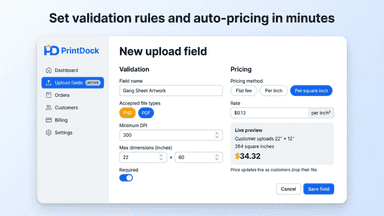
- · Price by inch of film, area or flat fee
Business
- · 30 days file storage
- · Everything in Pro
- · Max file size 1GB
Coverage counts what each App Store listing names. Every feature, checked off app by app, is in Shoplist.
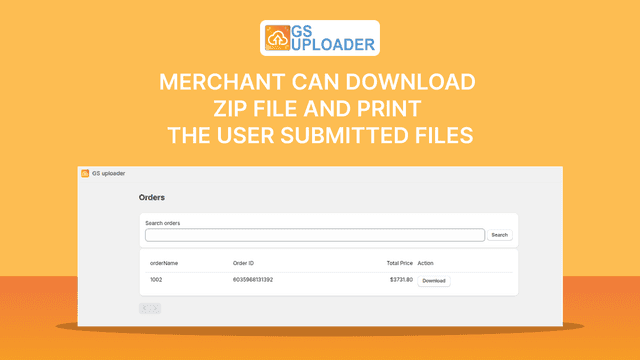
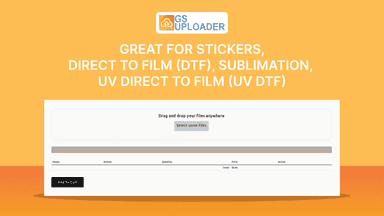
See every featureOur app allows merchant's customers to upload multiple image files , it automatically calculate amount depending on specific rates added in setting area in app, and allow in cart and checkout process. Merchant can download zip file and print the user submitted files. Options for square foot and linear foot available! Options for choose measuring unit in Inch & Centimetre.
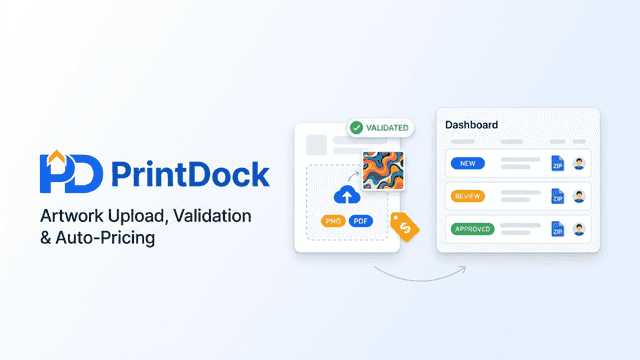
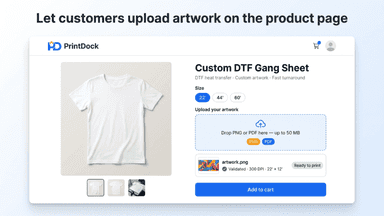
PrintDock adds an upload field to your DTF, UV DTF and gang sheet products. Customers drop in their PNG or PDF and see its print size before they add it to the cart. Sell fixed sizes as variants and each file is checked against the size the customer picked. Or let the file set the price: per inch of film, per square inch or a flat fee, on the same cart line.
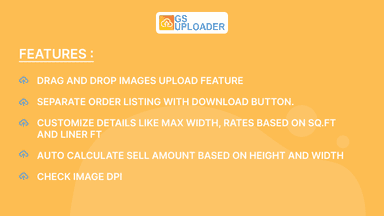
- Drag and Drop images upload feature
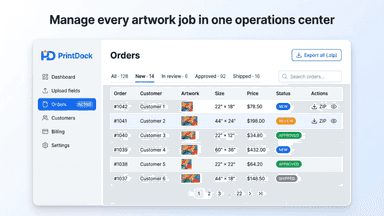
- Separate order listing with download button.
- Customize details like max width, rates based on Sq.ft and Liner ft
- Autocalculate sell amount based on height and width
- Customizable file upload fields for any product or variant.
- Automatic total calculation based on uploaded image and PDF dimensions.
- Validation rules for file dimensions, DPI, page count, and file type.
- Bulk download, automatic file renaming, and CSV export for orders.
All the numbers
Every figure, side by side
A green dot marks the app ahead on a measured figure. Estimates, gaps and apps that leave no storefront trace never take the lead.
Adoption
| Measure | GS Uploader |  PrintDock |
|---|---|---|
| Detected stores | Not published | Not published |
| Net store change, 28 days | 0 | 0 |
| Stores added, 28 days | Not enough data | Not enough data |
| Big-brand share | Not enough data | Not enough data |
| Top store categories | Not published | Not published |
| Top store countries | Not published | Not published |
Reviews
| Measure | GS Uploader | PrintDock |
|---|---|---|
| App Store rating | 5.0 ★ | 5.0 ★ |
| App Store reviews | 1 | 2(ahead) |
| New reviews, 28 days | 0 | Not enough data |
| Reviewers a year or more in | Not enough data | Not enough data |
Pricing
| Measure | GS Uploader | PrintDock |
|---|---|---|
| Free plan | Not listed | Not listed |
| Lowest paid monthly plan | $15/month | $9/month(ahead) |
| Longest free trial | 7 days | 28 days |
| Plans listed | 2 | 3 |
Listing
| Measure | GS Uploader | PrintDock |
|---|---|---|
| Shopify category rank | #146 | #59(ahead) |
| Shopify App Charts | Not on this week’s charts | #2 on Pricing moves in Custom file upload |
| Built for Shopify | No | No |
| Launched | Jul 29, 2024 | May 7, 2026 |
| Languages | 1 | 1 |
| Developer | NuFlo Graphix | LewyApps |
FAQ
GS Uploader and PrintDock: common questions
- Is GS Uploader or PrintDock cheaper?
- Paid plans start at $15/month for GS Uploader and $9/month for PrintDock. Shoplist compares base prices only between monthly plans in the same currency; usage charges and annual plans vary, so check each plan’s limits.
- Which has better reviews, GS Uploader or PrintDock?
- On the Shopify App Store: GS Uploader 5.0 from 1 reviews and PrintDock 5.0 from 2 reviews.
- What features does each app list that the other doesn’t?
- GS Uploader lists 1 the others don’t mention, such as Printing. PrintDock lists 5 the others don’t mention, such as Custom fields, File download, Images, JPEG. A feature missing from a listing may still be supported; this compares what each App Store listing says.
- Where does this comparison’s data come from?
- Shoplist crawls Shopify storefronts to detect which apps each store runs, and reads each app’s Shopify App Store listing for reviews, pricing, features and integrations. Store counts are as of Oct 14, 2026 for GS Uploader, Oct 27, 2026 for PrintDock; estimated figures are labeled.
How Shoplist compares apps
Store counts come from Shoplist’s crawl of Shopify storefronts, which detects the apps each store runs; they are as of Oct 14, 2026 for GS Uploader, Oct 27, 2026 for PrintDock. Reviews, ratings, plans, features and integrations come from each app’s Shopify App Store listing. 28-day figures are labeled when estimated, and a figure that is missing or estimated never decides who leads. Read the methodology.