

Geekify: Form to WhatsApp vs WhatsForm
Two Shopify apps, side by side: detected stores, momentum, reviews, plans, listed features and who runs each. Store counts as of Oct 26, 2026 for Geekify, Oct 14, 2026 for WhatsForm.
The short answer
- Only WhatsForm lists a free plan.
- Geekify lists 7 features WhatsForm’s listing doesn’t mention, including Analytics, Auto-sync, Custom fields.
Head to head


Free
Lite
Standard
Unlimited
Coverage counts what each App Store listing names. Every feature, checked off app by app, is in Shoplist.
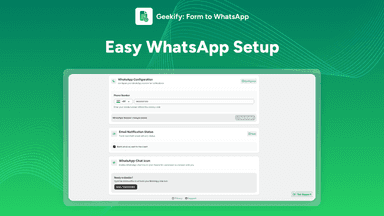
See every featureGeekify’s Form to WhatsApp redirects users to WhatsApp after they submit a contact form. The form details are prefilled in the WhatsApp chat, so users can review the information before sending it. Once sent, the message is delivered directly through WhatsApp. This helps businesses receive inquiries quickly and maintain simple communication.
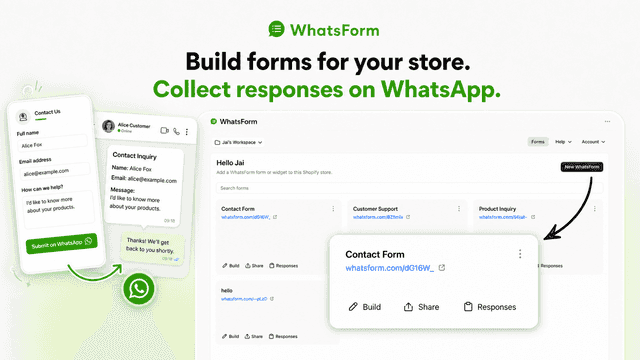
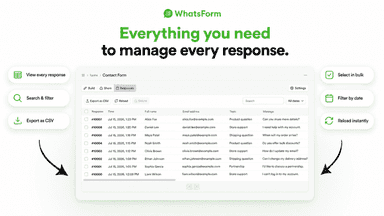
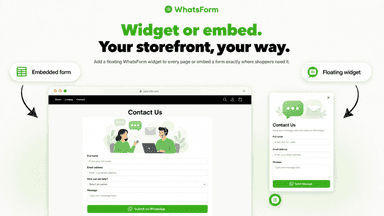
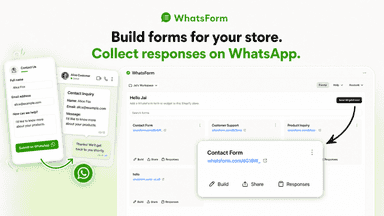
WhatsForm helps you collect enquiries, feedback on your storefront, then continue on WhatsApp. Build forms in Shopify admin with a visual builder, templates. Add a floating WhatsApp widget or embed a form on a page. Submissions reach you on WhatsApp from the customer's number so you can reply with context. Review, search, and export responses in the app. Use it for customer support through WhatsApp —no code needed.
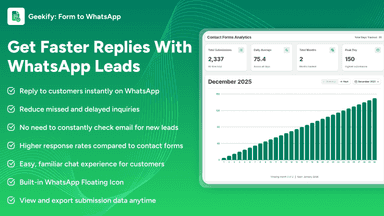
- Redirects users to WhatsApp after form submission
- Prefills form details directly in the WhatsApp chat
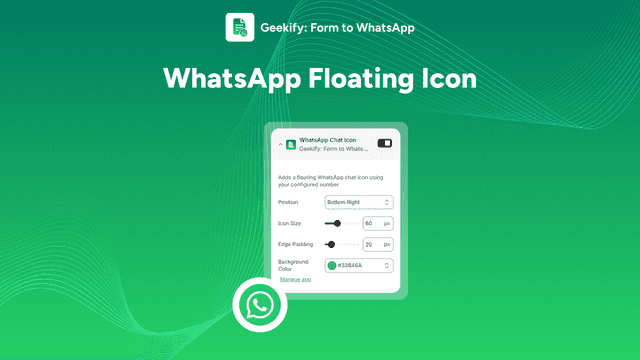
- Includes a WhatsApp Floating Icon for instant chat access
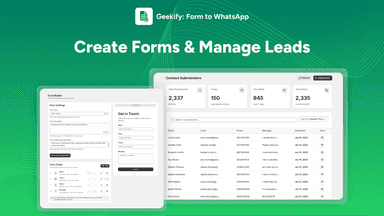
- Displays and exports form submission data for easy tracking
- Visual form builder with templates
- Floating WhatsForm widget on your storefront
- Embed forms on a dedicated Shopify page
All the numbers
Every figure, side by side
A green dot marks the app ahead on a measured figure. Estimates, gaps and apps that leave no storefront trace never take the lead.
Adoption
| Measure |  Geekify |  WhatsForm |
|---|---|---|
| Detected stores | Not published | Not published |
| Net store change, 28 days | 0 | 0 |
| Stores added, 28 days | Not enough data | Not enough data |
| Big-brand share | Not enough data | Not enough data |
| Top store categories | Not published | Not published |
| Top store countries | Not published | Not published |
Reviews
| Measure | Geekify | WhatsForm |
|---|---|---|
| App Store rating | Not published | Not published |
| App Store reviews | Not published | Not published |
| New reviews, 28 days | Not enough data | Not enough data |
| Reviewers a year or more in | Not enough data | Not enough data |
FAQ
Geekify and WhatsForm: common questions
- Is Geekify or WhatsForm cheaper?
- Only WhatsForm lists a free plan. Shoplist compares base prices only between monthly plans in the same currency; usage charges and annual plans vary, so check each plan’s limits.
- What features does each app list that the other doesn’t?
- Geekify lists 7 the others don’t mention, such as Analytics, Auto-sync, Custom fields, Dashboard. WhatsForm lists 5 the others don’t mention, such as Conditional logic, Feedback, File upload, Multi-language. A feature missing from a listing may still be supported; this compares what each App Store listing says.
- Where does this comparison’s data come from?
- Shoplist crawls Shopify storefronts to detect which apps each store runs, and reads each app’s Shopify App Store listing for reviews, pricing, features and integrations. Store counts are as of Oct 26, 2026 for Geekify, Oct 14, 2026 for WhatsForm; estimated figures are labeled.
How Shoplist compares apps
Store counts come from Shoplist’s crawl of Shopify storefronts, which detects the apps each store runs; they are as of Oct 26, 2026 for Geekify, Oct 14, 2026 for WhatsForm. Reviews, ratings, plans, features and integrations come from each app’s Shopify App Store listing. 28-day figures are labeled when estimated, and a figure that is missing or estimated never decides who leads. Read the methodology.