

GA: Upsell + Cross Sell vs Uplift ‑ Upsell Pop ups
Two Shopify apps, side by side: detected stores, momentum, reviews, plans, listed features and who runs each. Store counts as of Apr 12, 2026 for GA, Oct 14, 2026 for Uplift.
The short answer
- Only Uplift lists a free plan.
- GA lists 4 features Uplift’s listing doesn’t mention, including Checkout upsell, Custom CSS, Custom rules.
Head to head


Free
- · Boost revenue per visitor
- · Easy custom pop up designs
- · Fast setup, no dev needed
- · Real-time analytics
- · Unlimited pre purchase popups
Pay what you want
- · Boost revenue per visitor
- · Dedicated slack support
- · Easy custom pop up designs
- · Fast setup, no dev needed
- · Real-time analytics
- · Unlimited pre purchase popups
Coverage counts what each App Store listing names. Every feature, checked off app by app, is in Shoplist.
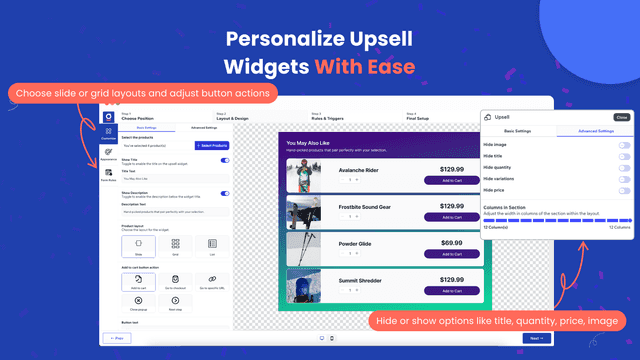
See every featureUpsell helps merchants grow revenue by presenting relevant add-on products at the perfect moment in the customer journey. Display targeted upsell popups in clean slide or grid layouts, select which products to highlight, and customize buttons to add items to the cart, proceed to checkout, or redirect shoppers to a specific page. Increase average order value with smart, well-timed offers — start using Upsell today.
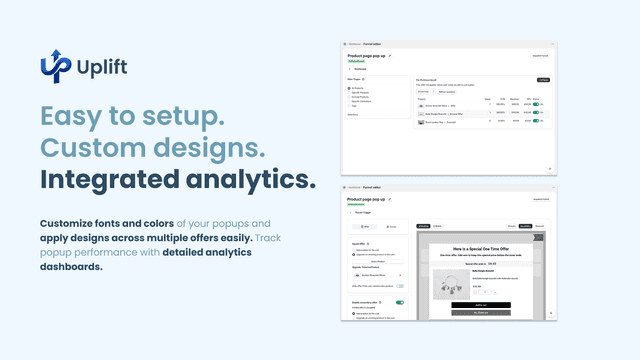
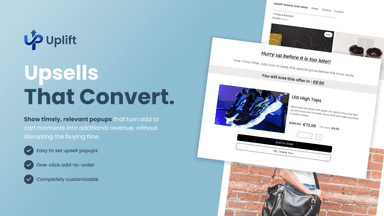
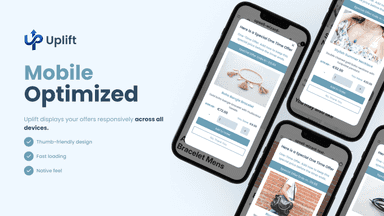
Display strategic upsell and cross-sell popups when customers add products to their cart. Show complementary items to add or premium alternatives to upgrade at the perfect moment to maximize revenue per transaction. Built-in analytics help you track popup performance, conversion rates, and revenue impact. Customize popup design to match your store's branding and create targeted offers based on cart contents.
- Display popups in slide or grid format to match your store design.
- Add products to cart, go to checkout, or redirect to a page.
- Show or hide images, titles, prices, quantities, and product variations.
- Encourage customers to take action with clear, customizable buttons.
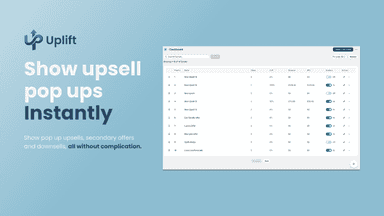
- Add-to-Cart Upsell Popups - Show upsell offers when customers add items
- Analytics Dashboard - Track popup performance and revenue impact
- Customizable Popup Design - Match popup styling to your store's branding
- One-Click Setup - Install and configure without coding required


All the numbers
Every figure, side by side
A green dot marks the app ahead on a measured figure. Estimates, gaps and apps that leave no storefront trace never take the lead.
Adoption
| Measure |  GA |  Uplift |
|---|---|---|
| Detected stores | Not published | Not published |
| Net store change, 28 days | 0 | 0 |
| Stores added, 28 days | Not enough data | Not enough data |
| Big-brand share | Not enough data | Not enough data |
| Top store categories | Not published | Not published |
| Top store countries | Not published | Not published |
Reviews
| Measure | GA | Uplift |
|---|---|---|
| App Store rating | Not published | Not published |
| App Store reviews | Not published | Not published |
| New reviews, 28 days | Not enough data | Not enough data |
| Reviewers a year or more in | Not enough data | Not enough data |
FAQ
GA and Uplift: common questions
- Is GA or Uplift cheaper?
- Only Uplift lists a free plan. Shoplist compares base prices only between monthly plans in the same currency; usage charges and annual plans vary, so check each plan’s limits.
- What features does each app list that the other doesn’t?
- GA lists 4 the others don’t mention, such as Checkout upsell, Custom CSS, Custom rules, Product recommendations. Uplift lists 2 the others don’t mention, such as Pop-ups, Product page upsell. A feature missing from a listing may still be supported; this compares what each App Store listing says.
- Where does this comparison’s data come from?
- Shoplist crawls Shopify storefronts to detect which apps each store runs, and reads each app’s Shopify App Store listing for reviews, pricing, features and integrations. Store counts are as of Apr 12, 2026 for GA, Oct 14, 2026 for Uplift; estimated figures are labeled.
How Shoplist compares apps
Store counts come from Shoplist’s crawl of Shopify storefronts, which detects the apps each store runs; they are as of Apr 12, 2026 for GA, Oct 14, 2026 for Uplift. Reviews, ratings, plans, features and integrations come from each app’s Shopify App Store listing. 28-day figures are labeled when estimated, and a figure that is missing or estimated never decides who leads. Read the methodology.