

FulfillPilot: Bulk Orders vs OpsPilot: Tasks & Workflows
Two Shopify apps, side by side: detected stores, momentum, reviews, plans, listed features and who runs each. Store counts as of Oct 13, 2026 for FulfillPilot, Jun 5, 2026 for OpsPilot.
The short answer
- OpsPilot lists 13 features FulfillPilot’s listing doesn’t mention, including APIs, Auto-sync data, Custom triggers.
Head to head


Monthly plan
Coverage counts what each App Store listing names. Every feature, checked off app by app, is in Shoplist.
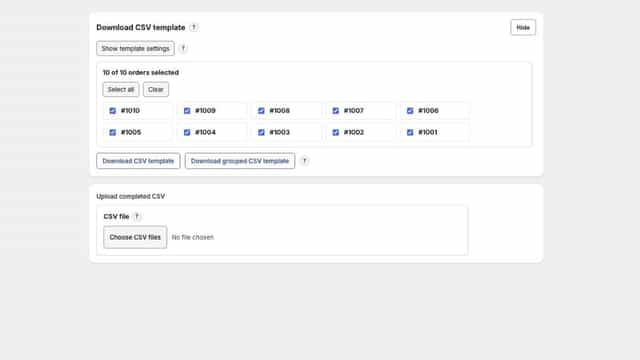
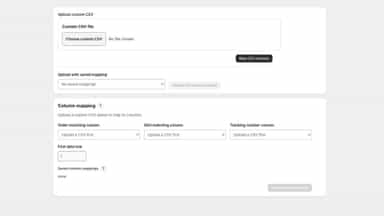
See every featureFulfillPilot helps merchants prepare and submit multiple order fulfillments with fewer repetitive steps. Work directly from selected orders, use an order-aware CSV template, or map an existing supplier spreadsheet. Review SKU matches, quantities, carrier details, tracking numbers, and customer notification choices before fulfillment.
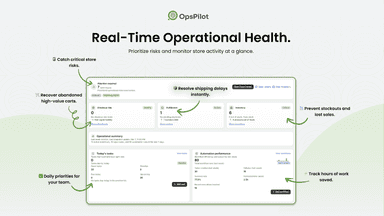
OpsPilot is a Shopify operations workspace for follow-up work. Turn orders, inventory, abandoned checkouts, customers, and product changes into assigned tasks, Slack or email alerts, and Google Sheets logs. Use templates or custom rules to route work to the right person, add comments and files, track workflow runs, and keep a clear history of what happened after each store event.
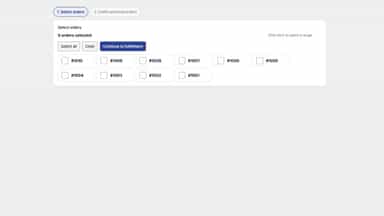
- Select and fulfill multiple open orders from one workspace
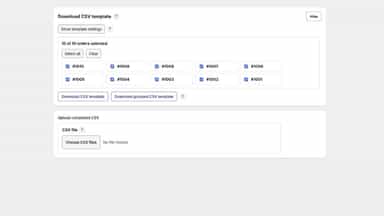
- Import tracking data with generated or supplier CSV files
- Match supplier rows using full or partial product SKUs
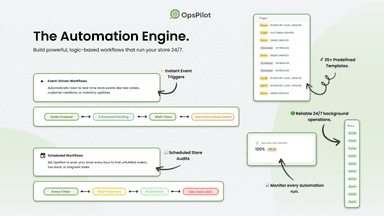
- Build workflows for orders, inventory, customers, and checkouts.
- Schedule checks for low stock, orders, and team follow-ups.
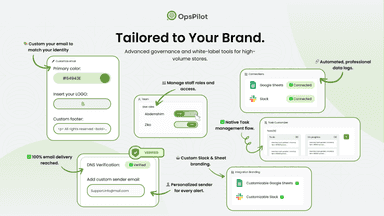
- Send Slack or email alerts when store conditions match.
- Send store and workflow data to Google Sheets.

All the numbers
Every figure, side by side
A green dot marks the app ahead on a measured figure. Estimates, gaps and apps that leave no storefront trace never take the lead.
Adoption
| Measure |  FulfillPilot |  OpsPilot |
|---|---|---|
| Detected stores | Not published | Not published |
| Net store change, 28 days | 0 | 0 |
| Stores added, 28 days | Not enough data | Not enough data |
| Big-brand share | Not enough data | Not enough data |
| Top store categories | Not published | Not published |
| Top store countries | Not published | Not published |
Reviews
| Measure | FulfillPilot | OpsPilot |
|---|---|---|
| App Store rating | Not published | Not published |
| App Store reviews | Not published | Not published |
| New reviews, 28 days | Not enough data | Not enough data |
| Reviewers a year or more in | Not enough data | Not enough data |
Pricing
| Measure | FulfillPilot | OpsPilot |
|---|---|---|
| Free plan | Not listed | Not listed |
| Lowest paid monthly plan | $0.99/month | No monthly plan listed |
| Longest free trial | 30 days | Not listed |
| Plans listed | 1 | Not published |
Listing
| Measure | FulfillPilot | OpsPilot |
|---|---|---|
| Shopify category rank | #253(ahead) | #587 |
| Shopify App Charts | Not on this week’s charts | Not on this week’s charts |
| Built for Shopify | No | No |
| Launched | Aug 18, 2026 | May 13, 2026 |
| Languages | 1 | 1 |
| Developer | KaysonShen@icloud.com | OpsPilot |
FAQ
FulfillPilot and OpsPilot: common questions
- What features does each app list that the other doesn’t?
- OpsPilot lists 13 the others don’t mention, such as APIs, Auto-sync data, Custom triggers, Custom workflows. A feature missing from a listing may still be supported; this compares what each App Store listing says.
- Where does this comparison’s data come from?
- Shoplist crawls Shopify storefronts to detect which apps each store runs, and reads each app’s Shopify App Store listing for reviews, pricing, features and integrations. Store counts are as of Oct 13, 2026 for FulfillPilot, Jun 5, 2026 for OpsPilot; estimated figures are labeled.
How Shoplist compares apps
Store counts come from Shoplist’s crawl of Shopify storefronts, which detects the apps each store runs; they are as of Oct 13, 2026 for FulfillPilot, Jun 5, 2026 for OpsPilot. Reviews, ratings, plans, features and integrations come from each app’s Shopify App Store listing. 28-day figures are labeled when estimated, and a figure that is missing or estimated never decides who leads. Read the methodology.