

Freedrop vs OnDrop
Two Shopify apps, side by side: detected stores, momentum, reviews, plans, listed features and who runs each. Store counts as of Nov 2, 2026 for Freedrop, Oct 13, 2026 for OnDrop.
The short answer
- Only OnDrop lists a free plan. Paid plans start at $20/month for Freedrop and $12.99/month for OnDrop.
- Freedrop lists 4 features OnDrop’s listing doesn’t mention, including Custom entry, Discount codes, Games.
Head to head


Momentum
New reviews each month
Review pace is the clearest public read on how fast an app is winning new merchants.
Basic
- · 1 promo per month
- · Email & Phone Number export
- · Reports on usage
Plus
- · 5 promos per month
- · Combine with Creator accounts
- · Email & Phone Number export
- · Reports on usage
Pro
- · Combine with Creator accounts
- · Email & Phone Number export
- · FreeDrop assisted promo game generation
- · Reports on usage
- · Unlimited promos per month
Discovery
- · "OnDrop" branding shown
- · 1 free drop
- · Apple/Google/Outlook calendar buttons
- · Automatic time-zone handling
- · Countdown timer on your product page
- · Shareable page for your drop
Pro
- · Basic stats : views, adds, convers. rate
- · Customizable drop page
- · Everything in Discovery
- · Removable branding
- · Unlimited drops
Brand
- · Advanced analytics + live chart
- · Everything in Pro
- · Priority support
- · Sales generated per drop
- · Subscribable brand calendar
Coverage counts what each App Store listing names. Every feature, checked off app by app, is in Shoplist.
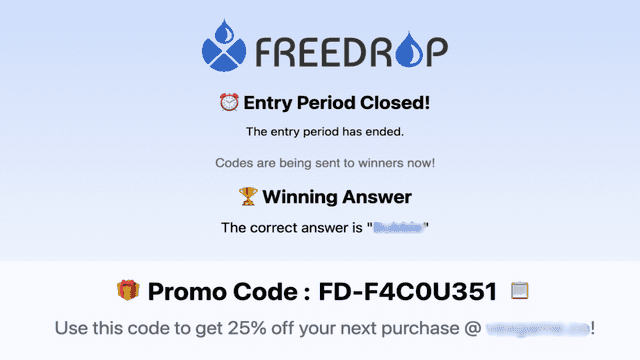
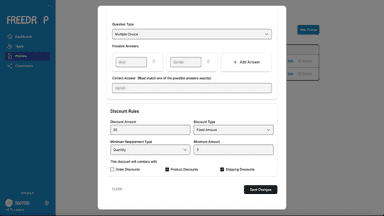
See every featureMost sites struggle to generate signups. It can be tough to convince a user to give you their information. FreeDrop changes that by providing the user something to participate in. You make a game in our app for your site. This can be a live game, a game that runs for a specific amount of time, or ongoing. When a user goes to enter the game to win a discount they provide their information to enter.
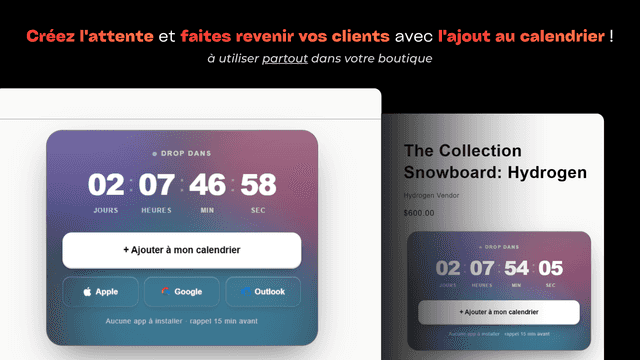
OnDrop is built for brands that sell in drops: add a live countdown and an Add to calendar button to your product page with a native theme block. Customers save your launch to Apple, Google or Outlook in one tap, with no app and no sign-up, and get a reminder before it goes live. Share each drop on its own page and let fans subscribe to your brand calendar so new drops appear automatically.
- Create a Promo on an unreleased Youtube video to drive engagement on the video.
- You can require that the user is subscribed to the YouTube channel to enter.
- Winners receive a unique, one time use, coupon code.
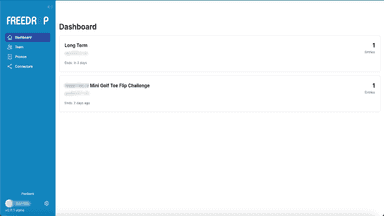
- Get detailed analytics on promo participation and discount code usage.
- Ajout au calendrier en un tap : Apple, Google et Outlook
- Compte à rebours « Liquid Glass » sur la page produit
- Bloc de thème natif : ajout et placement en un clic
- Gestion automatique des fuseaux horaires pour chaque client



All the numbers
Every figure, side by side
A green dot marks the app ahead on a measured figure. Estimates, gaps and apps that leave no storefront trace never take the lead.
Adoption
| Measure |  Freedrop |  OnDrop |
|---|---|---|
| Detected stores | Not published | Not published |
| Net store change, 28 days | 0 | 0 |
| Stores added, 28 days | Not enough data | Not enough data |
| Big-brand share | Not enough data | Not enough data |
| Top store categories | Not published | Not published |
| Top store countries | Not published | Not published |
Reviews
| Measure | Freedrop | OnDrop |
|---|---|---|
| App Store rating | 5.0 ★ | Not published |
| App Store reviews | 3 | Not published |
| New reviews, 28 days | Not enough data | Not enough data |
| Reviewers a year or more in | Not enough data | Not enough data |
FAQ
Freedrop and OnDrop: common questions
- Is Freedrop or OnDrop cheaper?
- Only OnDrop lists a free plan. Paid plans start at $20/month for Freedrop and $12.99/month for OnDrop. Shoplist compares base prices only between monthly plans in the same currency; usage charges and annual plans vary, so check each plan’s limits.
- What features does each app list that the other doesn’t?
- Freedrop lists 4 the others don’t mention, such as Custom entry, Discount codes, Games, Video contests. A feature missing from a listing may still be supported; this compares what each App Store listing says.
- Where does this comparison’s data come from?
- Shoplist crawls Shopify storefronts to detect which apps each store runs, and reads each app’s Shopify App Store listing for reviews, pricing, features and integrations. Store counts are as of Nov 2, 2026 for Freedrop, Oct 13, 2026 for OnDrop; estimated figures are labeled.
How Shoplist compares apps
Store counts come from Shoplist’s crawl of Shopify storefronts, which detects the apps each store runs; they are as of Nov 2, 2026 for Freedrop, Oct 13, 2026 for OnDrop. Reviews, ratings, plans, features and integrations come from each app’s Shopify App Store listing. 28-day figures are labeled when estimated, and a figure that is missing or estimated never decides who leads. Read the methodology.