
FrameFill: AI Resize & Extend vs FrameOnce
Two Shopify apps, side by side: detected stores, momentum, reviews, plans, listed features and who runs each. Store counts as of Nov 12, 2026 for FrameFill, Oct 14, 2026 for FrameOnce.
The short answer
- Only FrameOnce lists a free plan.
- FrameOnce lists 9 features FrameFill’s listing doesn’t mention, including Auto-optimization, Background removal, Compression.
Head to head

Free
Starter
Pro
Scale
Coverage counts what each App Store listing names. Every feature, checked off app by app, is in Shoplist.
See every featureFor product photos whose backgrounds are worth keeping. FrameFill reframes product photos to the sizes your store needs — 1:1 for catalogs, 4:5 for social, 16:9 for banners — without stretching, cropping, or re-staging your product. AI fills only the new margins; your product region is VERIFIED pixel-identical, image by image. Preview every result first. Applying adds a new image, never replacing your original.
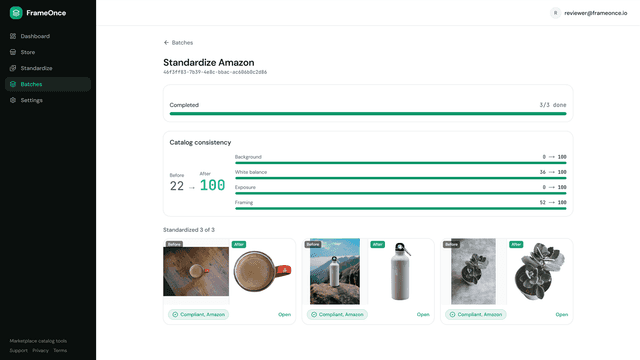
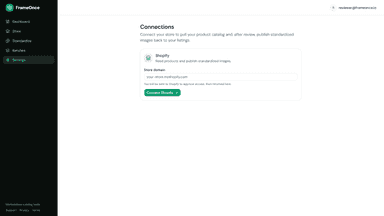
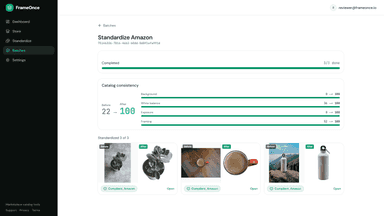
FrameOnce gets product images ready for the marketplaces you sell on. Choose Amazon, Etsy, Google, or Shopify and it cleans the background, fixes framing and margins, resizes, and exports a compliant JPEG. Import products from your store and standardize whole batches in one run. Every image is checked against the marketplace rules before you publish, and a consistency score shows how uniform your catalog looks.
- AI extends margins to 1:1, 4:5 or 16:9 — never stretches or crops your product
- Verified fidelity: product pixels checked numerically against your original
- Preview first; Apply adds a new image — your originals always stay
- Honest quality flags when seams need a look; regenerating is free
- Standardize whole batches to marketplace rules in one run
- Every image checked against marketplace rules before you publish
- Publish finished images to your products, originals never deleted
- Catalog consistency score shows how uniform your images look

All the numbers
Every figure, side by side
A green dot marks the app ahead on a measured figure. Estimates, gaps and apps that leave no storefront trace never take the lead.
Adoption
| Measure |  FrameOnce | |
|---|---|---|
| Detected stores | Not published | Not published |
| Net store change, 28 days | 0 | 0 |
| Stores added, 28 days | Not enough data | Not enough data |
| Big-brand share | Not enough data | Not enough data |
| Top store categories | Not published | Not published |
| Top store countries | Not published | Not published |
Reviews
| Measure | FrameOnce | |
|---|---|---|
| App Store rating | Not published | Not published |
| App Store reviews | Not published | Not published |
| New reviews, 28 days | Not enough data | Not enough data |
| Reviewers a year or more in | Not enough data | Not enough data |
FAQ
FrameFill and FrameOnce: common questions
- Is FrameFill or FrameOnce cheaper?
- Only FrameOnce lists a free plan. Shoplist compares base prices only between monthly plans in the same currency; usage charges and annual plans vary, so check each plan’s limits.
- What features does each app list that the other doesn’t?
- FrameFill lists 2 the others don’t mention, such as AI generation, Generative fill. FrameOnce lists 9 the others don’t mention, such as Auto-optimization, Background removal, Compression, Cropping. A feature missing from a listing may still be supported; this compares what each App Store listing says.
- Where does this comparison’s data come from?
- Shoplist crawls Shopify storefronts to detect which apps each store runs, and reads each app’s Shopify App Store listing for reviews, pricing, features and integrations. Store counts are as of Nov 12, 2026 for FrameFill, Oct 14, 2026 for FrameOnce; estimated figures are labeled.
How Shoplist compares apps
Store counts come from Shoplist’s crawl of Shopify storefronts, which detects the apps each store runs; they are as of Nov 12, 2026 for FrameFill, Oct 14, 2026 for FrameOnce. Reviews, ratings, plans, features and integrations come from each app’s Shopify App Store listing. 28-day figures are labeled when estimated, and a figure that is missing or estimated never decides who leads. Read the methodology.