
Fragify vs ShipFit
Two Shopify apps, side by side: detected stores, momentum, reviews, plans, listed features and who runs each. Store counts as of Nov 12, 2026 for Fragify, Sep 30, 2026 for ShipFit.
The short answer
- ShipFit lists 3 features Fragify’s listing doesn’t mention, including Multi-language, Rename options, Reorder rates.
Head to head

Tier 1 Essentials
- · Fee folded into fragile product prices
- · Turn off the fee, restore prices
- · You approve every price change first
Tier 2 Checkout
- · Everything in Tier 1
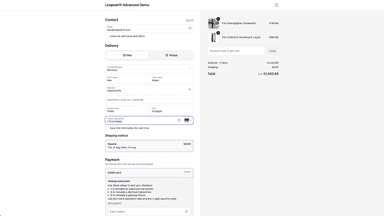
- · Hide shipping options for fragile carts
- · Optional fragile notice at checkout
- · Requires Shopify Plus or a dev store
Coverage counts what each App Store listing names. Every feature, checked off app by app, is in Shoplist.
See every featurePackaging rules for fragile goods, not insurance. Tag fragile products with one toggle; tagging alone changes nothing. The packaging fee is optional and off by default: you preview the new product prices, and only after you approve does Fragify add the fee to the prices it updates. Turn it off to restore your originals, also before uninstalling.
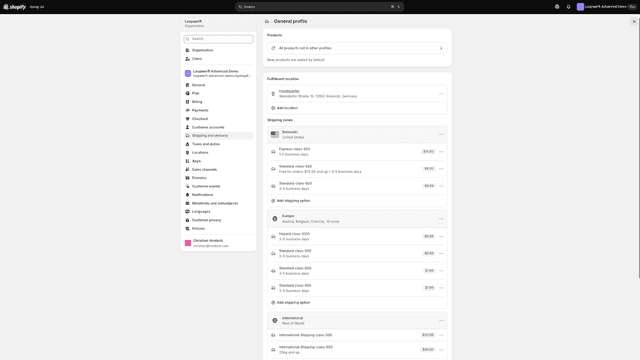
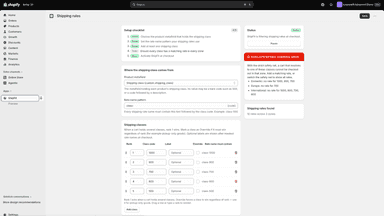
Shopify splits carts across shipping profiles, causing duplicate shipping charges. Merging into one profile fixes that, but then shows every rate for every cart, even ones that can't ship the goods, like dangerous goods, oversized freight, or liquids. ShipFit keeps a single profile but shows only the rates that fit each cart, using a shipping class metafield per product matched to rates named by class (e.g.
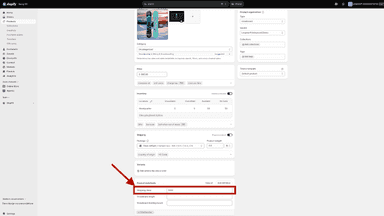
- Mark products as fragile with one toggle; tagging alone changes nothing
- Optional packaging fee added to product prices only after you approve
- Preview the new product prices before anything changes in your store
- Undo a change or turn the fee off to restore your originals
- Merges shipping profiles into one while filtering rates per cart's classes
- Highest-priority shipping class in cart determines which rates are shown
- Override and companion rules handle restricted goods and combined shipping
All the numbers
Every figure, side by side
A green dot marks the app ahead on a measured figure. Estimates, gaps and apps that leave no storefront trace never take the lead.
Adoption
| Measure |  ShipFit | |
|---|---|---|
| Detected stores | Not published | Not published |
| Net store change, 28 days | Not enough data | 0 |
| Stores added, 28 days | Not enough data | Not enough data |
| Big-brand share | Not enough data | Not enough data |
| Top store categories | Not published | Not published |
| Top store countries | Not published | Not published |
Reviews
| Measure | ShipFit | |
|---|---|---|
| App Store rating | Not published | Not published |
| App Store reviews | Not published | Not published |
| New reviews, 28 days | Not enough data | Not enough data |
| Reviewers a year or more in | Not enough data | Not enough data |
FAQ
Fragify and ShipFit: common questions
- What features does each app list that the other doesn’t?
- Fragify lists 1 the others don’t mention, such as Packaging. ShipFit lists 3 the others don’t mention, such as Multi-language, Rename options, Reorder rates. A feature missing from a listing may still be supported; this compares what each App Store listing says.
- Where does this comparison’s data come from?
- Shoplist crawls Shopify storefronts to detect which apps each store runs, and reads each app’s Shopify App Store listing for reviews, pricing, features and integrations. Store counts are as of Nov 12, 2026 for Fragify, Sep 30, 2026 for ShipFit; estimated figures are labeled.
How Shoplist compares apps
Store counts come from Shoplist’s crawl of Shopify storefronts, which detects the apps each store runs; they are as of Nov 12, 2026 for Fragify, Sep 30, 2026 for ShipFit. Reviews, ratings, plans, features and integrations come from each app’s Shopify App Store listing. 28-day figures are labeled when estimated, and a figure that is missing or estimated never decides who leads. Read the methodology.