Formify ‑ Dynamic Forms vs Forms ‑ Opal Infotech
Two Shopify apps, side by side: detected stores, momentum, reviews, plans, listed features and who runs each. Store counts as of Oct 13, 2026 for Formify, Feb 19, 2026 for Forms.
The short answer
- Only Formify lists a free plan.
- Formify lists 9 features Forms’s listing doesn’t mention, including Contacts, Custom fields, Drag-and-drop editor.
Head to head

Momentum
New reviews each month
Review pace is the clearest public read on how fast an app is winning new merchants.
Free
- · Full access to newsletter, Popup.
- · Responsive form design
Standard
- · Email notifications
- · Everything in free plan
- · Full access to contact forms
- · Multiple design templates
- · Priority support
Professional
- · Email notifications
- · Everything in free and standard plan
- · Full access to contact forms
- · Full access to rating forms
- · Full access to survey forms
- · Priority support
Coverage counts what each App Store listing names. Every feature, checked off app by app, is in Shoplist.
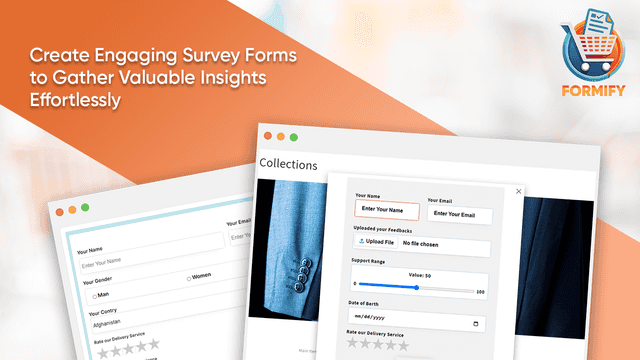
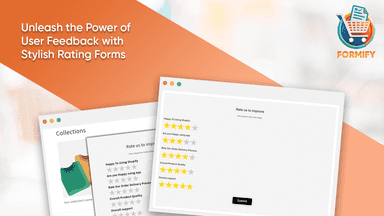
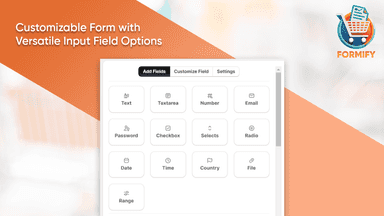
See every featureDesign custom forms for contact, surveys, ratings, and newsletters with control over input fields like text, email, text area, file, select, time, ratings etc. Personalize background colors, fonts, buttons, card etc. Easily rearrange fields with drag-and-drop, and preview forms in real-time. Merchants receive email notifications for submissions, while survey and rating responses can be viewed on a dedicated page.
Design and publish custom forms to capture leads, feedback, or any customer input. Whether you're collecting contact details or running a survey, all responses are stored and viewable within your Shopify admin. Forms are easy to insert using the theme editor and work seamlessly with Online Store 2.0. Ideal for stores that need flexible, no-code data collection built into their store experience.
- Design tailored forms for contact, surveys, ratings, and newsletters.
- Customizable form fields, colors, fonts, and button styles.
- Easily rearrange fields with a user-friendly interface and live previews.
- Receive email notifications for contact, survey, and rating form submissions.
- Build custom forms to collect customer details easily
- View all form responses inside your Shopify admin
- Add forms directly to your theme using the editor

All the numbers
Every figure, side by side
A green dot marks the app ahead on a measured figure. Estimates, gaps and apps that leave no storefront trace never take the lead.
Adoption
| Measure |  Formify | Forms |
|---|---|---|
| Detected stores | Not published | Not published |
| Net store change, 28 days | 0 | 0 |
| Stores added, 28 days | Not enough data | Not enough data |
| Big-brand share | Not enough data | Not enough data |
| Top store categories | Not published | Not published |
| Top store countries | Not published | Not published |
Reviews
| Measure | Formify | Forms |
|---|---|---|
| App Store rating | Not published | Not published |
| App Store reviews | Not published | Not published |
| New reviews, 28 days | Not enough data | Not enough data |
| Reviewers a year or more in | Not enough data | Not enough data |
FAQ
Formify and Forms: common questions
- Is Formify or Forms cheaper?
- Only Formify lists a free plan. Shoplist compares base prices only between monthly plans in the same currency; usage charges and annual plans vary, so check each plan’s limits.
- What features does each app list that the other doesn’t?
- Formify lists 9 the others don’t mention, such as Contacts, Custom fields, Drag-and-drop editor, Email responses. Forms lists 3 the others don’t mention, such as Analytics, Dashboard, Status tracking. A feature missing from a listing may still be supported; this compares what each App Store listing says.
- Where does this comparison’s data come from?
- Shoplist crawls Shopify storefronts to detect which apps each store runs, and reads each app’s Shopify App Store listing for reviews, pricing, features and integrations. Store counts are as of Oct 13, 2026 for Formify, Feb 19, 2026 for Forms; estimated figures are labeled.
How Shoplist compares apps
Store counts come from Shoplist’s crawl of Shopify storefronts, which detects the apps each store runs; they are as of Oct 13, 2026 for Formify, Feb 19, 2026 for Forms. Reviews, ratings, plans, features and integrations come from each app’s Shopify App Store listing. 28-day figures are labeled when estimated, and a figure that is missing or estimated never decides who leads. Read the methodology.