

Rowquay: Bulk Import Export vs Sbit: Store Backup & Restore
Two Shopify apps, side by side: detected stores, momentum, reviews, plans, listed features and who runs each. Store counts as of Oct 29, 2026 for Rowquay, Oct 14, 2026 for Sbit.
The short answer
- Both list a free plan. Paid plans start at $9.99/month for Rowquay and $14.99/month for Sbit.
- Sbit lists 23 features Rowquay’s listing doesn’t mention, including Auto-update, Bulk export, Bulk updates.
Head to head


Momentum
New reviews each month
Review pace is the clearest public read on how fast an app is winning new merchants.
Free
- · Automatic column mapping
- · CSV and Excel import and export
- · Error report for failed rows
- · For small catalogs
Pro
- · Built for large, ongoing catalog work
- · Everything in Free
- · Priority support
Free
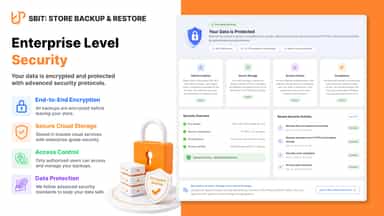
- · 100% Secure, HIPAA Certify
- · 5 GB monthly export storage
- · All-in-one ZIP export and import
- · Auto-backup scheduling
- · Discounts, Markets, Catalogs export
- · Failures download CSV and JSON
Pro
- · 100% Secure, HIPAA Certify
- · All-in-one ZIP export and import
- · Auto-backup scheduling
- · Discounts, Markets, Catalogs export
- · Failures download CSV and JSON
- · Pages, Menus, Blogs export
Coverage counts what each App Store listing names. Every feature, checked off app by app, is in Shoplist.
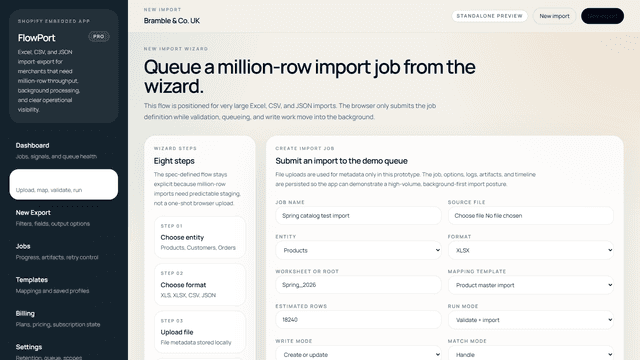
See every featureRowquay bulk imports and exports Shopify products (including variants), customers and orders using CSV or Excel (XLS, XLSX) files, with JSON import too. Save mapping templates and export profiles so repeat jobs are quick to set up. Every file is checked before anything is written, so problems show row by row and each job keeps an error report to fix and re-run.
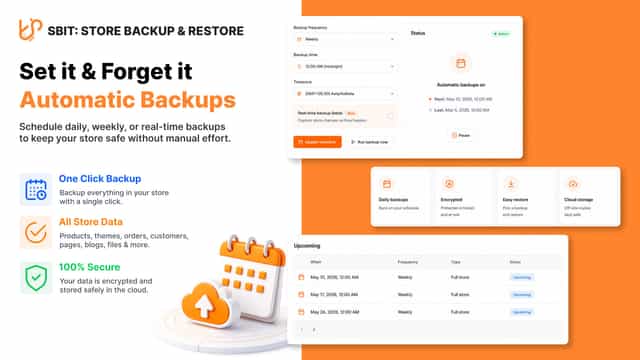
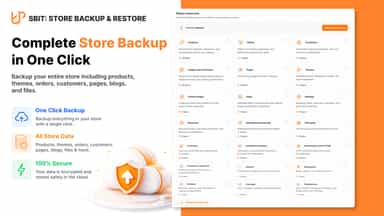
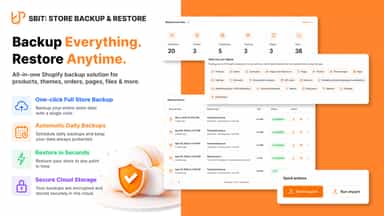
Sbit: Store Backup & Restore helps merchants keep a portable copy of store data and reuse it when they restore or move shops. Export a full store or selected resources into one ZIP you can download and retain. Import that archive into the same Shopify store or another store you manage, with each run recorded as a job so you can review progress, outcomes, and failure details without guessing what changed.
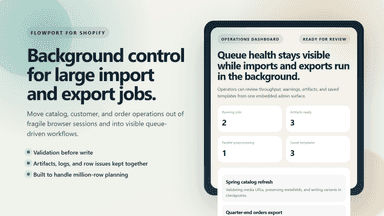
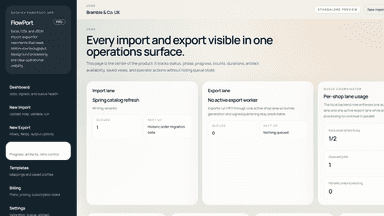
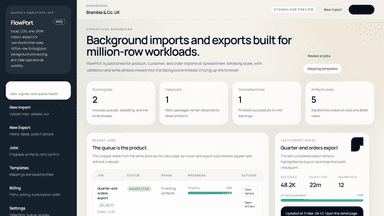
- Background import and export jobs for products, customers, and orders
- Validation-first workflows with separate blocking errors and warnings
- Saved mappings, signed artifacts, logs, and retry controls
- Export your whole store or pick resources, then download one portable ZIP file.
- Import the same archive to recover this shop or move data to another store.
- Each export or import is a tracked job with clear progress and finished results.
- Schedule automatic exports to run daily, weekly, or monthly without extra work.
All the numbers
Every figure, side by side
A green dot marks the app ahead on a measured figure. Estimates, gaps and apps that leave no storefront trace never take the lead.
Adoption
| Measure |  Rowquay |  Sbit |
|---|---|---|
| Detected stores | Not published | Not published |
| Net store change, 28 days | 0 | 0 |
| Stores added, 28 days | Not enough data | Not enough data |
| Big-brand share | Not enough data | Not enough data |
| Top store categories | Not published | Not published |
| Top store countries | Not published | Not published |
Reviews
| Measure | Rowquay | Sbit |
|---|---|---|
| App Store rating | Not published | 5.0 ★ |
| App Store reviews | Not published | 3 |
| New reviews, 28 days | Not enough data | Not enough data |
| Reviewers a year or more in | Not enough data | Not enough data |
FAQ
Rowquay and Sbit: common questions
- Is Rowquay or Sbit cheaper?
- Both list a free plan. Paid plans start at $9.99/month for Rowquay and $14.99/month for Sbit. Shoplist compares base prices only between monthly plans in the same currency; usage charges and annual plans vary, so check each plan’s limits.
- What features does each app list that the other doesn’t?
- Sbit lists 23 the others don’t mention, such as Auto-update, Bulk export, Bulk updates, Collections. A feature missing from a listing may still be supported; this compares what each App Store listing says.
- Where does this comparison’s data come from?
- Shoplist crawls Shopify storefronts to detect which apps each store runs, and reads each app’s Shopify App Store listing for reviews, pricing, features and integrations. Store counts are as of Oct 29, 2026 for Rowquay, Oct 14, 2026 for Sbit; estimated figures are labeled.
How Shoplist compares apps
Store counts come from Shoplist’s crawl of Shopify storefronts, which detects the apps each store runs; they are as of Oct 29, 2026 for Rowquay, Oct 14, 2026 for Sbit. Reviews, ratings, plans, features and integrations come from each app’s Shopify App Store listing. 28-day figures are labeled when estimated, and a figure that is missing or estimated never decides who leads. Read the methodology.