
Flowkit: Timers & Counters vs Shopify Flow
Two Shopify apps, side by side: detected stores, momentum, reviews, plans, listed features and who runs each. Store counts as of Nov 6, 2026 for Flowkit, Nov 7, 2026 for Shopify Flow.
The short answer
- Shopify Flow lists 35 features Flowkit’s listing doesn’t mention, including Abandoned cart, Automations, Browse abandonment.
Head to head

Automate everything and get back to business
Momentum
New reviews each month
Review pace is the clearest public read on how fast an app is winning new merchants.
Standard
Coverage counts what each App Store listing names. Every feature, checked off app by app, is in Shoplist.
See every featureFlowkit adds nine steps to Shopify Flow, each named “Flowkit:”. Start a timer of up to 90 days; when it is due, Timer elapsed fires, and its (order) and (customer) versions carry what you attached. Cancel it by key from another workflow. Keep named counters that reset every day, week or calendar month. Call an API and use its status, body or one JSON value in the next step.
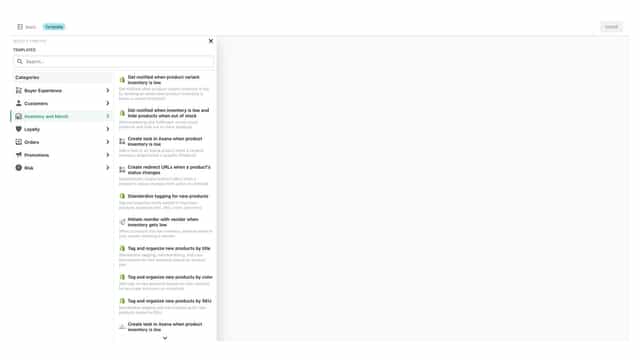
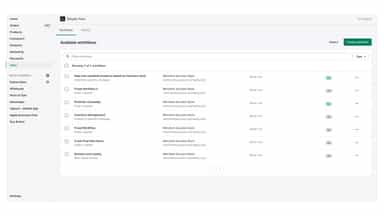
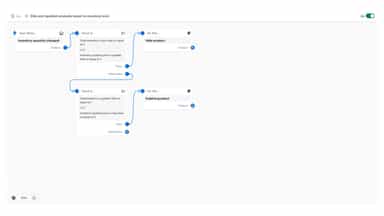
Flow makes it easy to build custom workflows to automate marketing, order fulfillment, inventory management, fraud prevention, and more. Boost productivity and reclaim your time by automating tasks, streamlining business processes, customizing how your store works, or connecting to your favorite apps and external services.
- Timers of up to 90 days that fire a trigger, and can be cancelled by key
- Named counters that reset each day, week or month; returns the new value
- HTTP request action that returns the status, body and one JSON value
- Low-stock and stock-received triggers for one location at a time
- Automate your store with hundreds of example templates for popular use cases.
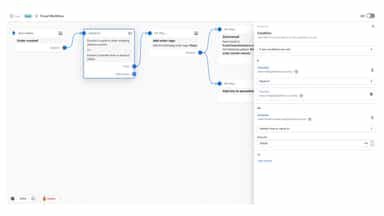
- Customize by adding conditional logic and as many actions as you need.
- Works with tags, metafields, fulfillment, B2B, Slack, Google Sheets, and more.
All the numbers
Every figure, side by side
A green dot marks the app ahead on a measured figure. Estimates, gaps and apps that leave no storefront trace never take the lead.
Adoption
| Measure |  Shopify Flow | |
|---|---|---|
| Detected stores | Not published | Not published |
| Net store change, 28 days | 0 | 0 |
| Stores added, 28 days | Not enough data | Not enough data |
| Big-brand share | Not enough data | Not enough data |
| Top store categories | Not published | Not published |
| Top store countries | Not published | Not published |
Reviews
| Measure | Shopify Flow | |
|---|---|---|
| App Store rating | Not published | 4.7 ★ |
| App Store reviews | Not published | 15,333 |
| New reviews, 28 days | Not enough data | 689 |
| Reviewers a year or more in | Not enough data | 63% |
Pricing
| Measure | Shopify Flow | |
|---|---|---|
| Free plan | Not listed | Not listed |
| Lowest paid monthly plan | $14/month | No monthly plan listed |
| Longest free trial | 14 days | Not listed |
| Plans listed | 1 | Not published |
Listing
| Measure | Shopify Flow | |
|---|---|---|
| Shopify category rank | Not enough data | #1 |
| Shopify App Charts | Not on this week’s charts | Not on this week’s charts |
| Built for Shopify | No | No |
| Launched | Nov 6, 2026 | Sep 18, 2017 |
| Languages | 1 | 1 |
| Developer | Sam Bartolotta | Shopify |
FAQ
Flowkit and Shopify Flow: common questions
- What features does each app list that the other doesn’t?
- Shopify Flow lists 35 the others don’t mention, such as Abandoned cart, Automations, Browse abandonment, Conditional logic. A feature missing from a listing may still be supported; this compares what each App Store listing says.
- Where does this comparison’s data come from?
- Shoplist crawls Shopify storefronts to detect which apps each store runs, and reads each app’s Shopify App Store listing for reviews, pricing, features and integrations. Store counts are as of Nov 6, 2026 for Flowkit, Nov 7, 2026 for Shopify Flow; estimated figures are labeled.
How Shoplist compares apps
Store counts come from Shoplist’s crawl of Shopify storefronts, which detects the apps each store runs; they are as of Nov 6, 2026 for Flowkit, Nov 7, 2026 for Shopify Flow. Reviews, ratings, plans, features and integrations come from each app’s Shopify App Store listing. 28-day figures are labeled when estimated, and a figure that is missing or estimated never decides who leads. Read the methodology.