
FitMatch Sizing Bar vs Fittly: Try‑On & Size Guide
Two Shopify apps, side by side: detected stores, momentum, reviews, plans, listed features and who runs each. Store counts as of Jul 17, 2026 for FitMatch Sizing Bar, Oct 13, 2026 for Fittly.
The short answer
Head to head


Free
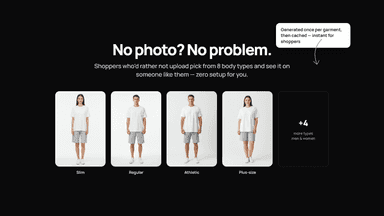
- · 8 body types to choose from
- · AI size advice - free, never metered
- · Pay per try-on - no monthly fee
- · Size guides read from your catalog
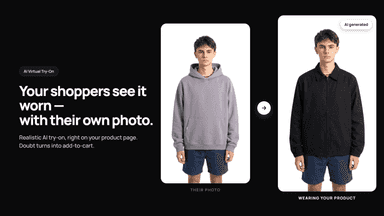
- · Try-on with the shopper's own photo
- · You set your own monthly spend cap
Starter
- · Best value from ~70 try-ons/month
- · Everything in Free, at a lower rate
Growth
- · Best value from ~250 try-ons/month
- · Everything in Starter, lowest rate
- · Priority support
Coverage counts what each App Store listing names. Every feature, checked off app by app, is in Shoplist.
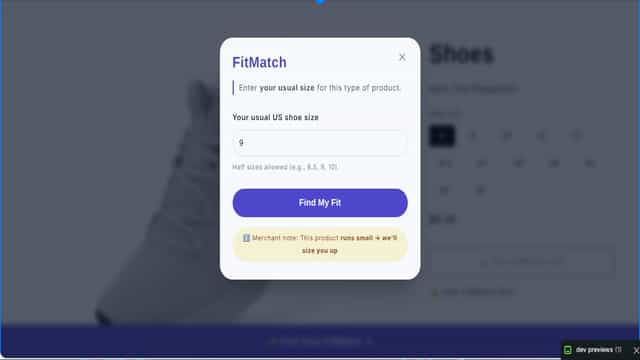
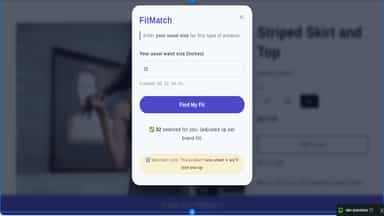
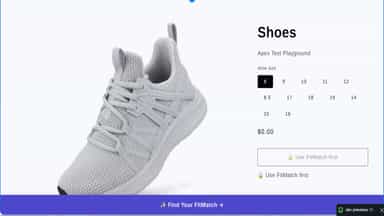
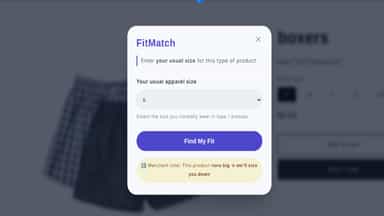
See every feature🚀 FREE FOR EARLY ADOPTERS! FitMatch Sizing Bar eliminates the guesswork from buying apparel online. Shoppers simply enter their usual size (e.g., “M” or “32”), and the widget selects the matching size. Mark products as “runs small” or “runs big” – the widget adjusts the recommendation up or down. Optionally, you can require customers to use FitMatch before adding to cart, ensuring every buyer has been guided.
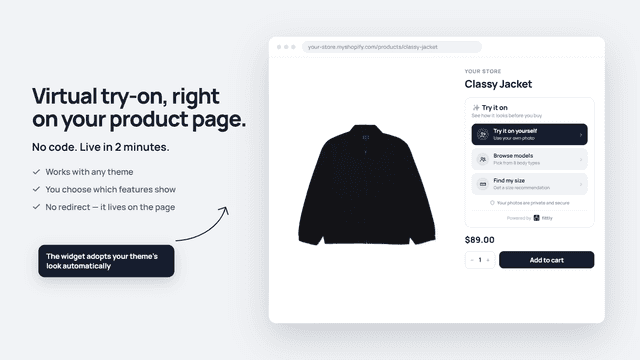
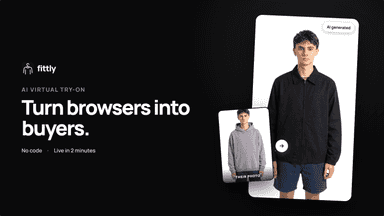
A size chart tells shoppers what the garment measures. It doesn't tell them what to buy. Fittly scans your catalogue and reads the real measurements of each garment, then recommends the size for that piece. Nothing to upload, nothing to configure — it finds the charts on its own, even when they're published as an image.
- Size matching – Customers enter their usual size, widget picks the correct size.
- Merchant fit adjustments – Mark products as runs small/big; widget adjusts size.
- Lock add‑to‑cart – Force sizing interaction to reduce “guessed” returns.
- Global defaults + overrides – Set store‑wide rules and fine‑tune per product.
- Try on as yourself — upload a photo
- AI size recommendation — personalized to each shopper's body and fit preference
- Outfit Builder — combine items, compare looks, add all to cart
- Zero per-product setup — works on any clothing item
All the numbers
Every figure, side by side
A green dot marks the app ahead on a measured figure. Estimates, gaps and apps that leave no storefront trace never take the lead.
Adoption
| Measure |  FitMatch Sizing Bar |  Fittly |
|---|---|---|
| Detected stores | Not published | Not published |
| Net store change, 28 days | 0 | 0 |
| Stores added, 28 days | Not enough data | Not enough data |
| Big-brand share | Not enough data | Not enough data |
| Top store categories | Not published | Not published |
| Top store countries | Not published | Not published |
Reviews
| Measure | FitMatch Sizing Bar | Fittly |
|---|---|---|
| App Store rating | Not published | 5.0 ★ |
| App Store reviews | Not published | 1 |
| New reviews, 28 days | Not enough data | Not enough data |
| Reviewers a year or more in | Not enough data | Not enough data |
Pricing
| Measure | FitMatch Sizing Bar | Fittly |
|---|---|---|
| Free plan | Not listed | Not listed |
| Lowest paid monthly plan | No monthly plan listed | $9/month |
| Longest free trial | Not listed | Not listed |
| Plans listed | Not published | 3 |
Listing
| Measure | FitMatch Sizing Bar | Fittly |
|---|---|---|
| Shopify category rank | #480 | #86 |
| Shopify App Charts | Not on this week’s charts | Not on this week’s charts |
| Built for Shopify | No | No |
| Launched | Jul 16, 2026 | May 7, 2026 |
| Languages | 1 | 2 |
| Developer | Apex UI Studio | ChemanCorp |
FAQ
FitMatch Sizing Bar and Fittly: common questions
- Where does this comparison’s data come from?
- Shoplist crawls Shopify storefronts to detect which apps each store runs, and reads each app’s Shopify App Store listing for reviews, pricing, features and integrations. Store counts are as of Jul 17, 2026 for FitMatch Sizing Bar, Oct 13, 2026 for Fittly; estimated figures are labeled.
How Shoplist compares apps
Store counts come from Shoplist’s crawl of Shopify storefronts, which detects the apps each store runs; they are as of Jul 17, 2026 for FitMatch Sizing Bar, Oct 13, 2026 for Fittly. Reviews, ratings, plans, features and integrations come from each app’s Shopify App Store listing. 28-day figures are labeled when estimated, and a figure that is missing or estimated never decides who leads. Read the methodology.