

File Uploads by UploadKit vs K1 Photo Upload File Manager
Two Shopify apps, side by side: detected stores, momentum, reviews, plans, listed features and who runs each. Store counts as of Nov 5, 2026 for File Uploads by UploadKit, Oct 26, 2026 for K1 Photo Upload File Manager.
The short answer
- On the Shopify App Store: File Uploads by UploadKit 3.8 from 86 reviews and K1 Photo Upload File Manager 5.0 from 1 reviews.
- Both list a free plan. Paid plans start at $9.95/month for File Uploads by UploadKit and $9.99/month for K1 Photo Upload File Manager.
- File Uploads by UploadKit lists 6 features K1 Photo Upload File Manager’s listing doesn’t mention, including Add text, Image crop, Image optimization.
Head to head


- United States
- United Kingdom
- Australia
Momentum
New reviews each month
Review pace is the clearest public read on how fast an app is winning new merchants.
Trial
- · FREE for Shopify Partners dev stores
Growing
- · Automatic malware scanning
- · Retention period up to 3 months
- · Unlimited fields
- · Up to 200MB file size
Pro
- · Automatic malware scanning
- · No UploadKit branding
- · Retention period up to 12 months
- · Sync to Google Drive
- · Unlimited fields
- · Up to 5GB file size
Free
- · 1 GB max file size
- · 5 GB encrypted Cloudflare storage
- · 50 uploads (lifetime, across all orders)
- · 90-day file retention
- · Antivirus, 30-day backup
Starter
- · 1 GB max file size
- · 20 GB encrypted Cloudflare storage
- · 500 uploads per month
- · 90-day file retention
- · Antivirus, 30-day backup
Growth
- · 1 GB max file size
- · 2,000 uploads per month
- · 50 GB encrypted Cloudflare storage
- · 90-day file retention
- · Antivirus, 30-day backup
Pro
- · 1 GB max file size
- · 10,000 uploads per month
- · 200 GB encrypted Cloudflare storage
- · 90-day file retention
- · Antivirus, 30-day backup
- · Custom plan on request
Coverage counts what each App Store listing names. Every feature, checked off app by app, is in Shoplist.
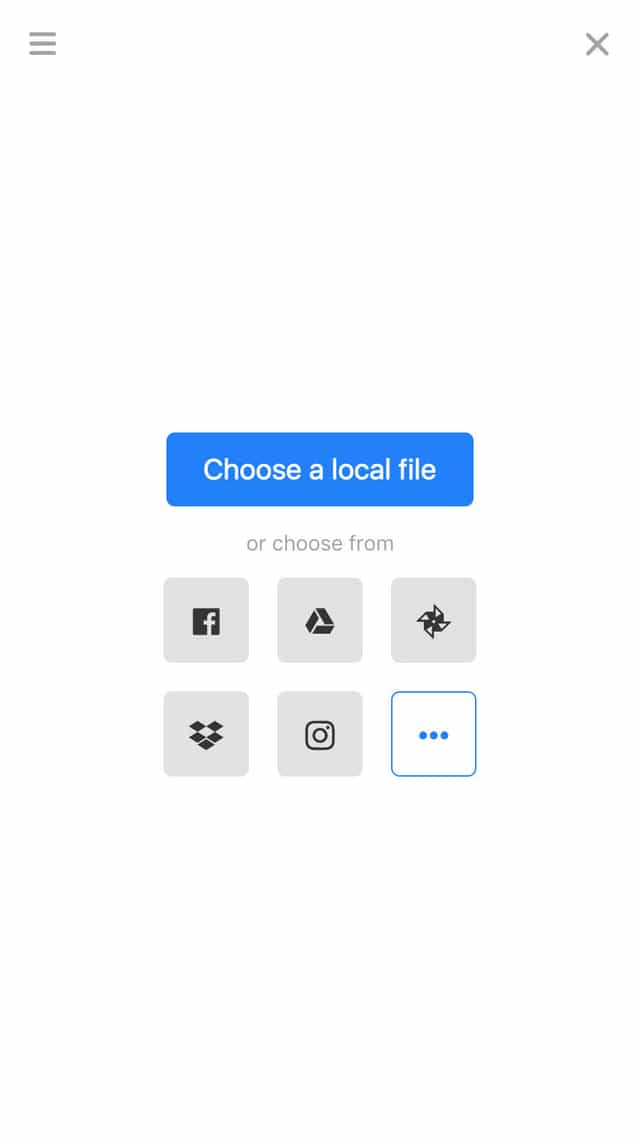
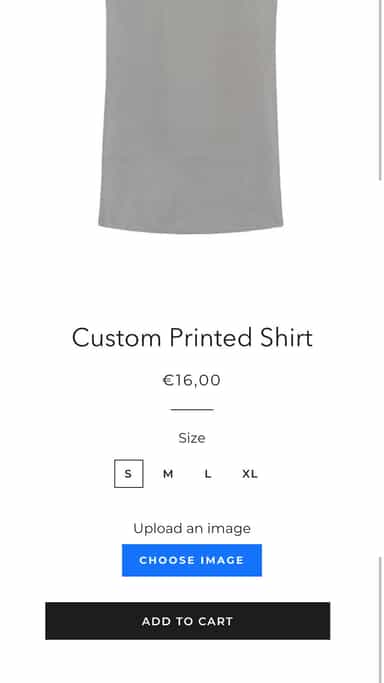
See every featureLet your customers upload their file from wherever it is - in their phone, on their computer, or from their Facebook, Instagram or Dropbox account. It's then uploaded fast and reliably, shown on the product page and in their cart, and available for you to download from your Shopify dashboard. With our Google Drive integration, the files will be downloaded direct to your team's computers automatically.
K1 Upload File lets buyers attach files, photos, any file type to any product. Every upload is scanned by antivirus. Files live on SOC 2 + ISO 27001 certified Cloudflare® R2 infrastructure — private, AES-256 encryption at rest. GDPR-compliant app. Resumable 1 GB uploads survive flaky connections. Hourly encrypted offsite backups with 30-day retention.
- Accept files from phones, computers, Facebook, Instagram and more
- Let customers preview, auto-enhance, rotate, sharpen and crop images
- Automatically sync uploaded files to your Google Drive for faster order handling
- Attach file fields to collections, products or even individual variants
- Set upload fields to upload images per product, variant, or collection
- Every upload file is virus-scanned before download is unlocked
- Resumable uploads up to 1 GB survive lost connections without losing progress
- Hourly encrypted offsite backups with 30-day retention







All the numbers
Every figure, side by side
A green dot marks the app ahead on a measured figure. Estimates, gaps and apps that leave no storefront trace never take the lead.
Adoption
| Measure |  File Uploads by UploadKit |  K1 Photo Upload File Manager |
|---|---|---|
| Detected stores | 1,458 | Not published |
| Net store change, 28 days | −27 | 0 |
| Stores added, 28 days | 3 | Not enough data |
| Big-brand share | 13% | Not enough data |
| Top store categories | Apparel & Accessories, Home & Garden, Arts & Entertainment | Not published |
| Top store countries | United States, United Kingdom, Australia | Not published |
Reviews
| Measure | File Uploads by UploadKit | K1 Photo Upload File Manager |
|---|---|---|
| App Store rating | 3.8 ★ | 5.0 ★(ahead) |
| App Store reviews | 86(ahead) | 1 |
| New reviews, 28 days | 0 | Not enough data |
| Reviewers a year or more in | Not enough data | Not enough data |
Pricing
| Measure | File Uploads by UploadKit | K1 Photo Upload File Manager |
|---|---|---|
| Free plan | Yes | Yes |
| Lowest paid monthly plan | $9.95/month(ahead) | $9.99/month |
| Longest free trial | 7 days | 7 days |
| Plans listed | 3 | 4 |
Listing
| Measure | File Uploads by UploadKit | K1 Photo Upload File Manager |
|---|---|---|
| Shopify category rank | #69 | #52(ahead) |
| Shopify App Charts | #2 in Custom file upload | Not on this week’s charts |
| Built for Shopify | No | No |
| Launched | Sep 26, 2018 | May 29, 2026 |
| Languages | 1 | 1 |
| Developer | UploadKit | K1 Apps |
FAQ
File Uploads by UploadKit and K1 Photo Upload File Manager: common questions
- Is File Uploads by UploadKit or K1 Photo Upload File Manager cheaper?
- Both list a free plan. Paid plans start at $9.95/month for File Uploads by UploadKit and $9.99/month for K1 Photo Upload File Manager. Shoplist compares base prices only between monthly plans in the same currency; usage charges and annual plans vary, so check each plan’s limits.
- Which has better reviews, File Uploads by UploadKit or K1 Photo Upload File Manager?
- On the Shopify App Store: File Uploads by UploadKit 3.8 from 86 reviews and K1 Photo Upload File Manager 5.0 from 1 reviews.
- What features does each app list that the other doesn’t?
- File Uploads by UploadKit lists 6 the others don’t mention, such as Add text, Image crop, Image optimization, Image rotate. K1 Photo Upload File Manager lists 1 the others don’t mention, such as Custom CSS. A feature missing from a listing may still be supported; this compares what each App Store listing says.
- Where does this comparison’s data come from?
- Shoplist crawls Shopify storefronts to detect which apps each store runs, and reads each app’s Shopify App Store listing for reviews, pricing, features and integrations. Store counts are as of Nov 5, 2026 for File Uploads by UploadKit, Oct 26, 2026 for K1 Photo Upload File Manager; estimated figures are labeled.
How Shoplist compares apps
Store counts come from Shoplist’s crawl of Shopify storefronts, which detects the apps each store runs; they are as of Nov 5, 2026 for File Uploads by UploadKit, Oct 26, 2026 for K1 Photo Upload File Manager. Reviews, ratings, plans, features and integrations come from each app’s Shopify App Store listing. 28-day figures are labeled when estimated, and a figure that is missing or estimated never decides who leads. Read the methodology.