

FeedHat – Screenshot Feedback vs IssueHub
Two Shopify apps, side by side: detected stores, momentum, reviews, plans, listed features and who runs each. Store counts as of Oct 14, 2026.
The short answer
- Both list a free plan. Paid plans start at $9.99/month for FeedHat and $9.99/month for IssueHub.
- IssueHub lists 4 features FeedHat’s listing doesn’t mention, including Analytics, Escalation, Feedback surveys.
Head to head


Free
- · 50 submissions a month
- · A private status link
- · Feedback button on the whole storefront
- · One notification email
- · Screenshot with rectangle, arrow, pen, t
- · Status: New, In progress, Resolved, Won'
Pro
- · 1,000 submissions a month
- · Button labels for each language
- · Button on customer tags
- · Button on logged-in customers
- · Button on selected pages
- · Email routing, auto-assign, and CAPTCHA
Growth
- · 10,000 submissions a month
- · Everything in Pro
- · SLA reminder when a note stays open
- · Webhook to Slack, Discord, your own URL
- · Your own logo and button name
Free
- · 4-week Media Retention
- · Admin Issue Dashboard
- · Custom Issue Categories
- · Developer Console Log Capture
- · Floating Storefront Widget
- · Standard Customization
basic
- · 100 monthly submissions
- · 12-week Media Retention
- · Custom Form Fields upto 3 text fields
- · Data Export (CSV/JSON)
- · Developer Console Log Capture
- · Floating Storefront Widget
growth
- · Data Export (CSV/JSON)
- · Developer Console Log Capture
- · Global Widget Positioning
- · Media Retention
- · Priority Merchant Support
- · Unlimited screen recordings
Coverage counts what each App Store listing names. Every feature, checked off app by app, is in Shoplist.
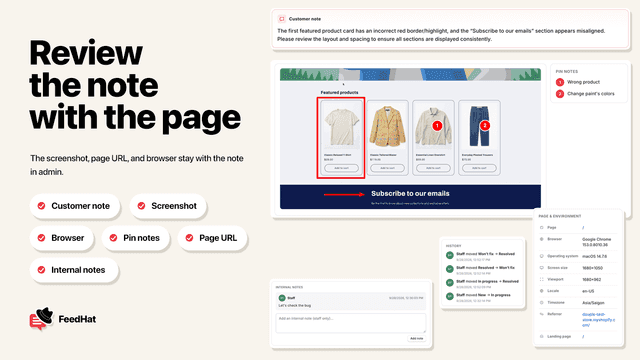
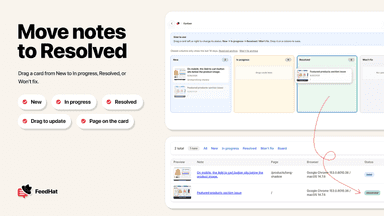
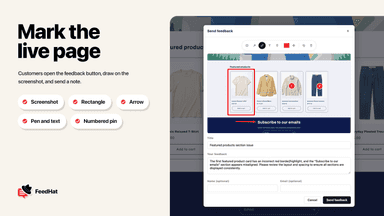
See every featureFeedHat adds a feedback button to your storefront. A customer clicks it, writes what is wrong, and you receive the page, browser, and a screenshot in the FeedHat admin. Each note has a private status link you can share, and you can move notes across New, In progress, Resolved, and Won't fix. Email alerts use the address you set in the app. You choose where the button appears and who can see it.
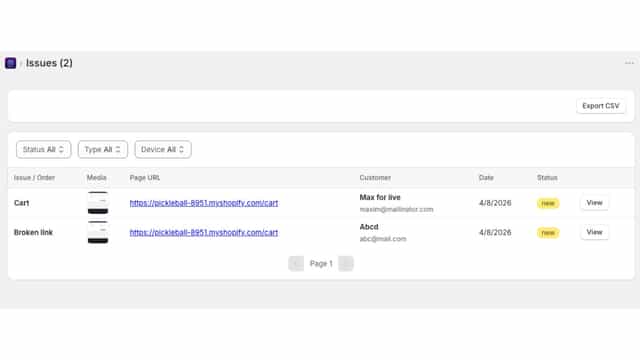
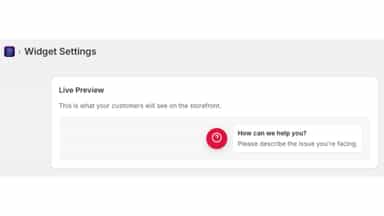
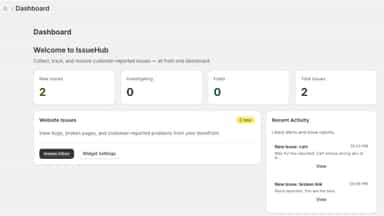
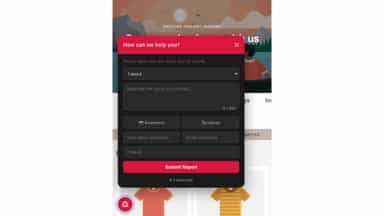
IssueHub Widget helps merchants catch problems on their store before they affect conversions. Customers can report issues directly from a small on page widget, and the app uses AI to categorize and summarize the problem for the merchant. You also get real time alerts, a visual log of all reported issues, and easy tools to resolve or mark them as fixed.
- Customers mark a page issue and attach a screenshot.
- Track each note as New, In progress, Resolved, or Won't fix.
- Receive an email when a new note is submitted.
- Show the button on selected pages or to selected customers.
- Smart Issue Detection via small widget.
- Receive instant update inside the app when a new issue is submitted.
- See every issue in a simple dashboard with page URLs, status control to track.
All the numbers
Every figure, side by side
A green dot marks the app ahead on a measured figure. Estimates, gaps and apps that leave no storefront trace never take the lead.
Adoption
| Measure |  FeedHat |  IssueHub |
|---|---|---|
| Detected stores | Not published | Not published |
| Net store change, 28 days | 0 | 0 |
| Stores added, 28 days | Not enough data | Not enough data |
| Big-brand share | Not enough data | Not enough data |
| Top store categories | Not published | Not published |
| Top store countries | Not published | Not published |
Reviews
| Measure | FeedHat | IssueHub |
|---|---|---|
| App Store rating | Not published | Not published |
| App Store reviews | Not published | Not published |
| New reviews, 28 days | Not enough data | Not enough data |
| Reviewers a year or more in | Not enough data | Not enough data |
FAQ
FeedHat and IssueHub: common questions
- Is FeedHat or IssueHub cheaper?
- Both list a free plan. Paid plans start at $9.99/month for FeedHat and $9.99/month for IssueHub. Shoplist compares base prices only between monthly plans in the same currency; usage charges and annual plans vary, so check each plan’s limits.
- What features does each app list that the other doesn’t?
- IssueHub lists 4 the others don’t mention, such as Analytics, Escalation, Feedback surveys, Ticketing. A feature missing from a listing may still be supported; this compares what each App Store listing says.
- Where does this comparison’s data come from?
- Shoplist crawls Shopify storefronts to detect which apps each store runs, and reads each app’s Shopify App Store listing for reviews, pricing, features and integrations. Store counts are as of Oct 14, 2026; estimated figures are labeled.
How Shoplist compares apps
Store counts come from Shoplist’s crawl of Shopify storefronts, which detects the apps each store runs; they are as of Oct 14, 2026. Reviews, ratings, plans, features and integrations come from each app’s Shopify App Store listing. 28-day figures are labeled when estimated, and a figure that is missing or estimated never decides who leads. Read the methodology.