FeedForge: Supplier Sync vs Stockfeed: Supplier Stock Sync
Two Shopify apps, side by side: detected stores, momentum, reviews, plans, listed features and who runs each. Store counts as of Nov 4, 2026 for FeedForge, Oct 14, 2026 for Stockfeed.
The short answer
- Both list a free plan. Paid plans start at $9/month for FeedForge and $14.99/month for Stockfeed.
- FeedForge lists 5 features Stockfeed’s listing doesn’t mention, including Barcodes, Error reports, Historical reports.
Head to head

Free
- · 1 supplier feed
- · 500 rows per import
- · CSV, TSV, Excel (.xlsx), XML, JSON feeds
- · Dry run and undo of any import
- · Manual imports only
- · Mapping rules with live preview
Starter
- · 3 supplier feeds
- · 5,000 rows per import
- · CSV, TSV, Excel (.xlsx), XML, JSON feeds
- · Daily scheduled imports
- · Dry run and undo of any import
- · Mapping rules with live preview
Growth
- · 10 supplier feeds
- · 50,000 rows per import
- · Everything in Starter
- · Hourly scheduled imports
Scale
- · 250,000 rows per import
- · Everything in Growth
- · Imports every 15 minutes
- · Unlimited supplier feeds
Free
- · Daily stock updates
- · One supplier feed of 500 rows
- · Preview every change
Pro
- · Five supplier feeds of 25,000 rows
- · Price locked for as long as you keep it
- · Prices from cost with your markup
- · Updates as often as hourly
Coverage counts what each App Store listing names. Every feature, checked off app by app, is in Shoplist.
See every featureSync supplier feeds without surprises. Suppliers send CSV, TSV, Excel (.xlsx), XML or JSON by URL, FTP, SFTP or file; FeedForge turns them into repeatable updates of prices, stock, costs, barcodes, metafields and more, and can create new products with images. Every change is shown in a dry run first, and the live run plans every change exactly like it.
Stockfeed reads your suppliers' stock files and sets your stock to match. Give it a link to a CSV or text file, a Google Sheet shared by link or a Dropbox file: it finds the SKU and stock columns itself, whatever the file calls them and however it is punctuated. Preview what would change, then let it run on a schedule.
- Import CSV, TSV, Excel (.xlsx), XML and JSON feeds by URL, FTP, SFTP or upload
- Map columns with rules and a live preview that matches the real run
- Undo any live import as a whole, including the products it created
- Choose the fields each supplier owns; guards stop bad runs before writing
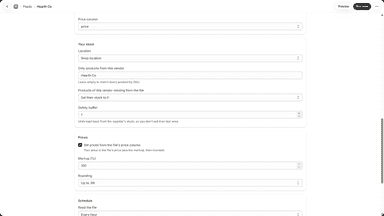
- Reads CSV and text files, shared Google Sheets and Dropbox links
- Matches by SKU and finds the SKU and stock columns in any layout
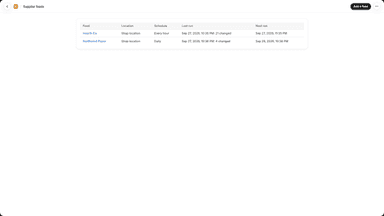
- Preview every change first; each run lists what it changed
- Runs on a schedule, as often as every hour, at the location you choose

All the numbers
Every figure, side by side
A green dot marks the app ahead on a measured figure. Estimates, gaps and apps that leave no storefront trace never take the lead.
Adoption
| Measure |  Stockfeed | |
|---|---|---|
| Detected stores | Not published | Not published |
| Net store change, 28 days | 0 | 0 |
| Stores added, 28 days | Not enough data | Not enough data |
| Big-brand share | Not enough data | Not enough data |
| Top store categories | Not published | Not published |
| Top store countries | Not published | Not published |
Reviews
| Measure | Stockfeed | |
|---|---|---|
| App Store rating | Not published | Not published |
| App Store reviews | Not published | Not published |
| New reviews, 28 days | Not enough data | Not enough data |
| Reviewers a year or more in | Not enough data | Not enough data |
FAQ
FeedForge and Stockfeed: common questions
- Is FeedForge or Stockfeed cheaper?
- Both list a free plan. Paid plans start at $9/month for FeedForge and $14.99/month for Stockfeed. Shoplist compares base prices only between monthly plans in the same currency; usage charges and annual plans vary, so check each plan’s limits.
- What features does each app list that the other doesn’t?
- FeedForge lists 5 the others don’t mention, such as Barcodes, Error reports, Historical reports, Manual. A feature missing from a listing may still be supported; this compares what each App Store listing says.
- Where does this comparison’s data come from?
- Shoplist crawls Shopify storefronts to detect which apps each store runs, and reads each app’s Shopify App Store listing for reviews, pricing, features and integrations. Store counts are as of Nov 4, 2026 for FeedForge, Oct 14, 2026 for Stockfeed; estimated figures are labeled.
How Shoplist compares apps
Store counts come from Shoplist’s crawl of Shopify storefronts, which detects the apps each store runs; they are as of Nov 4, 2026 for FeedForge, Oct 14, 2026 for Stockfeed. Reviews, ratings, plans, features and integrations come from each app’s Shopify App Store listing. 28-day figures are labeled when estimated, and a figure that is missing or estimated never decides who leads. Read the methodology.