

FAQ Plus vs Smart Faqs Builder
Two Shopify apps, side by side: detected stores, momentum, reviews, plans, listed features and who runs each. Store counts as of Oct 14, 2026.
The short answer
- Only FAQ Plus lists a free plan. Paid plans start at $10.99/month for FAQ Plus and $9/month for Smart Faqs Builder.
- FAQ Plus lists 10 features Smart Faqs Builder’s listing doesn’t mention, including Accordions, Custom CSS, Custom font and color.
Head to head


Free
- · 1 FAQ Collection
- · 24/7 human support
- · 50 FAQs per Collection
- · AI Powered FAQ Generation
- · AI Powered FAQ Improvement
- · Automatic FAQ Schema Markup
Growth
- · 100 FAQs per Collection
- · 24/7 Real Human Support
- · 50 FAQ Collections
- · AI Powered FAQ Generation
- · AI Powered FAQ Improvement
- · Automatic FAQ Schema Markup
Starter Plan
Coverage counts what each App Store listing names. Every feature, checked off app by app, is in Shoplist.
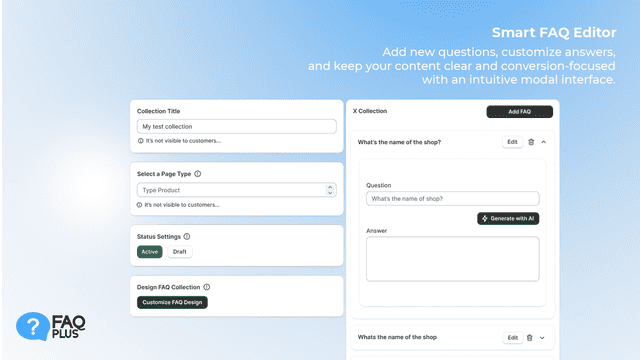
See every featureFAQ Plus helps you create effective FAQ sections using advanced AI. The app analyzes your products to generate relevant questions and answers in seconds. Each section includes built in FAQ Schema to support your store’s SEO and help search engines understand your content. You can manage all your questions from a single dashboard and customize layouts to match your brand.
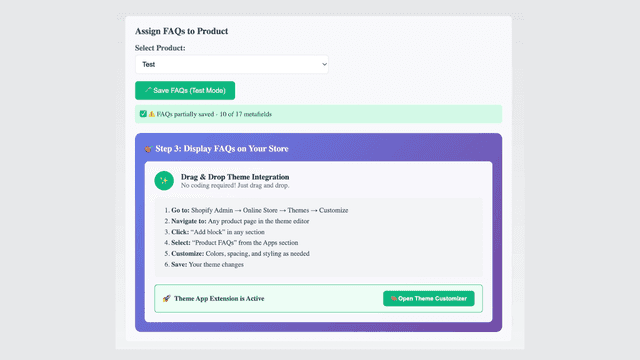
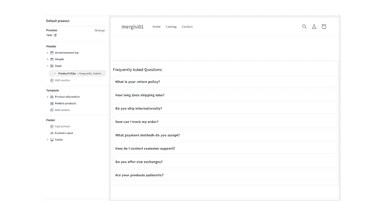
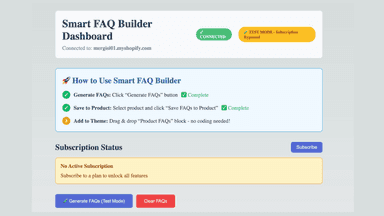
Smart FAQ Builder automatically creates intelligent FAQs for your products using advanced AI. Simply connect your store and watch as relevant questions and answers appear on your product pages within minutes. Our AI analyzes your product descriptions to generate FAQs that actually matter to customers - covering sizing, materials, shipping, and care instructions. No coding required, works with any theme.
- AI-Powered FAQ Generation: Automatically create relevant Q&As in seconds.
- Built-in SEO Schema Markup: Drive organic traffic via Google rich results.
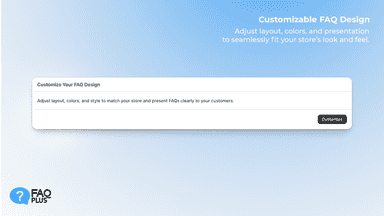
- Customizable FAQ Blocks: Style your FAQs to perfectly match your brand.
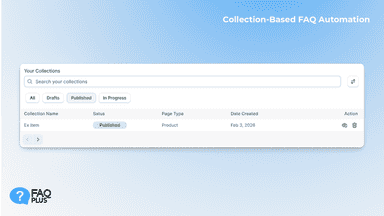
- Collection-Based Setup: Organize and manage unique FAQs for specific product gro
- AI-powered FAQ generation
- Automatic FAQ updates when products change or new questions emerge
- Theme-compatible widgets that work on any Shopify store design
All the numbers
Every figure, side by side
A green dot marks the app ahead on a measured figure. Estimates, gaps and apps that leave no storefront trace never take the lead.
Adoption
| Measure |  FAQ Plus |  Smart Faqs Builder |
|---|---|---|
| Detected stores | Not published | Not published |
| Net store change, 28 days | 0 | 0 |
| Stores added, 28 days | Not enough data | Not enough data |
| Big-brand share | Not enough data | Not enough data |
| Top store categories | Not published | Not published |
| Top store countries | Not published | Not published |
Reviews
| Measure | FAQ Plus | Smart Faqs Builder |
|---|---|---|
| App Store rating | Not published | Not published |
| App Store reviews | Not published | Not published |
| New reviews, 28 days | Not enough data | Not enough data |
| Reviewers a year or more in | Not enough data | Not enough data |
Pricing
| Measure | FAQ Plus | Smart Faqs Builder |
|---|---|---|
| Free plan | Yes | Not listed |
| Lowest paid monthly plan | $10.99/month | $9/month(ahead) |
| Longest free trial | 14 days | 7 days |
| Plans listed | 2 | 1 |
Listing
| Measure | FAQ Plus | Smart Faqs Builder |
|---|---|---|
| Shopify category rank | #51(ahead) | #81 |
| Shopify App Charts | Not on this week’s charts | Not on this week’s charts |
| Built for Shopify | No | No |
| Launched | May 6, 2026 | Aug 21, 2025 |
| Languages | 1 | 1 |
| Developer | SchemaPlus Inc | Cross Regions Technology |
FAQ
FAQ Plus and Smart Faqs Builder: common questions
- Is FAQ Plus or Smart Faqs Builder cheaper?
- Only FAQ Plus lists a free plan. Paid plans start at $10.99/month for FAQ Plus and $9/month for Smart Faqs Builder. Shoplist compares base prices only between monthly plans in the same currency; usage charges and annual plans vary, so check each plan’s limits.
- What features does each app list that the other doesn’t?
- FAQ Plus lists 10 the others don’t mention, such as Accordions, Custom CSS, Custom font and color, Custom templates. A feature missing from a listing may still be supported; this compares what each App Store listing says.
- Where does this comparison’s data come from?
- Shoplist crawls Shopify storefronts to detect which apps each store runs, and reads each app’s Shopify App Store listing for reviews, pricing, features and integrations. Store counts are as of Oct 14, 2026; estimated figures are labeled.
How Shoplist compares apps
Store counts come from Shoplist’s crawl of Shopify storefronts, which detects the apps each store runs; they are as of Oct 14, 2026. Reviews, ratings, plans, features and integrations come from each app’s Shopify App Store listing. 28-day figures are labeled when estimated, and a figure that is missing or estimated never decides who leads. Read the methodology.