

Elfsight Social Share Buttons vs WP Share
Two Shopify apps, side by side: detected stores, momentum, reviews, plans, listed features and who runs each. Store counts as of Oct 13, 2026.
The short answer
- Paid plans start at $3.99/month for Elfsight Social Share Buttons and $7/month for WP Share.
Head to head


Momentum
New reviews each month
Review pace is the clearest public read on how fast an app is winning new merchants.
Unlimited
- · 45 Social Platforms included
- · Customizable Buttons Design
- · Flexible Layout Options
- · Floating or Inline Buttons
- · Mobile Ready
- · No Coding
Product sharing
Coverage counts what each App Store listing names. Every feature, checked off app by app, is in Shoplist.
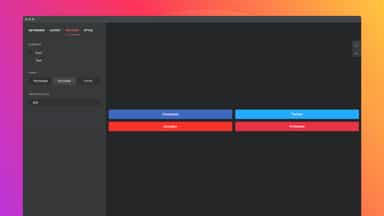
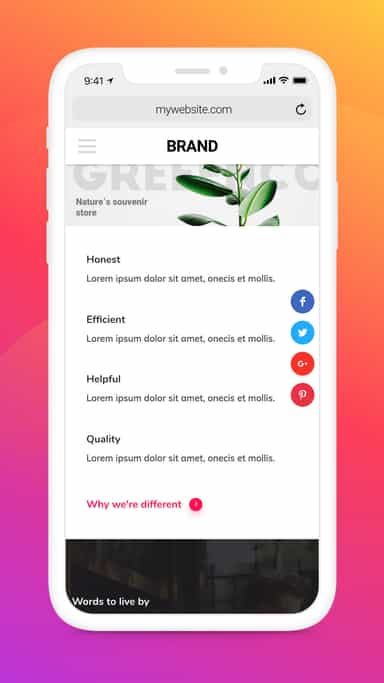
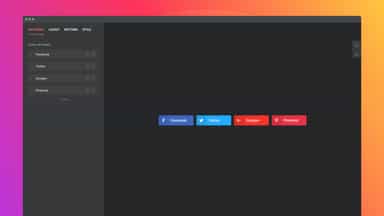
See every featureUsing Social Share Buttons you attract more visitors to your website via social media, you will increase traffic and enhance your site SEO results. Your website visitors will have seamless one-click sharing, it’s easy to increase the spread of your content and reach more of your target audience.
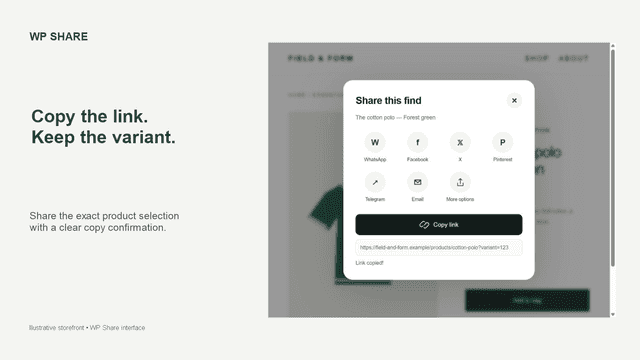
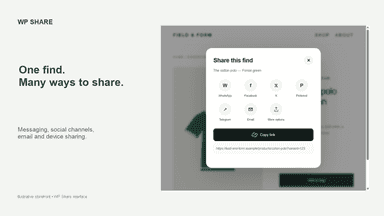
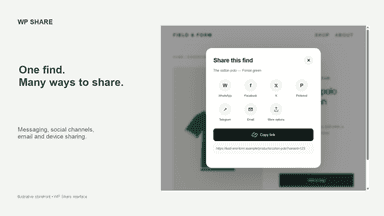
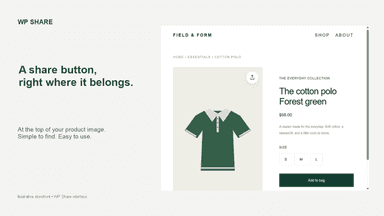
WP Share adds a discreet share button to the top-right of your product images. Shoppers can share a product through messaging, social channels, email, or copy its link with the selected variant. Choose channels, colors and spacing in the theme editor. Device sharing is available on supported browsers. Setup uses an app embed, so you can enable or disable the button without editing theme code.
- 40+ embedded social networks
- Inline or floating layouts for eye-catching positioning
- Wide button customization for seamless look
- Share with WhatsApp, Facebook, X, Pinterest, Telegram, email and copy link
- Place the share button at the top-right of product images or the page
- Customize channels, colors and spacing directly in the theme editor

All the numbers
Every figure, side by side
A green dot marks the app ahead on a measured figure. Estimates, gaps and apps that leave no storefront trace never take the lead.
Adoption
| Measure |  Elfsight Social Share Buttons |  WP Share |
|---|---|---|
| Detected stores | Not published | Not published |
| Net store change, 28 days | 0 | 0 |
| Stores added, 28 days | Not enough data | Not enough data |
| Big-brand share | Not enough data | Not enough data |
| Top store categories | Not published | Not published |
| Top store countries | Not published | Not published |
Reviews
| Measure | Elfsight Social Share Buttons | WP Share |
|---|---|---|
| App Store rating | 4.5 ★ | Not published |
| App Store reviews | 3 | Not published |
| New reviews, 28 days | 0 | Not enough data |
| Reviewers a year or more in | Not enough data | Not enough data |
Pricing
| Measure | Elfsight Social Share Buttons | WP Share |
|---|---|---|
| Free plan | Not listed | Not listed |
| Lowest paid monthly plan | $3.99/month(ahead) | $7/month |
| Longest free trial | 7 days | Not listed |
| Plans listed | 1 | 1 |
Listing
| Measure | Elfsight Social Share Buttons | WP Share |
|---|---|---|
| Shopify category rank | #242 | #265 |
| Shopify App Charts | Not on this week’s charts | Not on this week’s charts |
| Built for Shopify | No | No |
| Launched | Oct 24, 2017 | Sep 25, 2026 |
| Languages | 1 | 1 |
| Developer | Elfsight | WP SHOPS |
FAQ
Elfsight Social Share Buttons and WP Share: common questions
- Is Elfsight Social Share Buttons or WP Share cheaper?
- Paid plans start at $3.99/month for Elfsight Social Share Buttons and $7/month for WP Share. Shoplist compares base prices only between monthly plans in the same currency; usage charges and annual plans vary, so check each plan’s limits.
- Where does this comparison’s data come from?
- Shoplist crawls Shopify storefronts to detect which apps each store runs, and reads each app’s Shopify App Store listing for reviews, pricing, features and integrations. Store counts are as of Oct 13, 2026; estimated figures are labeled.
How Shoplist compares apps
Store counts come from Shoplist’s crawl of Shopify storefronts, which detects the apps each store runs; they are as of Oct 13, 2026. Reviews, ratings, plans, features and integrations come from each app’s Shopify App Store listing. 28-day figures are labeled when estimated, and a figure that is missing or estimated never decides who leads. Read the methodology.