

Easyteam POS Time Clock In vs RetailForce: POS Time Clock In
Two Shopify apps, side by side: detected stores, momentum, reviews, plans, listed features and who runs each. Store counts as of Oct 29, 2026 for Easyteam POS Time Clock In, Sep 13, 2026 for RetailForce.
The short answer
- Easyteam POS Time Clock In lists 21 features RetailForce’s listing doesn’t mention, including Accounts receivable, Bank reconciliation, Billing and invoicing.
Head to head


Payroll Ready Time Tracking, POS Sales Commission, Scheduling.
Momentum
New reviews each month
Review pace is the clearest public read on how fast an app is winning new merchants.
Payroll US/CA Only
- · Automated tax filing & direct deposit
- · FREE time tracking + basic scheduling
- · Generate paystubs, W-2s, 1099s
- · Payroll add-on: $45/mo + $6 per employee
- · US & Canada only
Easyteam Core
- · Automated commission calculations
- · Checklists task management (+templates)
- · HR & sales performance reports
- · Live chat & personal onboarding rep
- · PTO, break policies and labor compliance
- · Payroll add-on available (US & CA)
Enterprise
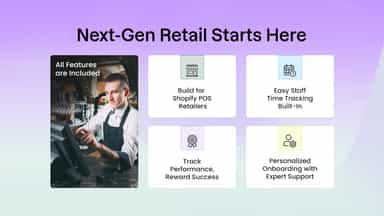
- · All features included
- · Customized reporting & analytics
- · Data migrations and API access
- · Dedicated account manager
- · Location managers training sessions
- · Payroll add-on available (US & CA)
Coverage counts what each App Store listing names. Every feature, checked off app by app, is in Shoplist.
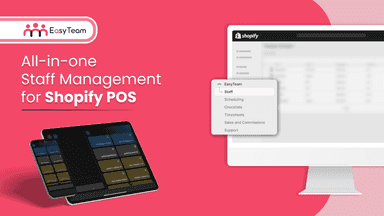
See every featureThe staff management platform built for Shopify Point of Sale retail stores. Clock in from POS or mobile app, track timesheets, schedules, commissions, checklists, tips, and PTO - then run payroll in one place with Easyteam Payroll, QBO, Gusto, ADP or others. Set retail goals per location, track labor costs, performance, peak hours, and plan staffing ahead, so every store manager and deputy stays in sync.
RetailForce POS Staff Manager is a comprehensive staff management platform designed specifically for Shopify POS retailers. It enables store owners to effortlessly manage employee schedules, track work hours, measure sales performance, and administer commission plans—all in one seamless app.
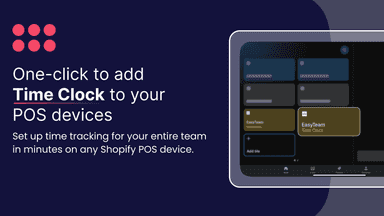
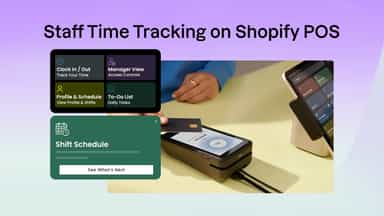
- Clock in and out from any location on Shopify Point of Sale (POS) or mobile.
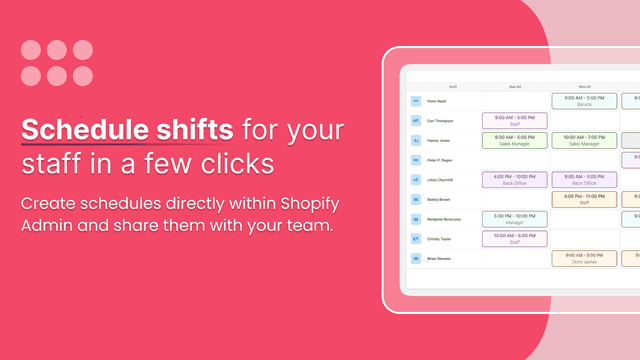
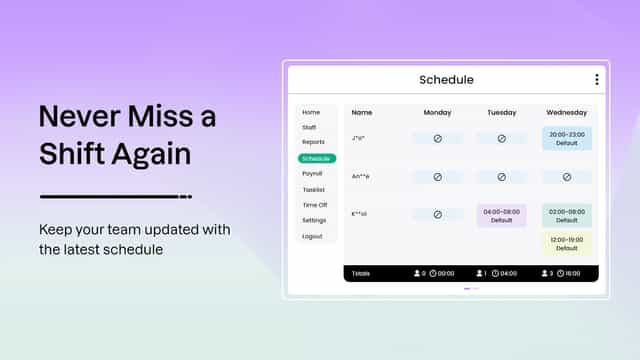
- Schedule faster and smarter from any device, including the Shopify POS itself.
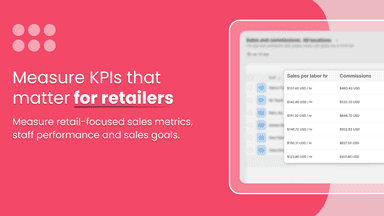
- Measure sales performance & commissions for your staff (+Stocky support).
- Manage your store's checklists (e.g., opening a store) directly from the POS.
- Allow employees to clock in and out directly from Shopify POS.
- Manage and track essential store tasks with customizable checklists from POS
- Easily create and assign work schedules for your team
- Set up and manage performance-based commission structures

All the numbers
Every figure, side by side
A green dot marks the app ahead on a measured figure. Estimates, gaps and apps that leave no storefront trace never take the lead.
Adoption
| Measure |  Easyteam POS Time Clock In |  RetailForce |
|---|---|---|
| Detected stores | Not published | Not published |
| Net store change, 28 days | 0 | 0 |
| Stores added, 28 days | Not enough data | Not enough data |
| Big-brand share | Not enough data | Not enough data |
| Top store categories | Not published | Not published |
| Top store countries | Not published | Not published |
Reviews
| Measure | Easyteam POS Time Clock In | RetailForce |
|---|---|---|
| App Store rating | 5.0 ★ | Not published |
| App Store reviews | 329 | Not published |
| New reviews, 28 days | 2 | Not enough data |
| Reviewers a year or more in | 36% | Not enough data |
Pricing
| Measure | Easyteam POS Time Clock In | RetailForce |
|---|---|---|
| Free plan | Not listed | Not listed |
| Lowest paid monthly plan | $30/month | No monthly plan listed |
| Longest free trial | 14 days | Not listed |
| Plans listed | 3 | Not published |
Listing
| Measure | Easyteam POS Time Clock In | RetailForce |
|---|---|---|
| Shopify category rank | #4 | Not enough data |
| Shopify App Charts | #2 on Featured by Shopify in Retail | Not on this week’s charts |
| Built for Shopify | Yes | No |
| Launched | Oct 10, 2019 | Apr 17, 2026 |
| Languages | 1 | 1 |
| Developer | Easyteam® | Retail Force |
FAQ
Easyteam POS Time Clock In and RetailForce: common questions
- What features does each app list that the other doesn’t?
- Easyteam POS Time Clock In lists 21 the others don’t mention, such as Accounts receivable, Bank reconciliation, Billing and invoicing, Custom reports. RetailForce lists 10 the others don’t mention, such as Custom alerts, Customer notifications, Manual updates, Multi-location. A feature missing from a listing may still be supported; this compares what each App Store listing says.
- Where does this comparison’s data come from?
- Shoplist crawls Shopify storefronts to detect which apps each store runs, and reads each app’s Shopify App Store listing for reviews, pricing, features and integrations. Store counts are as of Oct 29, 2026 for Easyteam POS Time Clock In, Sep 13, 2026 for RetailForce; estimated figures are labeled.
How Shoplist compares apps
Store counts come from Shoplist’s crawl of Shopify storefronts, which detects the apps each store runs; they are as of Oct 29, 2026 for Easyteam POS Time Clock In, Sep 13, 2026 for RetailForce. Reviews, ratings, plans, features and integrations come from each app’s Shopify App Store listing. 28-day figures are labeled when estimated, and a figure that is missing or estimated never decides who leads. Read the methodology.