

Easy PageSpeed Monitor vs Speedscope ‑ Speed Optimizer
Two Shopify apps, side by side: detected stores, momentum, reviews, plans, listed features and who runs each. Store counts as of Sep 24, 2025 for Easy PageSpeed Monitor, Oct 13, 2026 for Speedscope.
The short answer
- Only Easy PageSpeed Monitor lists a free plan.
Head to head


Monitoring and alerts for Google PageSpeed Insights
Momentum
New reviews each month
Review pace is the clearest public read on how fast an app is winning new merchants.
Plan 1: Growth
- · Auto-optimization
- · Core Web Vitals monitoring (LCP, INP, CL
- · Full app scorecard
- · Ghost script detection & cleanup
- · Image optimization
- · Performance budgets
Plan 2: Pro
- · 90 days history
- · A/B speed testing
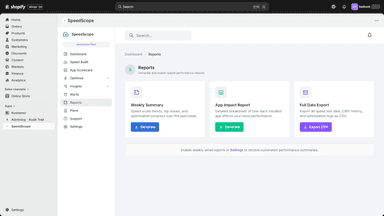
- · Automated reports
- · Competitor benchmarks
- · Everything in Growth, plus:
- · Priority alerts
Plan 3: Enterprise
- · 365 days history
- · API access
- · Custom optimization rules
- · Dedicated support
- · Everything in Pro, plus:
- · White-label reports
Coverage counts what each App Store listing names. Every feature, checked off app by app, is in Shoplist.
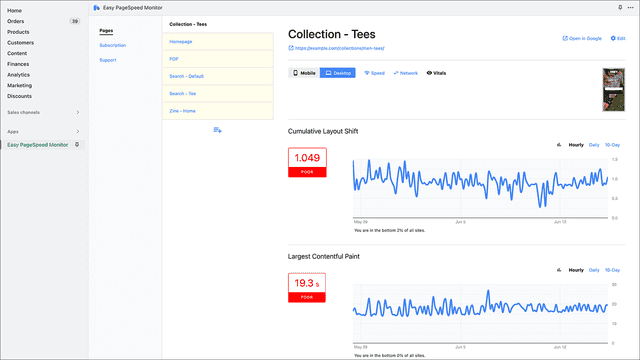
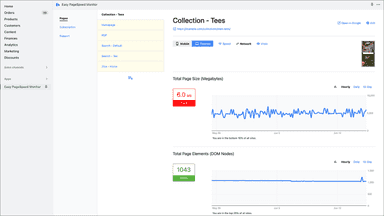
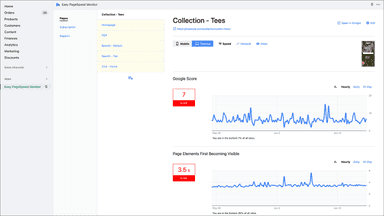
See every featureEasy PageSpeed Monitor simplifies Google PageSpeed Insights data to make your job much easier. We chart this data over time to help you better visualize your page performance — up to every hour with conditional alerts on all your important metrics.
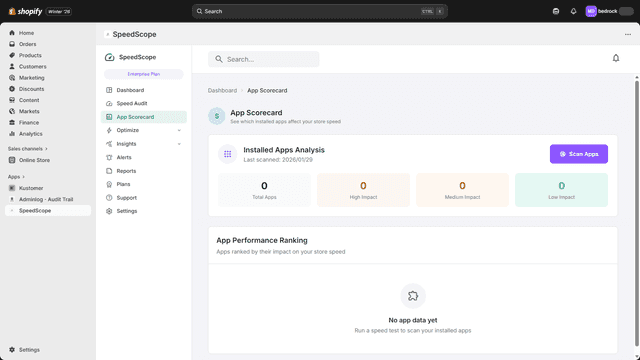
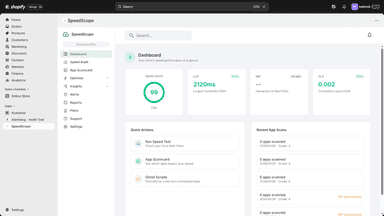
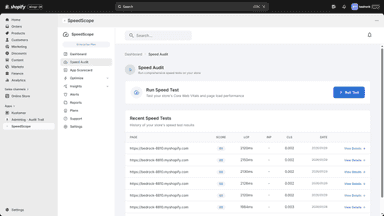
SpeedScope helps Shopify merchants identify exactly what is slowing down their store. It runs Core Web Vitals audits powered by Google PageSpeed, scans every installed app to measure its script size and load impact, and detects ghost scripts left behind by uninstalled apps.
- PageSpeed monitoring.
- Simplify Google PageSpeed Insights data and track it over time.
- Speed score, network data transfer, and web vitals.
- Core Web Vitals monitoring with LCP, INP, CLS scores and actionable fix tips.
- App impact scorecard showing which installed apps slow down your storefront.
- Ghost script detection finds and removes leftover code from uninstalled apps.
- Automated speed fixes like lazy loading, script deferral, and font optimization.
All the numbers
Every figure, side by side
A green dot marks the app ahead on a measured figure. Estimates, gaps and apps that leave no storefront trace never take the lead.
Adoption
| Measure |  Easy PageSpeed Monitor |  Speedscope |
|---|---|---|
| Detected stores | Not published | Not published |
| Net store change, 28 days | 0 | 0 |
| Stores added, 28 days | Not enough data | Not enough data |
| Big-brand share | Not enough data | Not enough data |
| Top store categories | Not published | Not published |
| Top store countries | Not published | Not published |
Reviews
| Measure | Easy PageSpeed Monitor | Speedscope |
|---|---|---|
| App Store rating | 4.6 ★ | Not published |
| App Store reviews | 10 | Not published |
| New reviews, 28 days | Not enough data | Not enough data |
| Reviewers a year or more in | Not enough data | Not enough data |
Pricing
| Measure | Easy PageSpeed Monitor | Speedscope |
|---|---|---|
| Free plan | Yes | Not listed |
| Lowest paid monthly plan | No monthly plan listed | $14.99/month |
| Longest free trial | Not listed | 7 days |
| Plans listed | Not published | 3 |
Listing
| Measure | Easy PageSpeed Monitor | Speedscope |
|---|---|---|
| Shopify category rank | Not enough data | #167 |
| Shopify App Charts | Not on this week’s charts | Not on this week’s charts |
| Built for Shopify | No | No |
| Launched | Jun 28, 2019 | Feb 24, 2026 |
| Languages | 1 | 1 |
| Developer | William Belk | Be Digital |
FAQ
Easy PageSpeed Monitor and Speedscope: common questions
- Is Easy PageSpeed Monitor or Speedscope cheaper?
- Only Easy PageSpeed Monitor lists a free plan. Shoplist compares base prices only between monthly plans in the same currency; usage charges and annual plans vary, so check each plan’s limits.
- Where does this comparison’s data come from?
- Shoplist crawls Shopify storefronts to detect which apps each store runs, and reads each app’s Shopify App Store listing for reviews, pricing, features and integrations. Store counts are as of Sep 24, 2025 for Easy PageSpeed Monitor, Oct 13, 2026 for Speedscope; estimated figures are labeled.
How Shoplist compares apps
Store counts come from Shoplist’s crawl of Shopify storefronts, which detects the apps each store runs; they are as of Sep 24, 2025 for Easy PageSpeed Monitor, Oct 13, 2026 for Speedscope. Reviews, ratings, plans, features and integrations come from each app’s Shopify App Store listing. 28-day figures are labeled when estimated, and a figure that is missing or estimated never decides who leads. Read the methodology.