

Docparse vs Parex for QuickBooks Desktop
Two Shopify apps, side by side: detected stores, momentum, reviews, plans, listed features and who runs each. Store counts as of Oct 13, 2026.
The short answer
- Only Docparse lists a free plan. Paid plans start at $19.99/month for Docparse and $40/month for Parex for QuickBooks Desktop.
- Parex for QuickBooks Desktop lists 15 features Docparse’s listing doesn’t mention, including Bank reconciliation, COGS tracking, Customers.
Head to head


Integrate your data with QuickBooks Desktop account with ease
Momentum
New reviews each month
Review pace is the clearest public read on how fast an app is winning new merchants.
Free
- · 10 extractions/month
- · Auto-detect classification
- · CSV download
Pro
- · 200 extractions/month
- · All document types
- · Batch processing
- · QuickBooks CSV export
Business
- · 2,000 extractions/month
- · All document types
- · Batch processing
- · Priority support
- · QuickBooks CSV export
Desktop Silver
- · Suitable for Small Businesses
- · This plan includes 1000 orders / month
Desktop Gold
- · Suitable for Medium businesses
- · This plan includes 2500 orders / month
Desktop Platinum
- · Suitable for Large businesses
- · This plan includes 10000 orders / month
Coverage counts what each App Store listing names. Every feature, checked off app by app, is in Shoplist.
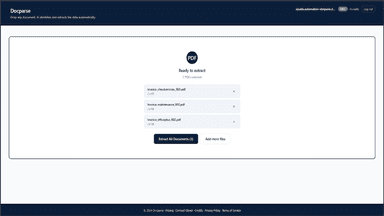
See every featureDocparse uses AI to automatically extract structured data from invoices, receipts, purchase orders, and supplier documents. Upload a PDF or image and Docparse identifies the document type and pulls every field automatically. Export results to CSV or send directly to QuickBooks. Supports batch processing so you can handle dozens of documents at once without manual data entry.
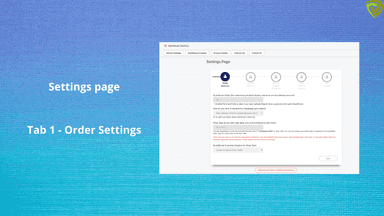
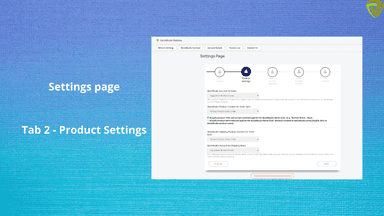
Sync sales data to QuickBooks Desktop or Enterprise editions easily in an automated manner - Sync Individual orders With Individual Orders you can export all your Orders, Products & Customer data to QuickBooks Automatically. You can sync data to QuickBooks automatically or prefer to do it manually at your convenience.
- Auto-extract data from invoices, receipts, and supplier documents
- Export to CSV or sync directly with QuickBooks in one click
- Batch process dozens of documents at once with no setup required
- Extract data from contracts, resumes, and real estate documents
- Individual Order Sync - Includes Customer, Products, Taxes and All details
- Automated Sync Process
- Very Easy Reconciliation
- Summary Invoice Sync - Sync Daily Summary or Settlement Summary


All the numbers
Every figure, side by side
A green dot marks the app ahead on a measured figure. Estimates, gaps and apps that leave no storefront trace never take the lead.
Adoption
| Measure |  Docparse |  Parex for QuickBooks Desktop |
|---|---|---|
| Detected stores | Not published | Not published |
| Net store change, 28 days | 0 | 0 |
| Stores added, 28 days | Not enough data | Not enough data |
| Big-brand share | Not enough data | Not enough data |
| Top store categories | Not published | Not published |
| Top store countries | Not published | Not published |
Reviews
| Measure | Docparse | Parex for QuickBooks Desktop |
|---|---|---|
| App Store rating | Not published | 4.6 ★ |
| App Store reviews | Not published | 71 |
| New reviews, 28 days | Not enough data | 0 |
| Reviewers a year or more in | Not enough data | Not enough data |
Pricing
| Measure | Docparse | Parex for QuickBooks Desktop |
|---|---|---|
| Free plan | Yes | Not listed |
| Lowest paid monthly plan | $19.99/month(ahead) | $40/month |
| Longest free trial | Not listed | 7 days |
| Plans listed | 3 | 3 |
Listing
| Measure | Docparse | Parex for QuickBooks Desktop |
|---|---|---|
| Shopify category rank | #278 | #101(ahead) |
| Shopify App Charts | Not on this week’s charts | Not on this week’s charts |
| Built for Shopify | No | No |
| Launched | Jul 17, 2026 | Mar 20, 2020 |
| Languages | 1 | 1 |
| Developer | Milestone Acrylic LLC | Parex Technologies Pvt Ltd |
FAQ
Docparse and Parex for QuickBooks Desktop: common questions
- Is Docparse or Parex for QuickBooks Desktop cheaper?
- Only Docparse lists a free plan. Paid plans start at $19.99/month for Docparse and $40/month for Parex for QuickBooks Desktop. Shoplist compares base prices only between monthly plans in the same currency; usage charges and annual plans vary, so check each plan’s limits.
- What features does each app list that the other doesn’t?
- Docparse lists 2 the others don’t mention, such as Custom reports, Expense tracking. Parex for QuickBooks Desktop lists 15 the others don’t mention, such as Bank reconciliation, COGS tracking, Customers, Daily sales summary. A feature missing from a listing may still be supported; this compares what each App Store listing says.
- Where does this comparison’s data come from?
- Shoplist crawls Shopify storefronts to detect which apps each store runs, and reads each app’s Shopify App Store listing for reviews, pricing, features and integrations. Store counts are as of Oct 13, 2026; estimated figures are labeled.
How Shoplist compares apps
Store counts come from Shoplist’s crawl of Shopify storefronts, which detects the apps each store runs; they are as of Oct 13, 2026. Reviews, ratings, plans, features and integrations come from each app’s Shopify App Store listing. 28-day figures are labeled when estimated, and a figure that is missing or estimated never decides who leads. Read the methodology.