

Customer Analytics Buddy vs CRMuse ‑ HubSpot in Sidekick
Two Shopify apps, side by side: detected stores, momentum, reviews, plans, listed features and who runs each. Store counts as of Oct 13, 2026 for Customer Analytics Buddy, Oct 22, 2026 for CRMuse.
The short answer
- Customer Analytics Buddy lists 13 features CRMuse’s listing doesn’t mention, including Abandoned cart, Analytics dashboard, Checkout analytics.
Head to head


Starter
- · AI - suggested Email templates
- · AI-powered customer segments
- · Dashboard to monitor store metrics
- · Email integrations - mailchimp, Klaviyo
- · Export to CSV PDF & Excel
- · Save Customer Segments snapshots
Pro
- · CRM insights in natural-language
- · Contacts, companies, and deals data
- · HubSpot CRM data inside Shopify Sidekick
- · Pipeline & performance insights
Coverage counts what each App Store listing names. Every feature, checked off app by app, is in Shoplist.
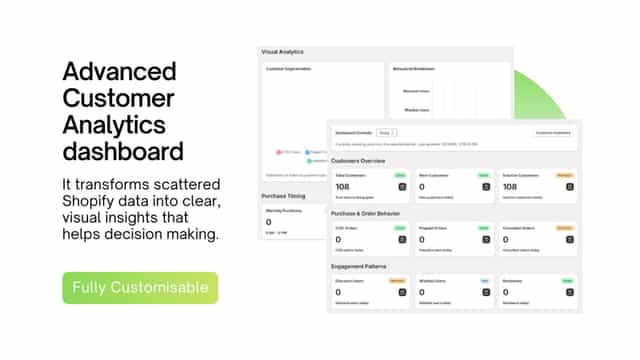
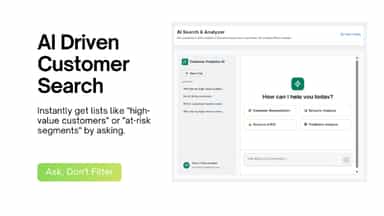
See every featureCustomer Analytics Buddy turns your Shopify data into a proactive customer segments. Instantly get AI-suggested segments like at-risk, VIP, and repeat buyers with clear revenue opportunities, and push them to tools like Klaviyo in minutes. See revenue opportunity in each list and save autoupdating lists with exact parameters to your saved lists.
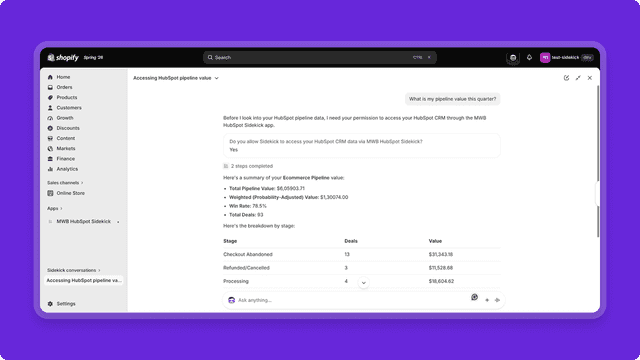
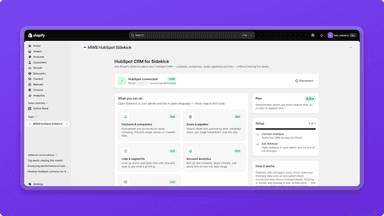
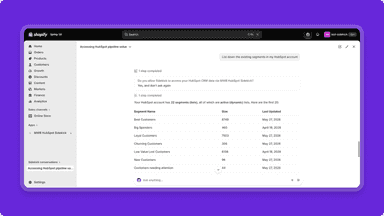
CRMuse (HubSpot in Sidekick) connects your HubSpot CRM with Shopify Sidekick, giving merchants access to CRM information directly from Shopify Admin. Use Sidekick’s natural-language capabilities to find contacts and companies, review deals and pipeline data, check marketing email performance, explore lists and segments, and retrieve broader CRM insights, without switching platforms.
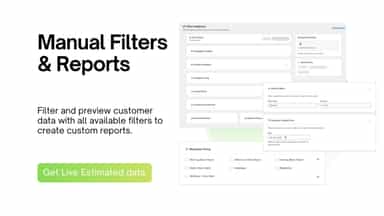
- Create dynamic customer lists with AI and manual filters.
- Generate detailed customer reports on spending, behavior or any filter.
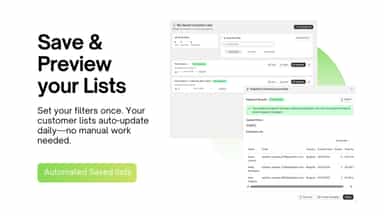
- Lists auto-update; no need for manual refreshing
- Export lists directly to marketing platforms like klavio, mailchimp and run camp
- Access real-time HubSpot CRM data in Shopify Sidekick.
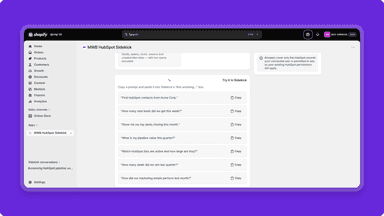
- Ask questions in natural-language for HubSpot CRM information.
- Retrieve insights on performance of CRM asset through prompts in Sidekick.
- Get CRM insights on deals, pipelines, values, and performance.
All the numbers
Every figure, side by side
A green dot marks the app ahead on a measured figure. Estimates, gaps and apps that leave no storefront trace never take the lead.
Adoption
| Measure |  Customer Analytics Buddy |  CRMuse |
|---|---|---|
| Detected stores | Not published | Not published |
| Net store change, 28 days | 0 | 0 |
| Stores added, 28 days | Not enough data | Not enough data |
| Big-brand share | Not enough data | Not enough data |
| Top store categories | Not published | Not published |
| Top store countries | Not published | Not published |
Reviews
| Measure | Customer Analytics Buddy | CRMuse |
|---|---|---|
| App Store rating | Not published | Not published |
| App Store reviews | Not published | Not published |
| New reviews, 28 days | Not enough data | Not enough data |
| Reviewers a year or more in | Not enough data | Not enough data |
Pricing
| Measure | Customer Analytics Buddy | CRMuse |
|---|---|---|
| Free plan | Not listed | Not listed |
| Lowest paid monthly plan | No monthly plan listed | $10/month |
| Longest free trial | Not listed | 14 days |
| Plans listed | 1 | 1 |
Listing
| Measure | Customer Analytics Buddy | CRMuse |
|---|---|---|
| Shopify category rank | #1247 | #358(ahead) |
| Shopify App Charts | Not on this week’s charts | Not on this week’s charts |
| Built for Shopify | No | No |
| Launched | Feb 9, 2026 | Sep 24, 2026 |
| Languages | 1 | 1 |
| Developer | Botbuddy LLP | MakeWebBetter |
FAQ
Customer Analytics Buddy and CRMuse: common questions
- What features does each app list that the other doesn’t?
- Customer Analytics Buddy lists 13 the others don’t mention, such as Abandoned cart, Analytics dashboard, Checkout analytics, Custom dashboards. A feature missing from a listing may still be supported; this compares what each App Store listing says.
- Where does this comparison’s data come from?
- Shoplist crawls Shopify storefronts to detect which apps each store runs, and reads each app’s Shopify App Store listing for reviews, pricing, features and integrations. Store counts are as of Oct 13, 2026 for Customer Analytics Buddy, Oct 22, 2026 for CRMuse; estimated figures are labeled.
How Shoplist compares apps
Store counts come from Shoplist’s crawl of Shopify storefronts, which detects the apps each store runs; they are as of Oct 13, 2026 for Customer Analytics Buddy, Oct 22, 2026 for CRMuse. Reviews, ratings, plans, features and integrations come from each app’s Shopify App Store listing. 28-day figures are labeled when estimated, and a figure that is missing or estimated never decides who leads. Read the methodology.