

Culsin ‑ B2B Registration Form vs Talon Account Approval
Two Shopify apps, side by side: detected stores, momentum, reviews, plans, listed features and who runs each. Store counts as of Oct 13, 2026.
The short answer
- Only Culsin lists a free plan. Paid plans start at $25/month for Culsin and $20/month for Talon Account Approval.
- Talon Account Approval lists 6 features Culsin’s listing doesn’t mention, including Accounts portal, Custom fields, Lock pages.
Head to head


Free
- · Custom form fields
- · EU VAT ID validation via VIES
- · Shopify Flow triggers and actions
- · Unlimited applications
- · Write field values to customer metafield
Pro
- · Automatic Shopify B2B Company creation
- · Everything in Standard
- · UK VAT, US EIN, and Canadian BN validati
All Features
Coverage counts what each App Store listing names. Every feature, checked off app by app, is in Shoplist.
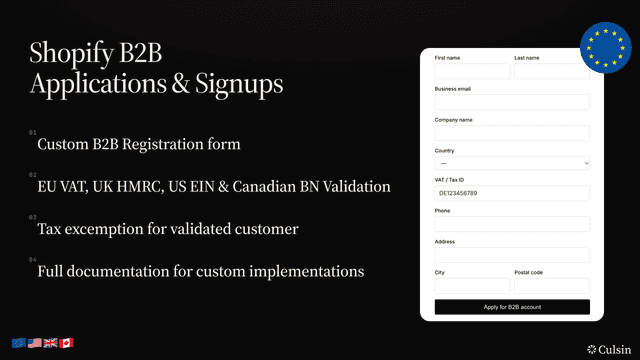
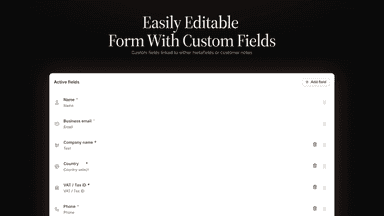
See every featureAdd a B2B registration form to your storefront without touching any code. Customers submit company details and VAT IDs, you review applications in a clean dashboard, and approve or deny with a single click. Approved customers are tagged, set tax exempt, and optionally linked to a Shopify B2B Company record. Custom fields write to customer metafields. Shopify Flow triggers and actions included.
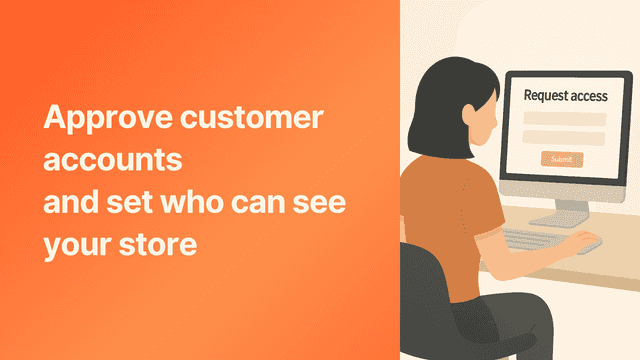
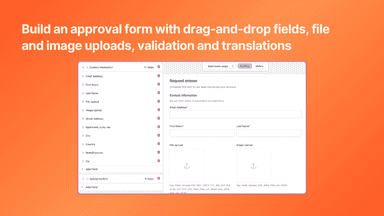
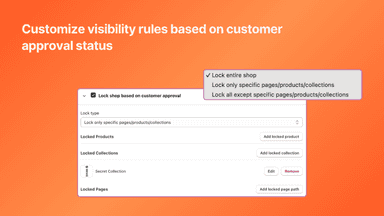
Enable storefront lock and customer approval to gate access to your store. Works with both the new customer account system and the legacy one. Require B2B and wholesale customers to apply first, then approve them manually or automatically. Build an approval form with drag-and-drop fields, file and image uploads, validation, and translations. Add fields for VAT or Tax ID, reseller numbers, or whatever you need.
- Review and approve or deny applications from your Shopify admin dashboard
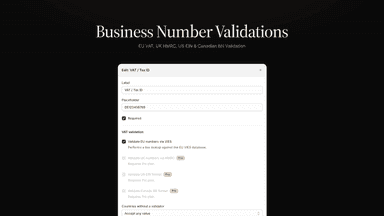
- Validate EU, UK, US, and Canadian tax IDs against live government registries
- Tag customers, set tax exempt, and write VAT ID to metafields on approval
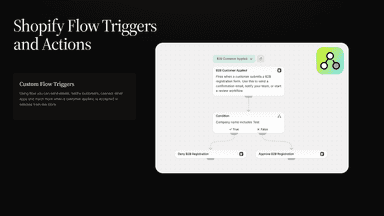
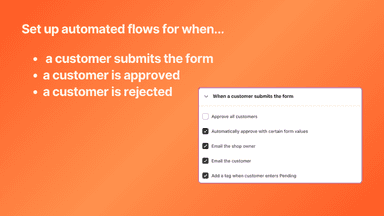
- Shopify Flow triggers and actions — automate approvals in both directions
- Approval form builder with validation plus image and document uploads.
- Visibility rules by login or approved status, manual or automated.
- Saves answers to customer profiles, addresses, consent, and metafields.
- Review queue for B2B with search, bulk actions, and quick decisions.
All the numbers
Every figure, side by side
A green dot marks the app ahead on a measured figure. Estimates, gaps and apps that leave no storefront trace never take the lead.
Adoption
| Measure |  Culsin |  Talon Account Approval |
|---|---|---|
| Detected stores | Not published | Not published |
| Net store change, 28 days | 0 | 0 |
| Stores added, 28 days | Not enough data | Not enough data |
| Big-brand share | Not enough data | Not enough data |
| Top store categories | Not published | Not published |
| Top store countries | Not published | Not published |
Reviews
| Measure | Culsin | Talon Account Approval |
|---|---|---|
| App Store rating | Not published | Not published |
| App Store reviews | Not published | Not published |
| New reviews, 28 days | Not enough data | Not enough data |
| Reviewers a year or more in | Not enough data | Not enough data |
Pricing
| Measure | Culsin | Talon Account Approval |
|---|---|---|
| Free plan | Yes | Not listed |
| Lowest paid monthly plan | $25/month | $20/month(ahead) |
| Longest free trial | Not listed | 14 days |
| Plans listed | 2 | 1 |
Listing
| Measure | Culsin | Talon Account Approval |
|---|---|---|
| Shopify category rank | #101(ahead) | #137 |
| Shopify App Charts | Not on this week’s charts | Not on this week’s charts |
| Built for Shopify | No | No |
| Launched | May 22, 2026 | Nov 18, 2025 |
| Languages | 1 | 1 |
| Developer | Culsin | Talon Commerce |
FAQ
Culsin and Talon Account Approval: common questions
- Is Culsin or Talon Account Approval cheaper?
- Only Culsin lists a free plan. Paid plans start at $25/month for Culsin and $20/month for Talon Account Approval. Shoplist compares base prices only between monthly plans in the same currency; usage charges and annual plans vary, so check each plan’s limits.
- What features does each app list that the other doesn’t?
- Talon Account Approval lists 6 the others don’t mention, such as Accounts portal, Custom fields, Lock pages, Profiles. A feature missing from a listing may still be supported; this compares what each App Store listing says.
- Where does this comparison’s data come from?
- Shoplist crawls Shopify storefronts to detect which apps each store runs, and reads each app’s Shopify App Store listing for reviews, pricing, features and integrations. Store counts are as of Oct 13, 2026; estimated figures are labeled.
How Shoplist compares apps
Store counts come from Shoplist’s crawl of Shopify storefronts, which detects the apps each store runs; they are as of Oct 13, 2026. Reviews, ratings, plans, features and integrations come from each app’s Shopify App Store listing. 28-day figures are labeled when estimated, and a figure that is missing or estimated never decides who leads. Read the methodology.