

ctrl‑lab reports vs Vivid Custom Fields Export
Two Shopify apps, side by side: detected stores, momentum, reviews, plans, listed features and who runs each. Store counts as of Oct 12, 2026 for ctrl‑lab reports, Oct 13, 2026 for Vivid Custom Fields Export.
The short answer
Head to head


Momentum
New reviews each month
Review pace is the clearest public read on how fast an app is winning new merchants.
Monthly
- · CSV with one row per line item
- · Order & item custom field discovery
- · Read-only exports up to 60 days
Coverage counts what each App Store listing names. Every feature, checked off app by app, is in Shoplist.
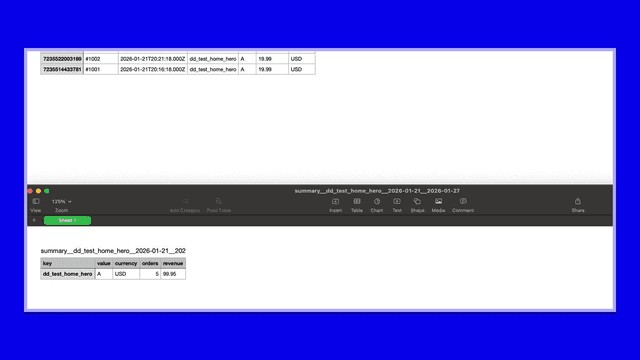
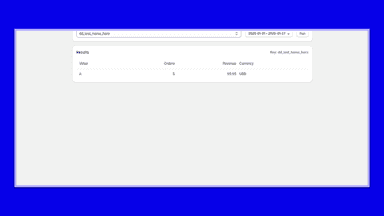
See every featureOrder Attribute Reports helps merchants analyze orders using custom order attributes (note attributes). Choose an attribute key to view order counts and revenue by value across a selected date range. Export summary and order-level CSVs for sharing or further analysis. Useful for internal tagging, operations reporting, and experiment attribution based on attributes you already set.
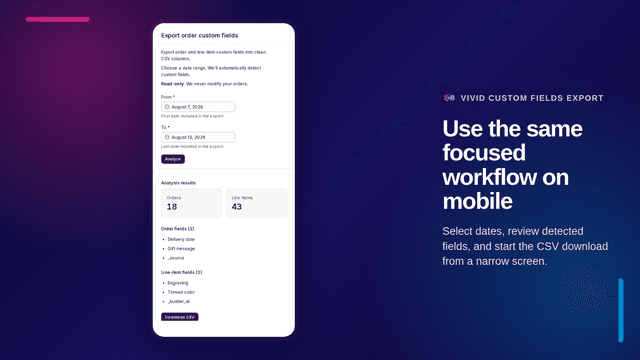
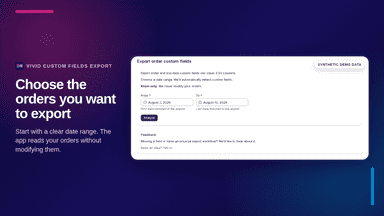
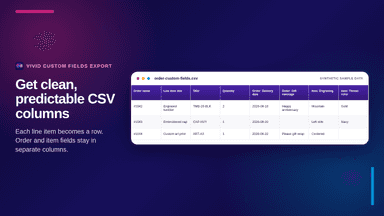
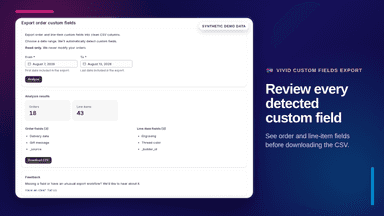
Vivid Custom Fields Export turns order and line-item custom fields into a clean CSV for production and fulfillment. Select a date range, review the fields found, and download a consistent spreadsheet without configuring a report. The app is read-only and does not modify orders or store their contents.
- Report orders grouped by custom attributes
- View orders and revenue by value
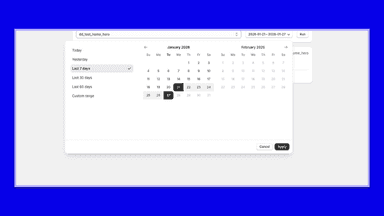
- Quick date presets and custom ranges
- Export summary and order-level CSVs
- Detect order and line-item custom fields without report setup
- Export every detected custom field as a separate CSV column
- Create one CSV row per line item for production workflows
- Review detected field names and order counts before export
All the numbers
Every figure, side by side
A green dot marks the app ahead on a measured figure. Estimates, gaps and apps that leave no storefront trace never take the lead.
Adoption
| Measure |  ctrl‑lab reports |  Vivid Custom Fields Export |
|---|---|---|
| Detected stores | Not published | Not published |
| Net store change, 28 days | 0 | 0 |
| Stores added, 28 days | Not enough data | Not enough data |
| Big-brand share | Not enough data | Not enough data |
| Top store categories | Not published | Not published |
| Top store countries | Not published | Not published |
Reviews
| Measure | ctrl‑lab reports | Vivid Custom Fields Export |
|---|---|---|
| App Store rating | 1.0 ★ | Not published |
| App Store reviews | 2 | Not published |
| New reviews, 28 days | Not enough data | Not enough data |
| Reviewers a year or more in | Not enough data | Not enough data |
Pricing
| Measure | ctrl‑lab reports | Vivid Custom Fields Export |
|---|---|---|
| Free plan | Not listed | Not listed |
| Lowest paid monthly plan | No monthly plan listed | $4.99/month |
| Longest free trial | Not listed | 7 days |
| Plans listed | Not published | 1 |
Listing
| Measure | ctrl‑lab reports | Vivid Custom Fields Export |
|---|---|---|
| Shopify category rank | #329(ahead) | #470 |
| Shopify App Charts | Not on this week’s charts | Not on this week’s charts |
| Built for Shopify | No | No |
| Launched | Feb 16, 2026 | Sep 11, 2026 |
| Languages | 1 | 1 |
| Developer | ctrl-lab | VIVID INSIGHT UNIPESSOAL LDA |
FAQ
ctrl‑lab reports and Vivid Custom Fields Export: common questions
- Where does this comparison’s data come from?
- Shoplist crawls Shopify storefronts to detect which apps each store runs, and reads each app’s Shopify App Store listing for reviews, pricing, features and integrations. Store counts are as of Oct 12, 2026 for ctrl‑lab reports, Oct 13, 2026 for Vivid Custom Fields Export; estimated figures are labeled.
How Shoplist compares apps
Store counts come from Shoplist’s crawl of Shopify storefronts, which detects the apps each store runs; they are as of Oct 12, 2026 for ctrl‑lab reports, Oct 13, 2026 for Vivid Custom Fields Export. Reviews, ratings, plans, features and integrations come from each app’s Shopify App Store listing. 28-day figures are labeled when estimated, and a figure that is missing or estimated never decides who leads. Read the methodology.