
Compressio Image Optimizer vs ShopZip ‑ Image Optimizer
Two Shopify apps, side by side: detected stores, momentum, reviews, plans, listed features and who runs each. Store counts as of Oct 13, 2026.
The short answer
- Both list a free plan. Paid plans start at $2/month for Compressio Image Optimizer and $4.99/month for ShopZip.
- ShopZip lists 2 features Compressio Image Optimizer’s listing doesn’t mention, including Auto-optimization, Resizing.
Head to head


Free
- · 100 Lifetime Free Compressions
Pro
- · UNLIMITED Image Compressions
Free to install
- · Basic background compression
- · Up to 25 images/month
Monthly recurring
- · Automatic background compression
- · Perfect for small stores
- · Up to 500 images/month
Monthly recurring
- · For growing businesses
- · Priority processing
- · Up to 3,000 images/month
Monthly recurring
- · For massive catalogs
- · Priority processing
- · Unlimited images
Coverage counts what each App Store listing names. Every feature, checked off app by app, is in Shoplist.
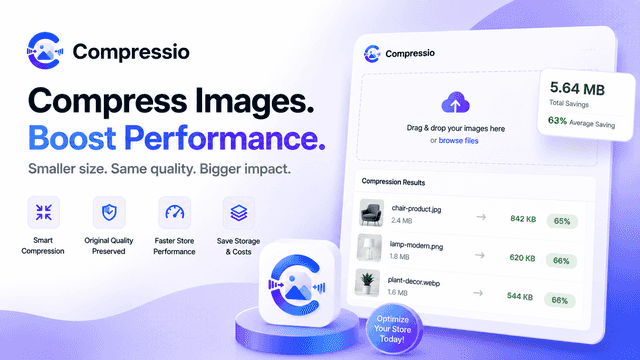
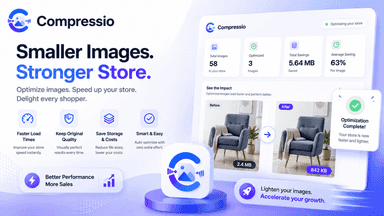
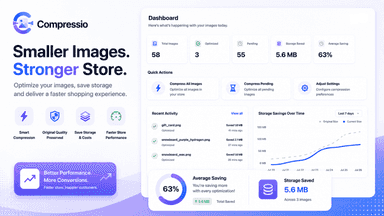
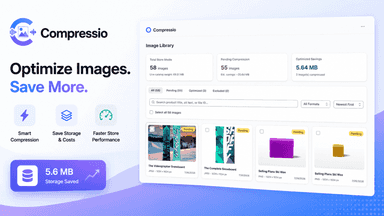
See every featureCompressio helps merchants automatically optimize store image sizes to improve page loading speeds and overall store performance. Heavy product and banner images are compressed into lightweight WebP and PNG formats while maintaining visual clarity. Faster page loads enhance customer browsing experiences, lower bounce rates, and support higher conversion rates across mobile and desktop devices.
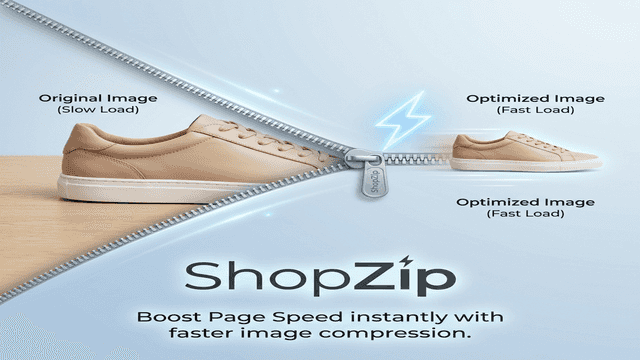
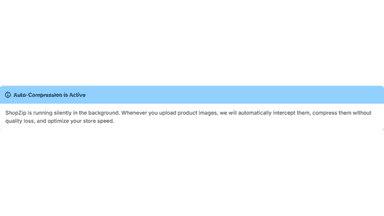
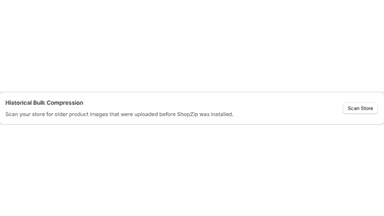
Heavy product images slow down your website, hurting your conversion rate. ShopZip works silently in the background to solve this. Whenever you upload a new product image, our app intercepts it and runs it through advanced lossless compression. This shrinks the file size while preserving the image quality. You also get a bulk scanner to easily compress all your existing older images.
- Bulk optimize product and theme images in a single click.
- Optimize heavy images to next-gen WebP format
- Selectively exclude specific images from compression as needed.
- Automatically compress new images in the background the moment you upload them.
- One-click bulk scanner optimizes your entire existing image catalog in minutes.
- Lossless compression: shrink heavy file sizes while keeping image quality.
- Faster page load speeds improve your store's SEO and Google search rankings.
All the numbers
Every figure, side by side
A green dot marks the app ahead on a measured figure. Estimates, gaps and apps that leave no storefront trace never take the lead.
Adoption
| Measure |  Compressio Image Optimizer |  ShopZip |
|---|---|---|
| Detected stores | Not published | Not published |
| Net store change, 28 days | 0 | 0 |
| Stores added, 28 days | Not enough data | Not enough data |
| Big-brand share | Not enough data | Not enough data |
| Top store categories | Not published | Not published |
| Top store countries | Not published | Not published |
Reviews
| Measure | Compressio Image Optimizer | ShopZip |
|---|---|---|
| App Store rating | Not published | Not published |
| App Store reviews | Not published | Not published |
| New reviews, 28 days | Not enough data | Not enough data |
| Reviewers a year or more in | Not enough data | Not enough data |
Pricing
| Measure | Compressio Image Optimizer | ShopZip |
|---|---|---|
| Free plan | Yes | Yes |
| Lowest paid monthly plan | $2/month(ahead) | $4.99/month |
| Longest free trial | Not listed | Not listed |
| Plans listed | 2 | 4 |
Listing
| Measure | Compressio Image Optimizer | ShopZip |
|---|---|---|
| Shopify category rank | #287(ahead) | #395 |
| Shopify App Charts | Not on this week’s charts | Not on this week’s charts |
| Built for Shopify | No | No |
| Launched | Jul 29, 2026 | Jun 10, 2026 |
| Languages | 1 | 1 |
| Developer | Design Flow Digitals | Nesberry LLC |
FAQ
Compressio Image Optimizer and ShopZip: common questions
- Is Compressio Image Optimizer or ShopZip cheaper?
- Both list a free plan. Paid plans start at $2/month for Compressio Image Optimizer and $4.99/month for ShopZip. Shoplist compares base prices only between monthly plans in the same currency; usage charges and annual plans vary, so check each plan’s limits.
- What features does each app list that the other doesn’t?
- Compressio Image Optimizer lists 1 the others don’t mention, such as SEO. ShopZip lists 2 the others don’t mention, such as Auto-optimization, Resizing. A feature missing from a listing may still be supported; this compares what each App Store listing says.
- Where does this comparison’s data come from?
- Shoplist crawls Shopify storefronts to detect which apps each store runs, and reads each app’s Shopify App Store listing for reviews, pricing, features and integrations. Store counts are as of Oct 13, 2026; estimated figures are labeled.
How Shoplist compares apps
Store counts come from Shoplist’s crawl of Shopify storefronts, which detects the apps each store runs; they are as of Oct 13, 2026. Reviews, ratings, plans, features and integrations come from each app’s Shopify App Store listing. 28-day figures are labeled when estimated, and a figure that is missing or estimated never decides who leads. Read the methodology.