
CleanSplit: Order Splitter vs Swiftship
Two Shopify apps, side by side: detected stores, momentum, reviews, plans, listed features and who runs each. Store counts as of Nov 18, 2026 for CleanSplit, Oct 1, 2026 for Swiftship.
The short answer
- Only CleanSplit lists a free plan.
- CleanSplit lists 3 features Swiftship’s listing doesn’t mention, including Order updates, Packaging, Shipping rules.
Head to head

Free
- · 25 order splits per month
- · Check any order before splitting
- · Weight limit, box sizes and tag rules
Pro
- · 7-day free trial
- · All features included
- · Unlimited order splits
Free to install
Coverage counts what each App Store listing names. Every feature, checked off app by app, is in Shoplist.
See every featureOrders too heavy for your courier, or mixing pre-order and in-stock items, need splitting by hand. CleanSplit does it automatically when an order arrives. Set a courier weight limit, your box sizes, or product tags, and every new order is divided into separate shipments that follow your rules.
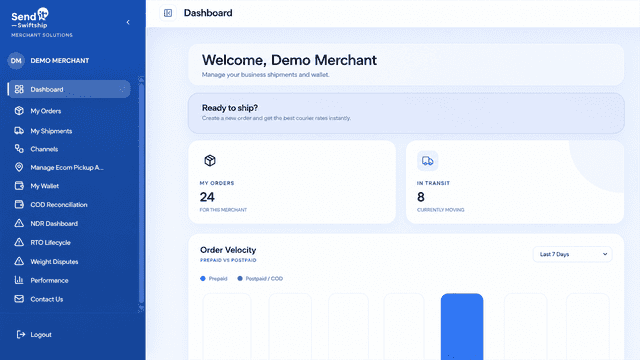
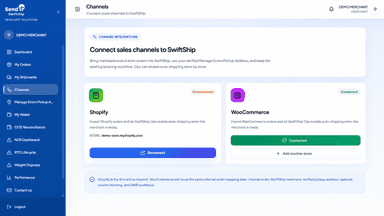
SwiftShip connects your store with Sendit's shipping workflow. Orders import with customer and delivery details, reducing manual entry. Review courier options, book shipments, generate AWBs, and manage pickup addresses in one place. When booked, SwiftShip updates store fulfillment with carrier and tracking info. Automatic booking is optional per store.
- Automatic splitting by courier weight limit, as soon as orders arrive
- Box sizes: fewest boxes, smallest box that fits each shipment
- Ship pre-order, dropship or any tagged products separately
- Shipments stay in the same order, so reports and inventory stay correct
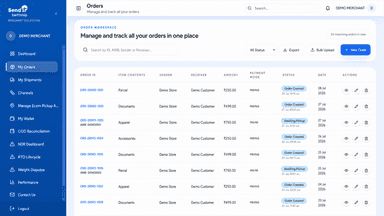
- Import new store orders automatically into your SwiftShip shipping workspace
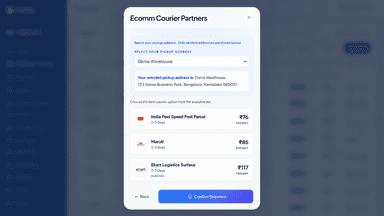
- Compare serviceable courier options and book shipments from one dashboard
- Create AWBs and sync carrier tracking to store fulfillment records
- Manage pickup addresses and configure optional automatic shipping
All the numbers
Every figure, side by side
A green dot marks the app ahead on a measured figure. Estimates, gaps and apps that leave no storefront trace never take the lead.
Adoption
| Measure |  Swiftship | |
|---|---|---|
| Detected stores | Not published | Not published |
| Net store change, 28 days | 0 | 0 |
| Stores added, 28 days | Not enough data | Not enough data |
| Big-brand share | Not enough data | Not enough data |
| Top store categories | Not published | Not published |
| Top store countries | Not published | Not published |
Reviews
| Measure | Swiftship | |
|---|---|---|
| App Store rating | Not published | Not published |
| App Store reviews | Not published | Not published |
| New reviews, 28 days | Not enough data | Not enough data |
| Reviewers a year or more in | Not enough data | Not enough data |
Pricing
| Measure | Swiftship | |
|---|---|---|
| Free plan | Yes | Not listed |
| Lowest paid monthly plan | $14.99/month | No monthly plan listed |
| Longest free trial | 7 days | Not listed |
| Plans listed | 2 | 1 |
Listing
| Measure | Swiftship | |
|---|---|---|
| Shopify category rank | Not enough data | #807 |
| Shopify App Charts | Not on this week’s charts | Not on this week’s charts |
| Built for Shopify | No | No |
| Launched | Nov 17, 2026 | Sep 30, 2026 |
| Languages | 1 | 1 |
| Developer | CleanSplit | Sendit Logistics |
FAQ
CleanSplit and Swiftship: common questions
- Is CleanSplit or Swiftship cheaper?
- Only CleanSplit lists a free plan. Shoplist compares base prices only between monthly plans in the same currency; usage charges and annual plans vary, so check each plan’s limits.
- What features does each app list that the other doesn’t?
- CleanSplit lists 3 the others don’t mention, such as Order updates, Packaging, Shipping rules. Swiftship lists 2 the others don’t mention, such as Label creation, Order sync. A feature missing from a listing may still be supported; this compares what each App Store listing says.
- Where does this comparison’s data come from?
- Shoplist crawls Shopify storefronts to detect which apps each store runs, and reads each app’s Shopify App Store listing for reviews, pricing, features and integrations. Store counts are as of Nov 18, 2026 for CleanSplit, Oct 1, 2026 for Swiftship; estimated figures are labeled.
How Shoplist compares apps
Store counts come from Shoplist’s crawl of Shopify storefronts, which detects the apps each store runs; they are as of Nov 18, 2026 for CleanSplit, Oct 1, 2026 for Swiftship. Reviews, ratings, plans, features and integrations come from each app’s Shopify App Store listing. 28-day figures are labeled when estimated, and a figure that is missing or estimated never decides who leads. Read the methodology.