

Addify ‑ Hide Shipping Methods vs Shipder: Hide/Rename Shipping
Two Shopify apps, side by side: detected stores, momentum, reviews, plans, listed features and who runs each. Store counts as of Oct 13, 2026 for Addify, Apr 7, 2026 for Shipder.
The short answer
- Shipder lists 4 features Addify’s listing doesn’t mention, including Custom rules, Discount fields, Free shipping.
Head to head


BASIC
- · Applicable to Basic Shopify plan.
GROW
- · Applicable to Grow Shopify plan.
ADVANCED
- · Applicable to Advanced Shopify plan.
PLUS
- · Applicable to Plus Shopify plan.
Coverage counts what each App Store listing names. Every feature, checked off app by app, is in Shoplist.
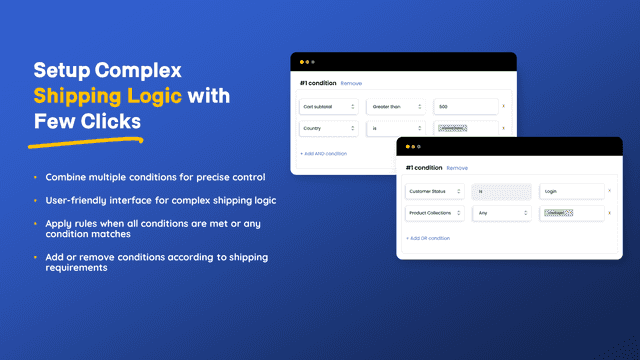
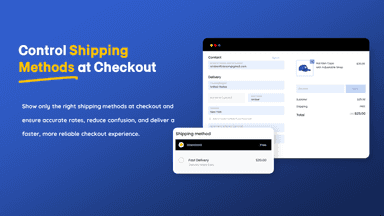
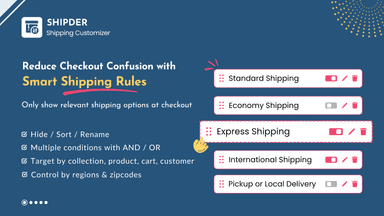
See every featureIrrelevant shipping methods at checkout can confuse customers and lead to cart abandonment. Shopify Conditional Shipping helps you avoid this by letting you create precise shipping rules using conditional logic. Control shipping visibility based on products, cart quantity, shipping country or code, and customer status.
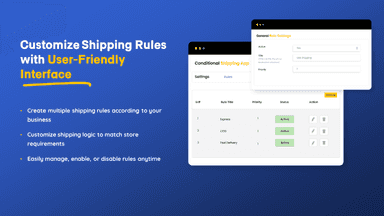
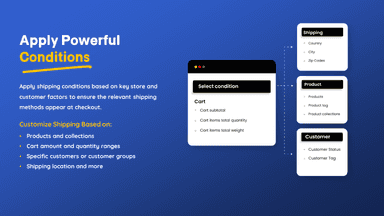
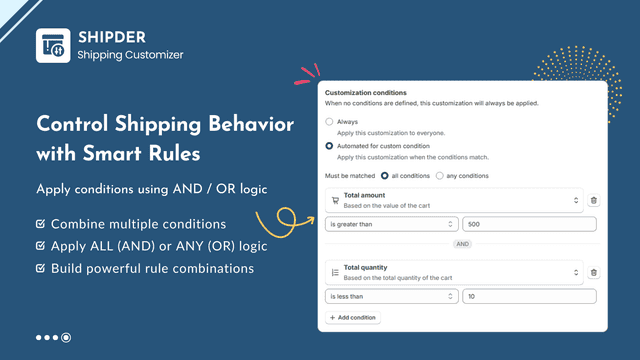
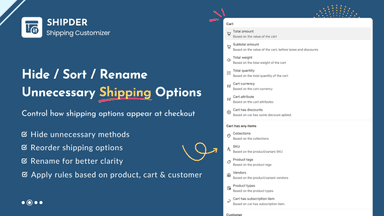
Control how shipping methods appear at checkout with advanced, rule-based customization. Create flexible conditions based on cart value, products, customer details, and location to hide, rename, sort, or reorder shipping methods.
- Apply flexible conditional shipping rules with full checkout control
- Combine multiple shipping conditions using advanced conditional logic
- Automatically hide shipping methods when rule conditions are unmet
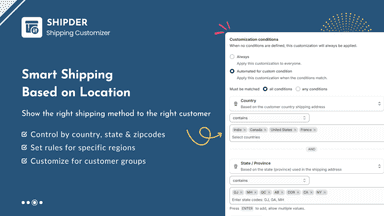
- Restrict or display shipping by product, collection, tag, or location
- Hide, sort, and rename shipping methods using flexible rule conditions
- Apply rules based on products, collections, vendors, types and tags
- Set conditions using cart total, weight, and item quantity
- Customize shipping methods by country, state, city and postal code
All the numbers
Every figure, side by side
A green dot marks the app ahead on a measured figure. Estimates, gaps and apps that leave no storefront trace never take the lead.
Adoption
| Measure |  Addify |  Shipder |
|---|---|---|
| Detected stores | Not published | Not published |
| Net store change, 28 days | 0 | 0 |
| Stores added, 28 days | Not enough data | Not enough data |
| Big-brand share | Not enough data | Not enough data |
| Top store categories | Not published | Not published |
| Top store countries | Not published | Not published |
Reviews
| Measure | Addify | Shipder |
|---|---|---|
| App Store rating | Not published | Not published |
| App Store reviews | Not published | Not published |
| New reviews, 28 days | Not enough data | Not enough data |
| Reviewers a year or more in | Not enough data | Not enough data |
FAQ
Addify and Shipder: common questions
- What features does each app list that the other doesn’t?
- Shipder lists 4 the others don’t mention, such as Custom rules, Discount fields, Free shipping, Shipping method rules. A feature missing from a listing may still be supported; this compares what each App Store listing says.
- Where does this comparison’s data come from?
- Shoplist crawls Shopify storefronts to detect which apps each store runs, and reads each app’s Shopify App Store listing for reviews, pricing, features and integrations. Store counts are as of Oct 13, 2026 for Addify, Apr 7, 2026 for Shipder; estimated figures are labeled.
How Shoplist compares apps
Store counts come from Shoplist’s crawl of Shopify storefronts, which detects the apps each store runs; they are as of Oct 13, 2026 for Addify, Apr 7, 2026 for Shipder. Reviews, ratings, plans, features and integrations come from each app’s Shopify App Store listing. 28-day figures are labeled when estimated, and a figure that is missing or estimated never decides who leads. Read the methodology.