

carty vs SnapX: Meta/Facebook Pixel
Two Shopify apps, side by side: detected stores, momentum, reviews, plans, listed features and who runs each. Store counts as of Feb 19, 2026 for carty, Oct 14, 2026 for SnapX.
The short answer
- Only SnapX lists a free plan.
- SnapX lists 14 features carty’s listing doesn’t mention, including Activity tracking, Audience segments, Bid optimization.
Head to head


Install your Snapchat pixel with one click
Momentum
New reviews each month
Review pace is the clearest public read on how fast an app is winning new merchants.
Free
- · Free for development stores only
Unlimited
- · 24/7 support
- · Server-side tracking
- · Unlimited Conversion APIs
- · Unlimited Facebook Pixels
- · Unlimited Snapchat Pixels
Coverage counts what each App Store listing names. Every feature, checked off app by app, is in Shoplist.
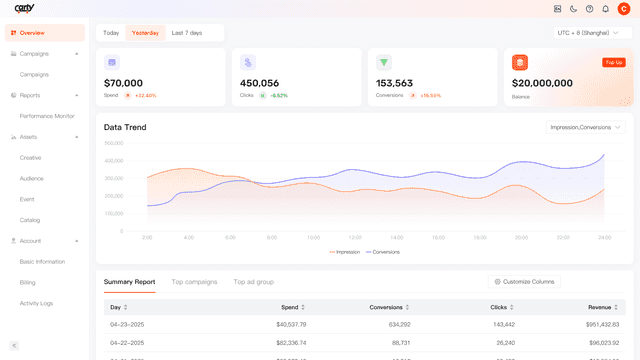
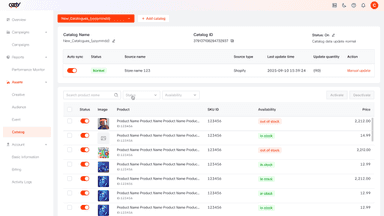
See every featureConnecting your Shopify store to Carty Ads Manager takes just a few clicks, with zero coding involved. This application handles pixel installation and product catalog generation automatically, reducing errors and guaranteeing precise data synchronization. Even if you lack technical expertise, you can swiftly roll out Dynamic Product Ads that leverage real-time Shopify data.
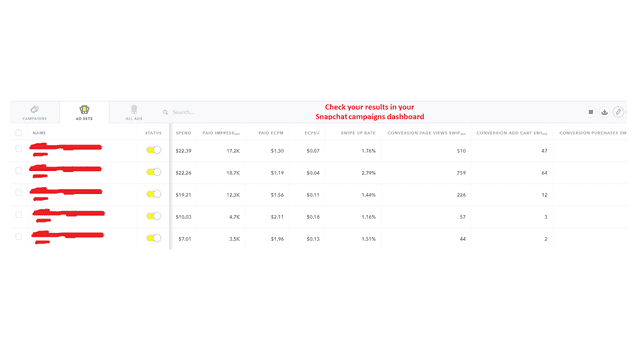
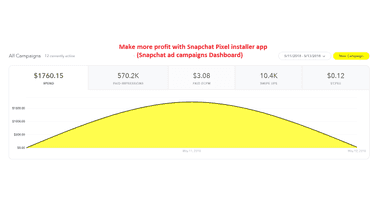
Unlock the full potential of your ads with SnapX. Easily install Meta/Facebook Pixels and Snapchat pixels in your store with just a few clicks and start tracking key conversion events like page views, content views, add-to-cart actions, checkouts, and purchases. Our fast, seamless integration ensures accurate event reporting, helping Snap chat and Meta optimize your campaigns for maximum ROI.
- Import your product catalogs to effortlessly set up Dynamic Product Ads
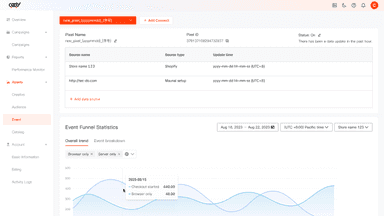
- Use Pixel to establish event tracking and enhance your ad campaigns
- Precisely track checkouts to gain insights into campaign effectiveness
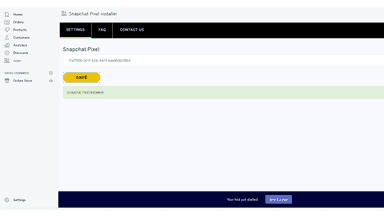
- Install your Snapchat Pixels with few clicks
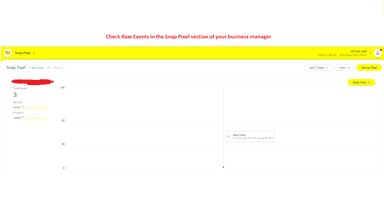
- Track all events resulting from your Snapchat ads
- Let Snapchat optimize your ads. and build audiences using your pixels data
All the numbers
Every figure, side by side
A green dot marks the app ahead on a measured figure. Estimates, gaps and apps that leave no storefront trace never take the lead.
Adoption
| Measure |  carty |  SnapX |
|---|---|---|
| Detected stores | Not published | Not published |
| Net store change, 28 days | 0 | 0 |
| Stores added, 28 days | Not enough data | Not enough data |
| Big-brand share | Not enough data | Not enough data |
| Top store categories | Not published | Not published |
| Top store countries | Not published | Not published |
Reviews
| Measure | carty | SnapX |
|---|---|---|
| App Store rating | Not published | 3.7 ★ |
| App Store reviews | Not published | 3 |
| New reviews, 28 days | Not enough data | 0 |
| Reviewers a year or more in | Not enough data | Not enough data |
FAQ
carty and SnapX: common questions
- Is carty or SnapX cheaper?
- Only SnapX lists a free plan. Shoplist compares base prices only between monthly plans in the same currency; usage charges and annual plans vary, so check each plan’s limits.
- What features does each app list that the other doesn’t?
- SnapX lists 14 the others don’t mention, such as Activity tracking, Audience segments, Bid optimization, Checkout analytics. A feature missing from a listing may still be supported; this compares what each App Store listing says.
- Where does this comparison’s data come from?
- Shoplist crawls Shopify storefronts to detect which apps each store runs, and reads each app’s Shopify App Store listing for reviews, pricing, features and integrations. Store counts are as of Feb 19, 2026 for carty, Oct 14, 2026 for SnapX; estimated figures are labeled.
How Shoplist compares apps
Store counts come from Shoplist’s crawl of Shopify storefronts, which detects the apps each store runs; they are as of Feb 19, 2026 for carty, Oct 14, 2026 for SnapX. Reviews, ratings, plans, features and integrations come from each app’s Shopify App Store listing. 28-day figures are labeled when estimated, and a figure that is missing or estimated never decides who leads. Read the methodology.