

CartBloom ‑ Progress Bar vs GWP ‑ Gift with Purchase
Two Shopify apps, side by side: detected stores, momentum, reviews, plans, listed features and who runs each. Store counts as of Oct 13, 2026 for CartBloom, Sep 2, 2026 for GWP.
The short answer
- Only CartBloom lists a free plan.
- GWP lists 4 features CartBloom’s listing doesn’t mention, including Automations, Campaigns, Free shipping.
Head to head


Free
- · 1 live offer, 3 tiers
- · Full design control
- · Shopper-chosen gifts
- · Unlimited draft offers
Growth
- · 5 live offers, 6 tiers each
- · 7-day free trial
- · Full design control
- · Shopper-chosen gifts
Pro
- · 25 live offers, 12 tiers each
- · 7-day free trial
- · Full design control
- · Shopper-chosen gifts
Coverage counts what each App Store listing names. Every feature, checked off app by app, is in Shoplist.
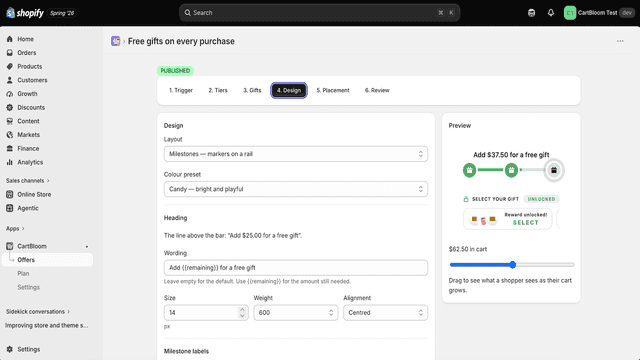
See every featureCartBloom adds a progress bar to your cart that fills as shoppers add items, with a reward at each milestone you set - free shipping, a discount, or a gift. You decide how rewards combine: shoppers can keep a gift from every tier they reach, or only one. When it is only one, you choose whether that is the most valuable tier, a specific tier, or the shopper's own pick.
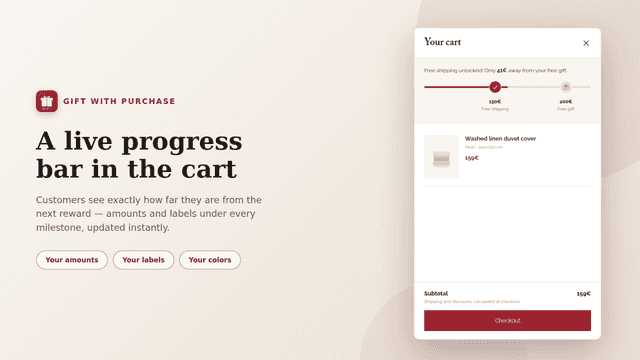
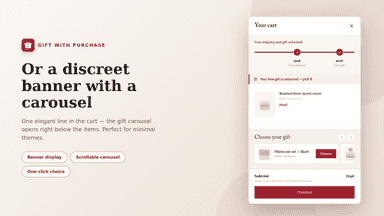
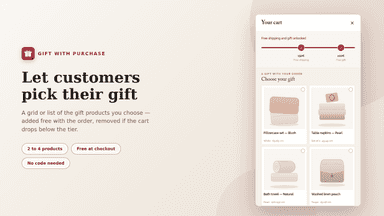
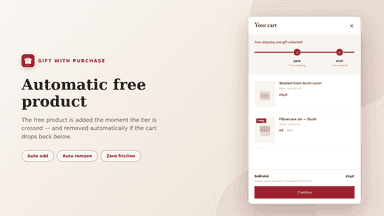
Gift with Purchase turns your cart into a conversion tool. Create spending tiers - free shipping, a free gift - and customers see a progress bar that updates instantly as they shop. When a tier is reached, they pick their gift in a grid, a list or a carousel, or a free product is added automatically. Gifts are removed if the cart drops below the tier.
- Tiered rewards: free shipping, a percentage or amount off, or a free or discount
- Live preview with a cart-value slider so you check a ladder without a test order
- Shopper-chosen gifts, picked from the products you select for each tier
- Tiered rewards: free shipping, an automatic free product or a choice of gifts
- Live progress bar in the cart with your amounts, labels and brand colors
- Grid, list or banner with carousel - gifts added and removed instantly


All the numbers
Every figure, side by side
A green dot marks the app ahead on a measured figure. Estimates, gaps and apps that leave no storefront trace never take the lead.
Adoption
| Measure |  CartBloom |  GWP |
|---|---|---|
| Detected stores | Not published | Not published |
| Net store change, 28 days | 0 | 0 |
| Stores added, 28 days | Not enough data | Not enough data |
| Big-brand share | Not enough data | Not enough data |
| Top store categories | Not published | Not published |
| Top store countries | Not published | Not published |
Reviews
| Measure | CartBloom | GWP |
|---|---|---|
| App Store rating | Not published | Not published |
| App Store reviews | Not published | Not published |
| New reviews, 28 days | Not enough data | Not enough data |
| Reviewers a year or more in | Not enough data | Not enough data |
FAQ
CartBloom and GWP: common questions
- Is CartBloom or GWP cheaper?
- Only CartBloom lists a free plan. Shoplist compares base prices only between monthly plans in the same currency; usage charges and annual plans vary, so check each plan’s limits.
- What features does each app list that the other doesn’t?
- CartBloom lists 1 the others don’t mention, such as Discount stacking. GWP lists 4 the others don’t mention, such as Automations, Campaigns, Free shipping, Rewards. A feature missing from a listing may still be supported; this compares what each App Store listing says.
- Where does this comparison’s data come from?
- Shoplist crawls Shopify storefronts to detect which apps each store runs, and reads each app’s Shopify App Store listing for reviews, pricing, features and integrations. Store counts are as of Oct 13, 2026 for CartBloom, Sep 2, 2026 for GWP; estimated figures are labeled.
How Shoplist compares apps
Store counts come from Shoplist’s crawl of Shopify storefronts, which detects the apps each store runs; they are as of Oct 13, 2026 for CartBloom, Sep 2, 2026 for GWP. Reviews, ratings, plans, features and integrations come from each app’s Shopify App Store listing. 28-day figures are labeled when estimated, and a figure that is missing or estimated never decides who leads. Read the methodology.