
CallCRM Click to Call vs GA: Click To Call Button
Two Shopify apps, side by side: detected stores, momentum, reviews, plans, listed features and who runs each. Store counts as of May 27, 2026 for CallCRM Click to Call, Oct 29, 2026 for GA.
The short answer
- GA lists 10 features CallCRM Click to Call’s listing doesn’t mention, including Agent avatar, Chat buttons, Chat window.
Head to head


Momentum
New reviews each month
Review pace is the clearest public read on how fast an app is winning new merchants.
Coverage counts what each App Store listing names. Every feature, checked off app by app, is in Shoplist.
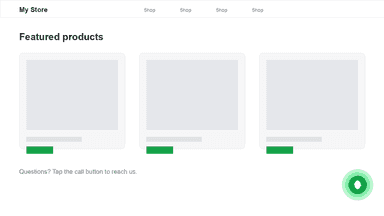
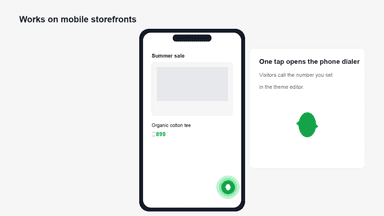
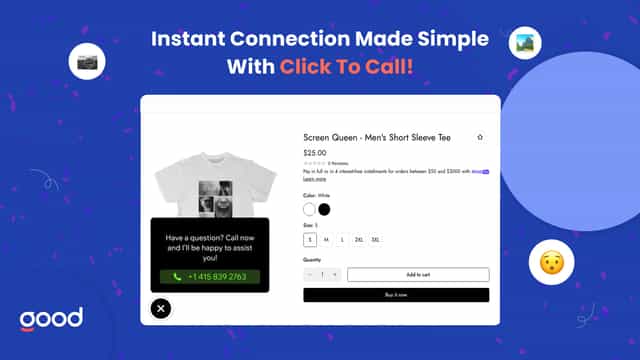
See every featureCallCRM Click to Call adds a floating call button to your online store. Shoppers tap the button on their phone to dial the number you set, so they can reach you without hunting for contact details. Turn on the CallCRM Call Button app embed in the theme editor. Enter your phone number with country code, and choose button color, icon color, corner position, and an optional label.
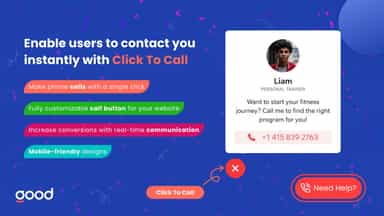
Make it effortless for visitors to reach you with a one-click call button — boosting engagement and increasing conversions. This fully customizable feature lets you adjust the design, placement, add call icon and behavior to fit seamlessly with your store. Whether on mobile or desktop, customers can connect with you in seconds, helping you turn interest into action and leads into loyal customers.
- Floating call button on every storefront page
- One-tap dialing on mobile with your business phone number
- Customize button color, icon color, and bottom corner position
- Make it easy for visitors to contact you instantly, boosting engagement.
- Personalize the button’s design, text, and colors to align with your brand.
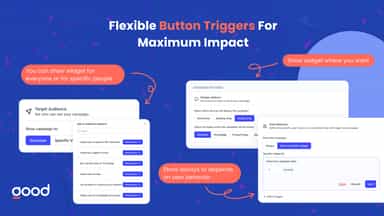
- Show the call button based on user behavior, page type, or device.
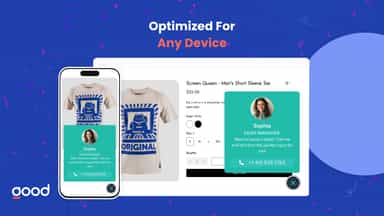
- Optimized for both mobile and desktop, ensuring a smooth user experience.

All the numbers
Every figure, side by side
A green dot marks the app ahead on a measured figure. Estimates, gaps and apps that leave no storefront trace never take the lead.
Adoption
| Measure |  CallCRM Click to Call |  GA |
|---|---|---|
| Detected stores | Not published | Not published |
| Net store change, 28 days | 0 | 0 |
| Stores added, 28 days | Not enough data | Not enough data |
| Big-brand share | Not enough data | Not enough data |
| Top store categories | Not published | Not published |
| Top store countries | Not published | Not published |
Reviews
| Measure | CallCRM Click to Call | GA |
|---|---|---|
| App Store rating | Not published | 5.0 ★ |
| App Store reviews | Not published | 12 |
| New reviews, 28 days | Not enough data | Not enough data |
| Reviewers a year or more in | Not enough data | Not enough data |
Pricing
| Measure | CallCRM Click to Call | GA |
|---|---|---|
| Free plan | Not listed | Not listed |
| Lowest paid monthly plan | No monthly plan listed | No monthly plan listed |
| Longest free trial | Not listed | Not listed |
| Plans listed | Not published | Not published |
Listing
| Measure | CallCRM Click to Call | GA |
|---|---|---|
| Shopify category rank | #207 | #86 |
| Shopify App Charts | Not on this week’s charts | Not on this week’s charts |
| Built for Shopify | No | No |
| Launched | May 25, 2026 | May 20, 2025 |
| Languages | 1 | 1 |
| Developer | thakor web design | GoodApps |
FAQ
CallCRM Click to Call and GA: common questions
- What features does each app list that the other doesn’t?
- GA lists 10 the others don’t mention, such as Agent avatar, Chat buttons, Chat window, Color and font. A feature missing from a listing may still be supported; this compares what each App Store listing says.
- Where does this comparison’s data come from?
- Shoplist crawls Shopify storefronts to detect which apps each store runs, and reads each app’s Shopify App Store listing for reviews, pricing, features and integrations. Store counts are as of May 27, 2026 for CallCRM Click to Call, Oct 29, 2026 for GA; estimated figures are labeled.
How Shoplist compares apps
Store counts come from Shoplist’s crawl of Shopify storefronts, which detects the apps each store runs; they are as of May 27, 2026 for CallCRM Click to Call, Oct 29, 2026 for GA. Reviews, ratings, plans, features and integrations come from each app’s Shopify App Store listing. 28-day figures are labeled when estimated, and a figure that is missing or estimated never decides who leads. Read the methodology.