

CallCRM Click to Call vs Floatify: WhatsApp Chat & CTA
Two Shopify apps, side by side: detected stores, momentum, reviews, plans, listed features and who runs each. Store counts as of May 27, 2026 for CallCRM Click to Call, Oct 28, 2026 for Floatify.
The short answer
- Only Floatify lists a free plan.
- Floatify lists 14 features CallCRM Click to Call’s listing doesn’t mention, including Backgrounds, Borders, Colors.
Head to head


Momentum
New reviews each month
Review pace is the clearest public read on how fast an app is winning new merchants.
Free
- · 1 group of buttons
- · 5 free buttons
- · Customizing buttons directions
- · Customizing icons sizes and styles
Premium
- · Data of clicks
- · Fb Pixels + GA tracking
- · Setting display time
- · Showing buttons after scrolling
- · Unlimited buttons
- · Unlimited groups of buttons
Coverage counts what each App Store listing names. Every feature, checked off app by app, is in Shoplist.
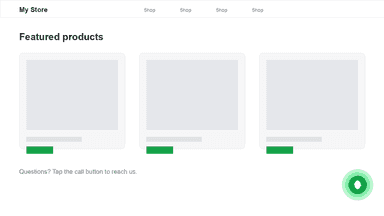
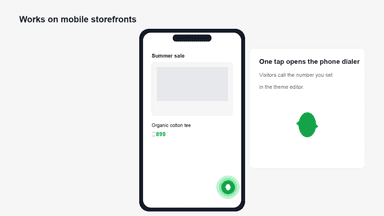
See every featureCallCRM Click to Call adds a floating call button to your online store. Shoppers tap the button on their phone to dial the number you set, so they can reach you without hunting for contact details. Turn on the CallCRM Call Button app embed in the theme editor. Enter your phone number with country code, and choose button color, icon color, corner position, and an optional label.
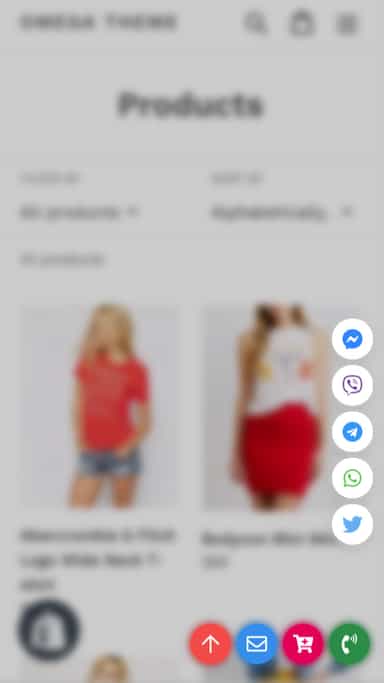
Floatify: Social & CTA Buttons is known as an improvement of the appearance and experience of your store. With our solutions: call button, WhatsApp live chat, cart, email, back to top, social buttons (Facebook, Instagram, Line, Viber, etc.), customers can contact your shop faster with many tools on the same program to increase product sales.
- Floating call button on every storefront page
- One-tap dialing on mobile with your business phone number
- Customize button color, icon color, and bottom corner position
- Easily customize button, group buttons, optimize button display on all devices
- Various types of buttons: call button, add to cart button, social button...
- Offer an eye-catching designed button: Attract clients to reach and place orders
- WhatsApp live chat: enhanced satisfaction and increased sales



All the numbers
Every figure, side by side
A green dot marks the app ahead on a measured figure. Estimates, gaps and apps that leave no storefront trace never take the lead.
Adoption
| Measure |  CallCRM Click to Call |  Floatify |
|---|---|---|
| Detected stores | Not published | Not published |
| Net store change, 28 days | 0 | 0 |
| Stores added, 28 days | Not enough data | Not enough data |
| Big-brand share | Not enough data | Not enough data |
| Top store categories | Not published | Not published |
| Top store countries | Not published | Not published |
Reviews
| Measure | CallCRM Click to Call | Floatify |
|---|---|---|
| App Store rating | Not published | 5.0 ★ |
| App Store reviews | Not published | 67 |
| New reviews, 28 days | Not enough data | 0 |
| Reviewers a year or more in | Not enough data | Not enough data |
Pricing
| Measure | CallCRM Click to Call | Floatify |
|---|---|---|
| Free plan | Not listed | Yes |
| Lowest paid monthly plan | No monthly plan listed | $4.99/month |
| Longest free trial | Not listed | 7 days |
| Plans listed | Not published | 2 |
Listing
| Measure | CallCRM Click to Call | Floatify |
|---|---|---|
| Shopify category rank | #207 | #59 |
| Shopify App Charts | Not on this week’s charts | Not on this week’s charts |
| Built for Shopify | No | No |
| Launched | May 25, 2026 | Aug 28, 2019 |
| Languages | 1 | 1 |
| Developer | thakor web design | Garketing (Omega) |
FAQ
CallCRM Click to Call and Floatify: common questions
- Is CallCRM Click to Call or Floatify cheaper?
- Only Floatify lists a free plan. Shoplist compares base prices only between monthly plans in the same currency; usage charges and annual plans vary, so check each plan’s limits.
- What features does each app list that the other doesn’t?
- Floatify lists 14 the others don’t mention, such as Backgrounds, Borders, Colors, Custom. A feature missing from a listing may still be supported; this compares what each App Store listing says.
- Where does this comparison’s data come from?
- Shoplist crawls Shopify storefronts to detect which apps each store runs, and reads each app’s Shopify App Store listing for reviews, pricing, features and integrations. Store counts are as of May 27, 2026 for CallCRM Click to Call, Oct 28, 2026 for Floatify; estimated figures are labeled.
How Shoplist compares apps
Store counts come from Shoplist’s crawl of Shopify storefronts, which detects the apps each store runs; they are as of May 27, 2026 for CallCRM Click to Call, Oct 28, 2026 for Floatify. Reviews, ratings, plans, features and integrations come from each app’s Shopify App Store listing. 28-day figures are labeled when estimated, and a figure that is missing or estimated never decides who leads. Read the methodology.