
Cadloom vs LEVAR: 1‑Click 3D & AR
Two Shopify apps, side by side: detected stores, momentum, reviews, plans, listed features and who runs each. Store counts as of Oct 13, 2026 for Cadloom, Nov 19, 2026 for LEVAR.
The short answer
- Both list a free plan. Paid plans start at $29/month for Cadloom and $59/month for LEVAR.
- Cadloom lists 5 features LEVAR’s listing doesn’t mention, including AI-powered, File upload, Textures.
Head to head


- United States
- Canada
- Australia
Momentum
New reviews each month
Review pace is the clearest public read on how fast an app is winning new merchants.
Free
- · 1 managed 3D product
- · Complete viewer and AR features
- · Unlimited uploads and revisions
Starter
- · 10 managed 3D products
- · Complete viewer and AR features
- · Unlimited uploads and revisions
Growth
- · 50 managed 3D products
- · Complete viewer and AR features
- · Unlimited uploads and revisions
Scale
- · 200 managed 3D products
- · Complete viewer and AR features
- · Unlimited uploads and revisions
Free Plan
- · All Shopify Themes Compatible
- · Basic 3D/AR Product Visualization
- · Email & SMS API Integration
- · Instant Setup & Activation
- · No-Code Implementation & Setup
- · Showcase Up to 1 3D Model (Upload)
Starter Plan
- · All Shopify Themes Compatible
- · Email & SMS API Integration
- · Enhanced 3D/AR Product Experiences
- · Instant Setup & Activation
- · No-Code Implementation & Setup
- · Showcase Up to 20 3D Models
Essentials
- · Advanced Analytics Dashboard
- · All Shopify Themes Compatible
- · Comprehensive Email/SMS/API Tools
- · Instant Setup & Activation
- · No-Code Implementation & Setup
- · Premium 3D/AR Product Experiences
Pro
- · Advanced 3D/AR Spotlight Viewer
- · All Shopify Themes Compatible
- · Instant Setup & Activation
- · Priority Technical Support
- · Showcase Up to 100 3D Models
- · Simple Content Sharing API
Coverage counts what each App Store listing names. Every feature, checked off app by app, is in Shoplist.
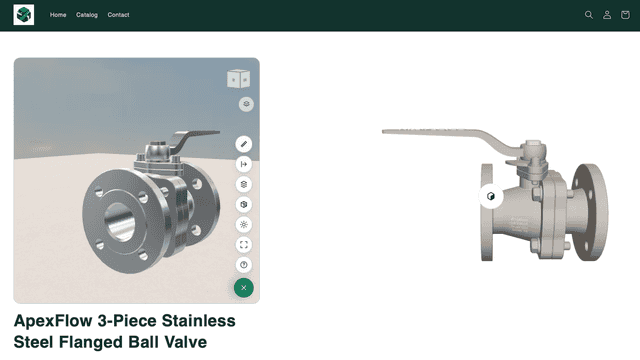
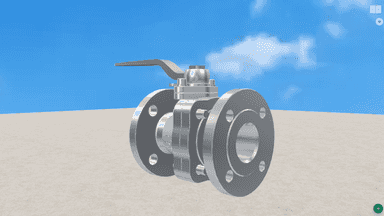
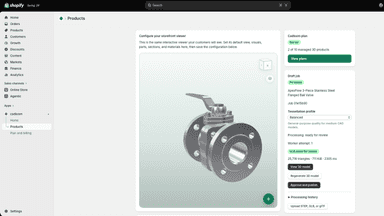
See every featureCadloom turns STL, 3MF, STEP, STP, GLB, and glTF files into interactive 3D product experiences for your online store. Upload a model, configure its camera, orientation, materials, lighting, background, and ground plane, then publish it to a product with the theme app block. Choose which tools shoppers can use, including parts, measurement, section views, materials, visuals, fullscreen, and AR.
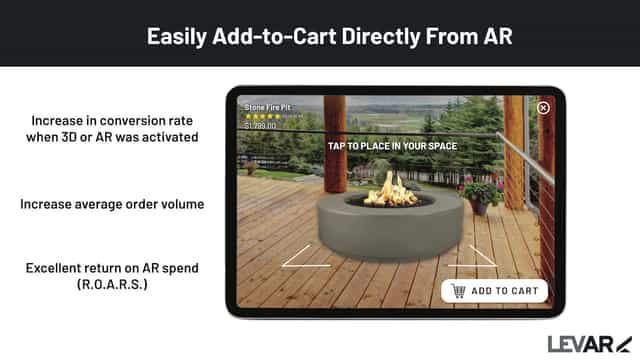
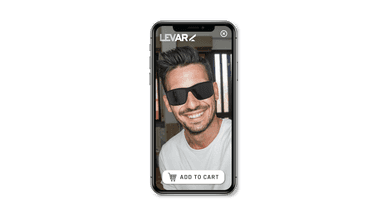
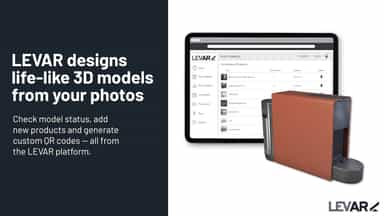
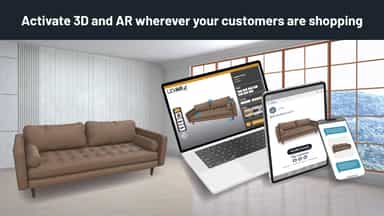
Transform your store with 3D, AR (See in Your Space), and Virtual Try-On across all channels—product pages, email, SMS, social, and landing pages. Our highly-rated, 1-click integration supports variant customization, letting customers view, try on, and place products virtually—no app download needed. Upload existing 3D models or let us create professional ones.
- Turn CAD files, STEP, GLB, and glTF files into interactive 3D product viewers.
- Customize cameras, environments, lighting, and realistic PBR materials.
- Let shoppers measure, section, and explore individual model parts.
- AR(Augmented Reality) product viewing on compatible mobile devices.
- Easy 1-click integration with your store and SKUs, no uploading products needed
- LEVAR quickly creates exact-to-scale 3D and Augmented Reality product models
- 3D and AR product activations can be used across PDP, email, SMS and social
- Mobile-optimized 3D landing pages highlight key product features


All the numbers
Every figure, side by side
A green dot marks the app ahead on a measured figure. Estimates, gaps and apps that leave no storefront trace never take the lead.
Adoption
| Measure |  Cadloom |  LEVAR |
|---|---|---|
| Detected stores | Not published | 189 |
| Net store change, 28 days | 0 | −2 |
| Stores added, 28 days | Not enough data | 2 |
| Big-brand share | Not enough data | Not enough data |
| Top store categories | Not published | Home & Garden, Furniture, Apparel & Accessories |
| Top store countries | Not published | United States, Canada, Australia |
Reviews
| Measure | Cadloom | LEVAR |
|---|---|---|
| App Store rating | Not published | 3.4 ★ |
| App Store reviews | Not published | 18 |
| New reviews, 28 days | Not enough data | 0 |
| Reviewers a year or more in | Not enough data | Not enough data |
FAQ
Cadloom and LEVAR: common questions
- Is Cadloom or LEVAR cheaper?
- Both list a free plan. Paid plans start at $29/month for Cadloom and $59/month for LEVAR. Shoplist compares base prices only between monthly plans in the same currency; usage charges and annual plans vary, so check each plan’s limits.
- What features does each app list that the other doesn’t?
- Cadloom lists 5 the others don’t mention, such as AI-powered, File upload, Textures, Themes. LEVAR lists 5 the others don’t mention, such as 360 views, Conditional logic, Custom products, Face-tracking. A feature missing from a listing may still be supported; this compares what each App Store listing says.
- Where does this comparison’s data come from?
- Shoplist crawls Shopify storefronts to detect which apps each store runs, and reads each app’s Shopify App Store listing for reviews, pricing, features and integrations. Store counts are as of Oct 13, 2026 for Cadloom, Nov 19, 2026 for LEVAR; estimated figures are labeled.
How Shoplist compares apps
Store counts come from Shoplist’s crawl of Shopify storefronts, which detects the apps each store runs; they are as of Oct 13, 2026 for Cadloom, Nov 19, 2026 for LEVAR. Reviews, ratings, plans, features and integrations come from each app’s Shopify App Store listing. 28-day figures are labeled when estimated, and a figure that is missing or estimated never decides who leads. Read the methodology.