BundleCheck vs Solid Bundles: Inventory Sync
Two Shopify apps, side by side: detected stores, momentum, reviews, plans, listed features and who runs each. Store counts as of Sep 14, 2026 for BundleCheck, Oct 28, 2026 for Solid Bundles.
The short answer
- Only Solid Bundles lists a free plan.
- Solid Bundles lists 3 features BundleCheck’s listing doesn’t mention, including Fixed bundles, Fixed pricing, Frequently bought together.
Head to head


Free
- · Automatic bundle health checks
- · Cart Transform pricing, set server-side
- · Per-location stock
- · Up to 5 active bundles
Growth
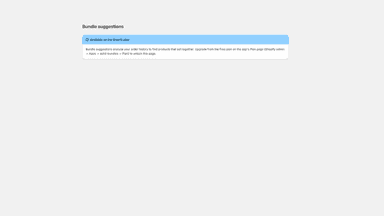
- · Bundle suggestions from your orders
- · Everything in Free
- · Up to 20 active bundles
Unlimited
- · Bundle suggestions from your orders
- · Everything in Growth
- · Unlimited active bundles
Coverage counts what each App Store listing names. Every feature, checked off app by app, is in Shoplist.
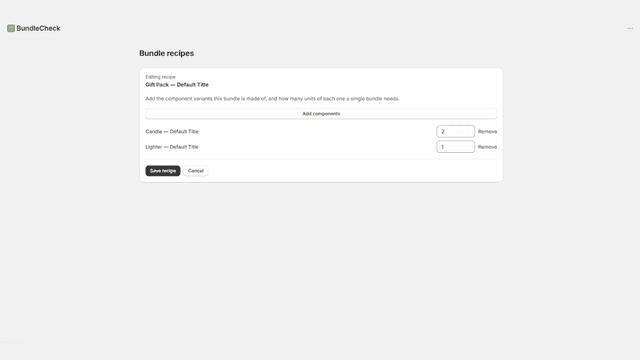
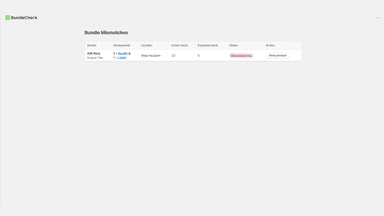
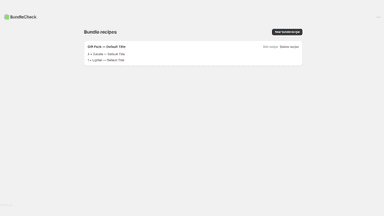
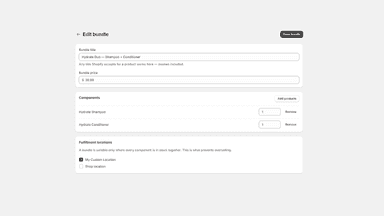
See every featureBundleCheck watches bundle variants you sell and compares their available stock against what your defined components currently allow you to assemble. You set the recipe once: which component variants make up each bundle, and how many of each. Get a table showing every mismatch by location, flagging bundles that show more stock than their components can actually cover — the case that risks overselling.
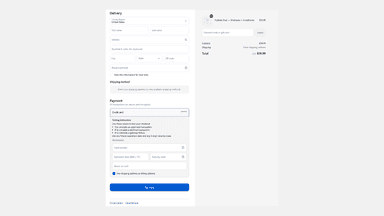
Solid Bundles creates each bundle as a normal Shopify product, so it works with your theme, reports, and sales channels. Bundle stock counts only kits that are complete at one of the locations you chose. That number is displayed on the product; it does not block checkout. The bundle total is set server side with Cart Transform, so it cannot drift when your theme changes.
- Define which component variants make up each bundle, and how many of each
- See stock mismatches between a bundle and its components, by location
- Flags overselling risk when a bundle shows more stock than it should
- Jump straight to any product's edit page from the mismatches table
- Inventory counted per fulfillment location, so bundles never oversell
- Server-side Cart Transform totals that theme changes cannot break
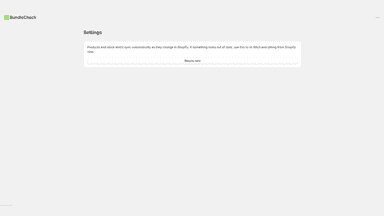
- Automatic health checks every few hours, with an email before customers notice
All the numbers
Every figure, side by side
A green dot marks the app ahead on a measured figure. Estimates, gaps and apps that leave no storefront trace never take the lead.
Adoption
| Measure |  BundleCheck |  Solid Bundles |
|---|---|---|
| Detected stores | Not published | Not published |
| Net store change, 28 days | 0 | 0 |
| Stores added, 28 days | Not enough data | Not enough data |
| Big-brand share | Not enough data | Not enough data |
| Top store categories | Not published | Not published |
| Top store countries | Not published | Not published |
Reviews
| Measure | BundleCheck | Solid Bundles |
|---|---|---|
| App Store rating | Not published | Not published |
| App Store reviews | Not published | Not published |
| New reviews, 28 days | Not enough data | Not enough data |
| Reviewers a year or more in | Not enough data | Not enough data |
Pricing
| Measure | BundleCheck | Solid Bundles |
|---|---|---|
| Free plan | Not listed | Yes |
| Lowest paid monthly plan | No monthly plan listed | $12.90/month |
| Longest free trial | Not listed | 7 days |
| Plans listed | Not published | 3 |
Listing
| Measure | BundleCheck | Solid Bundles |
|---|---|---|
| Shopify category rank | #148 | #420 |
| Shopify App Charts | Not on this week’s charts | Not on this week’s charts |
| Built for Shopify | No | No |
| Launched | Aug 27, 2026 | Jul 27, 2026 |
| Languages | 1 | 10 |
| Developer | Minimal Apps | addson |
FAQ
BundleCheck and Solid Bundles: common questions
- Is BundleCheck or Solid Bundles cheaper?
- Only Solid Bundles lists a free plan. Shoplist compares base prices only between monthly plans in the same currency; usage charges and annual plans vary, so check each plan’s limits.
- What features does each app list that the other doesn’t?
- Solid Bundles lists 3 the others don’t mention, such as Fixed bundles, Fixed pricing, Frequently bought together. A feature missing from a listing may still be supported; this compares what each App Store listing says.
- Where does this comparison’s data come from?
- Shoplist crawls Shopify storefronts to detect which apps each store runs, and reads each app’s Shopify App Store listing for reviews, pricing, features and integrations. Store counts are as of Sep 14, 2026 for BundleCheck, Oct 28, 2026 for Solid Bundles; estimated figures are labeled.
How Shoplist compares apps
Store counts come from Shoplist’s crawl of Shopify storefronts, which detects the apps each store runs; they are as of Sep 14, 2026 for BundleCheck, Oct 28, 2026 for Solid Bundles. Reviews, ratings, plans, features and integrations come from each app’s Shopify App Store listing. 28-day figures are labeled when estimated, and a figure that is missing or estimated never decides who leads. Read the methodology.