

BulkFlow: Data Import & Export vs Sbit: Bulk Data Upload
Two Shopify apps, side by side: detected stores, momentum, reviews, plans, listed features and who runs each. Store counts as of Nov 5, 2026 for BulkFlow, Oct 14, 2026 for Sbit.
The short answer
- Both list a free plan. Paid plans start at $15/month for BulkFlow and $9.99/month for Sbit.
- BulkFlow lists 42 features Sbit’s listing doesn’t mention, including Auto-update, Automatic, Barcodes.
Head to head


Momentum
New reviews each month
Review pace is the clearest public read on how fast an app is winning new merchants.
Free
- · 100 Customers, 100 Orders
- · 100 Products
- · Column Mapping on Import
- · Discount, Metaobjects, Pages, Companies
- · Export using CSV/Excel
- · Import Custom Files
Basic
- · 10,000 Customers, 10,000 Orders
- · 10,000 Products
- · AI Mapping suggestion on Import
- · Discount, Metaobjects, Pages, Companies
- · Export using CSV/Excel
- · Import Custom Files
Advanced
- · 30,000 Customers, 30,000 Orders
- · 30,000 Products
- · AI mapping suggestion on Import
- · Discount, Metaobjects, Pages, Companies
- · Export using CSV/Excel
- · Import Custom Files
Enterprise
- · AI Mapping suggestion on Import
- · Column Mapping on Import
- · Discount, Metaobjects, Pages, Companies
- · Export using CSV/Excel
- · Import Custom Files
- · Import using CSV/Excel/Google Sheet
Free
- · 20 Products Import & Export
- · Doesn't renew
- · Shopify, WooCommerce
Shop Plan
- · 100 Products Import & Export
- · Renews monthly
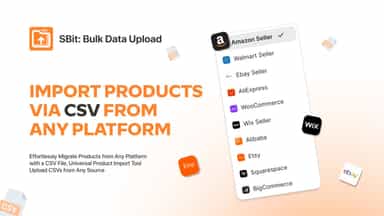
- · Shopify, WC, Wix, BigCommerce, SQ
Warehouse Plan
- · 300 Products Import & Export
- · Amazon, Alibaba, Custome Sheet
- · Renews monthly
Factory Plan
- · 1,000 Products Import & Export
- · AliExpress, Etsy
- · Priority support
- · Renews monthly
Coverage counts what each App Store listing names. Every feature, checked off app by app, is in Shoplist.
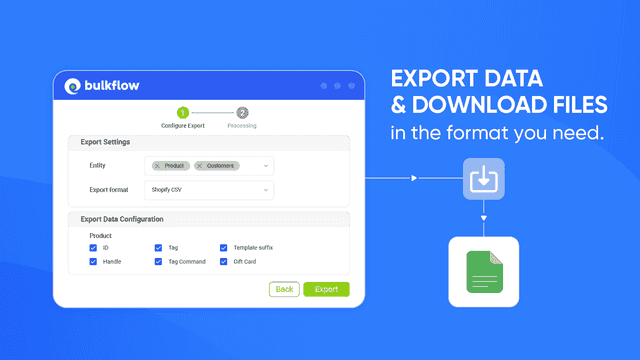
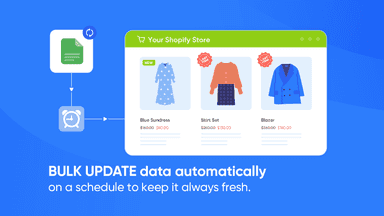
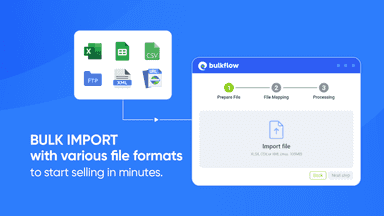
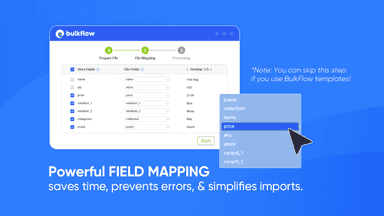
See every featureBulkFlow makes Shopify data management simple with powerful bulk import, update, sync, and export tools. Manage products, collections, orders, customers, metafields, pages, blogs, redirects, companies, and menus using CSV, Excel, Google Sheets, FTP, API, or your own custom files. Edit products right in the app, map any file layout with AI-powered field mapping, and schedule automated updates and syncs.
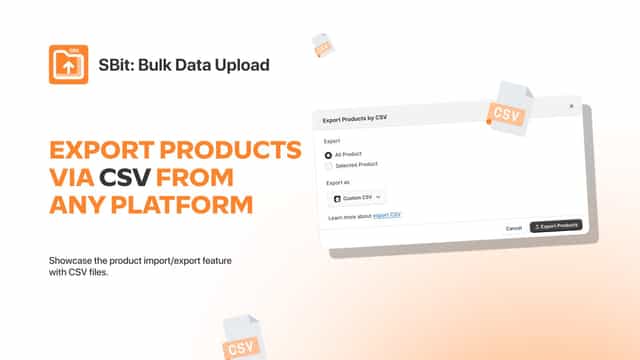
Bulk Data Upload solves the time-consuming challenge of managing large product catalogs. Merchants can import and update hundreds of products at once using CSV or Excel files, eliminating manual data entry. The app validates data before import, ensuring accuracy and preventing errors.
- Shopify product import, export, & inventory update via CSV, Excel, Sheets, etc.
- Support various data types: product, customer, order, pages, discounts, etc.
- Upload custom CSV files with smart column mapping and advanced filters.
- Automate Shopify inventory update to save time and avoid stockout errors.
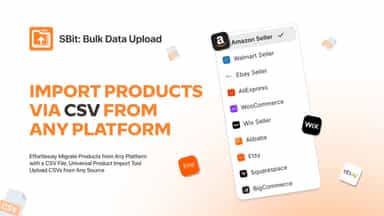
- Import and export products from multiple sources e-commerce platforms via CSV.
- import product data from different platforms to Shopify format automatically.
- Map custom fields from various sources to match your Shopify store's product.
- live support, email support and also contact form.
All the numbers
Every figure, side by side
A green dot marks the app ahead on a measured figure. Estimates, gaps and apps that leave no storefront trace never take the lead.
Adoption
| Measure |  BulkFlow |  Sbit |
|---|---|---|
| Detected stores | Not published | Not published |
| Net store change, 28 days | 0 | 0 |
| Stores added, 28 days | Not enough data | Not enough data |
| Big-brand share | Not enough data | Not enough data |
| Top store categories | Not published | Not published |
| Top store countries | Not published | Not published |
Reviews
| Measure | BulkFlow | Sbit |
|---|---|---|
| App Store rating | 5.0 ★ | Not published |
| App Store reviews | 36 | Not published |
| New reviews, 28 days | Not enough data | Not enough data |
| Reviewers a year or more in | 0% | Not enough data |
FAQ
BulkFlow and Sbit: common questions
- Is BulkFlow or Sbit cheaper?
- Both list a free plan. Paid plans start at $15/month for BulkFlow and $9.99/month for Sbit. Shoplist compares base prices only between monthly plans in the same currency; usage charges and annual plans vary, so check each plan’s limits.
- What features does each app list that the other doesn’t?
- BulkFlow lists 42 the others don’t mention, such as Auto-update, Automatic, Barcodes, Bulk. Sbit lists 9 the others don’t mention, such as Bulk editing, Collection descriptions, Descriptions, Images. A feature missing from a listing may still be supported; this compares what each App Store listing says.
- Where does this comparison’s data come from?
- Shoplist crawls Shopify storefronts to detect which apps each store runs, and reads each app’s Shopify App Store listing for reviews, pricing, features and integrations. Store counts are as of Nov 5, 2026 for BulkFlow, Oct 14, 2026 for Sbit; estimated figures are labeled.
How Shoplist compares apps
Store counts come from Shoplist’s crawl of Shopify storefronts, which detects the apps each store runs; they are as of Nov 5, 2026 for BulkFlow, Oct 14, 2026 for Sbit. Reviews, ratings, plans, features and integrations come from each app’s Shopify App Store listing. 28-day figures are labeled when estimated, and a figure that is missing or estimated never decides who leads. Read the methodology.