
Boxfit: Packing & Box Picker vs Split and Sku
Two Shopify apps, side by side: detected stores, momentum, reviews, plans, listed features and who runs each. Store counts as of Oct 13, 2026 for Boxfit, Nov 4, 2026 for Split and Sku.
The short answer
- Only Boxfit lists a free plan. Paid plans start at $9/month for Boxfit and $5/month for Split and Sku.
- Split and Sku lists 3 features Boxfit’s listing doesn’t mention, including Bulk printing, Label customization, Shipping rules.
Head to head

Free
- · Up to 20 orders per month
Starter
- · 150 orders/month included
Growth
- · 500 orders/month included
Scale
- · Unlimited orders
Complete Plan
Coverage counts what each App Store listing names. Every feature, checked off app by app, is in Shoplist.
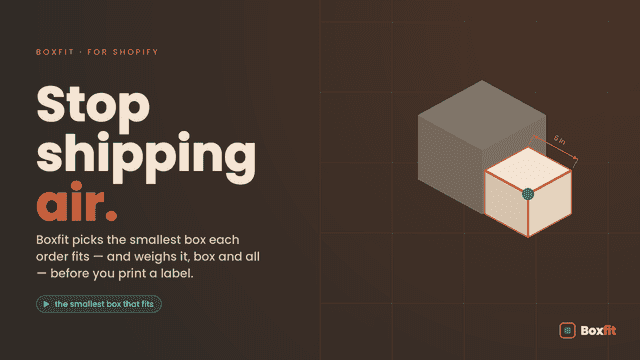
See every featureBoxfit takes the guesswork out of packing. For every order, it picks the box or mailer that fits from your catalog, splits oversized orders across boxes, and writes the total package weight to the order, so your team buys a shipping label in one step.
Split & Sku prints what's in each package in the blank space of your 4x6 shipping labels, so packers can check every box at a glance. Choose SKUs, product names, variant titles or your own text per product, set font sizes, and place the text exactly where you want on each carrier's label. With the browser extension, labels open already stamped when you click Print shipping label.
- Estimates a lower-cost packaging option using billable weight
- Calculates the full package weight, box included, for accurate labels
- Splits orders too big for one box across multiple packages
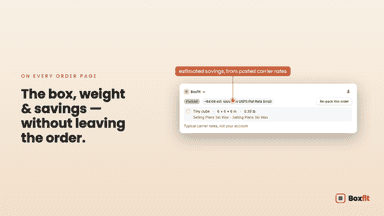
- Shows the chosen box and weight on the order page and packing slip
- Print SKUs, product names or custom text on your 4x6 shipping labels
- Labels open already stamped from Shopify with the included browser extension
- Split or merge shipments automatically with rules by product, tag or collection


All the numbers
Every figure, side by side
A green dot marks the app ahead on a measured figure. Estimates, gaps and apps that leave no storefront trace never take the lead.
Adoption
| Measure |  Boxfit | |
|---|---|---|
| Detected stores | Not published | Not published |
| Net store change, 28 days | 0 | 0 |
| Stores added, 28 days | Not enough data | Not enough data |
| Big-brand share | Not enough data | Not enough data |
| Top store categories | Not published | Not published |
| Top store countries | Not published | Not published |
Reviews
| Measure | Boxfit | |
|---|---|---|
| App Store rating | Not published | Not published |
| App Store reviews | Not published | Not published |
| New reviews, 28 days | Not enough data | Not enough data |
| Reviewers a year or more in | Not enough data | Not enough data |
Pricing
| Measure | Boxfit | |
|---|---|---|
| Free plan | Yes | Not listed |
| Lowest paid monthly plan | $9/month | $5/month(ahead) |
| Longest free trial | 14 days | 14 days |
| Plans listed | 4 | 1 |
Listing
| Measure | Boxfit | |
|---|---|---|
| Shopify category rank | #768 | Not enough data |
| Shopify App Charts | Not on this week’s charts | Not on this week’s charts |
| Built for Shopify | No | No |
| Launched | Jun 29, 2026 | Nov 4, 2026 |
| Languages | 1 | 1 |
| Developer | Sparrow & Spool | Split and Sku |
FAQ
Boxfit and Split and Sku: common questions
- Is Boxfit or Split and Sku cheaper?
- Only Boxfit lists a free plan. Paid plans start at $9/month for Boxfit and $5/month for Split and Sku. Shoplist compares base prices only between monthly plans in the same currency; usage charges and annual plans vary, so check each plan’s limits.
- What features does each app list that the other doesn’t?
- Boxfit lists 2 the others don’t mention, such as Packaging, Packing slips. Split and Sku lists 3 the others don’t mention, such as Bulk printing, Label customization, Shipping rules. A feature missing from a listing may still be supported; this compares what each App Store listing says.
- Where does this comparison’s data come from?
- Shoplist crawls Shopify storefronts to detect which apps each store runs, and reads each app’s Shopify App Store listing for reviews, pricing, features and integrations. Store counts are as of Oct 13, 2026 for Boxfit, Nov 4, 2026 for Split and Sku; estimated figures are labeled.
How Shoplist compares apps
Store counts come from Shoplist’s crawl of Shopify storefronts, which detects the apps each store runs; they are as of Oct 13, 2026 for Boxfit, Nov 4, 2026 for Split and Sku. Reviews, ratings, plans, features and integrations come from each app’s Shopify App Store listing. 28-day figures are labeled when estimated, and a figure that is missing or estimated never decides who leads. Read the methodology.