

Bony: Checkout Rules vs Rivio: Hide Payment & Shipping
Two Shopify apps, side by side: detected stores, momentum, reviews, plans, listed features and who runs each. Store counts as of Nov 5, 2026 for Bony, Oct 29, 2026 for Rivio.
The short answer
- On the Shopify App Store: Bony 4.9 from 26 reviews and Rivio 5.0 from 4 reviews.
- Only Bony lists a free plan.
Head to head


Momentum
New reviews each month
Review pace is the clearest public read on how fast an app is winning new merchants.
Free
- · 1 active payment rules
- · 1 active shipping rules
- · 1 active validation rules
- · Free for development stores
- · No conditions, always apply
Starter
- · 2 active payment rules
- · 2 active shipping rules
- · 2 active validation rules
- · Unlock all conditions
Premium
- · 25 active payment rules
- · 25 active shipping rules
- · 25 active validation rules
- · Unlock all conditions
Coverage counts what each App Store listing names. Every feature, checked off app by app, is in Shoplist.
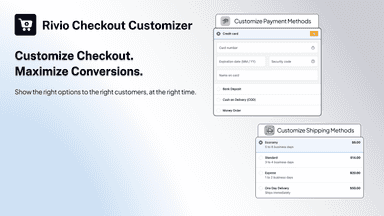
See every featureYour checkout shows every payment and delivery method to every customer. Bony lets you decide who sees what. Build a rule from conditions like cart value, products, customer tags, B2B, market, address or date. Then choose what happens: hide, rename or reorder methods, or block checkout with a clear message in the buyer's language.
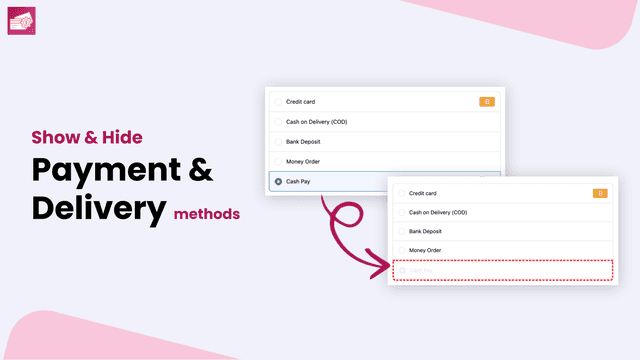
Control which payment and shipping methods each buyer sees. Hide cash on delivery above a cart total, rename shipping rates, or reorder payment methods by country, customer tag or product tag. Block bad orders with validation rules like PO box bans or quantity limits. Grow order value with shipping and order discounts, bundles and thank-you page upsells.
- Control payment & delivery methods based on 50+ rules
- Show, hide, rename payment and delivery methods for custom checkout
- Prevent unwanted orders with custom validation rules before checkout completion
- Support multiple languages for error messages and checkout conditions
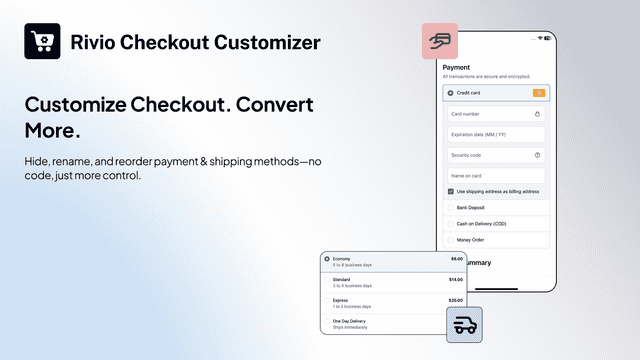
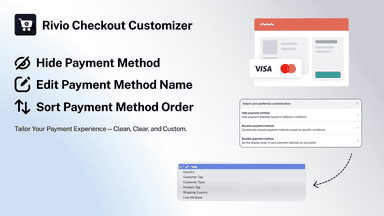
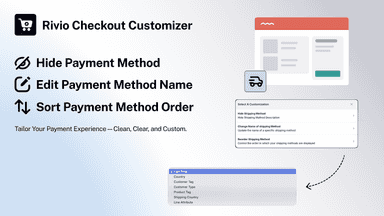
- Hide, rename, or reorder payment methods (like COD) to streamline checkout.
- Easily hide, rename, or reorder shipping methods for a smoother checkout.
- No-coding required. Setup your preferred conditions with ease


All the numbers
Every figure, side by side
A green dot marks the app ahead on a measured figure. Estimates, gaps and apps that leave no storefront trace never take the lead.
Adoption
| Measure |  Bony |  Rivio |
|---|---|---|
| Detected stores | Not published | Not published |
| Net store change, 28 days | 0 | 0 |
| Stores added, 28 days | Not enough data | Not enough data |
| Big-brand share | Not enough data | Not enough data |
| Top store categories | Not published | Not published |
| Top store countries | Not published | Not published |
Reviews
| Measure | Bony | Rivio |
|---|---|---|
| App Store rating | 4.9 ★ | 5.0 ★(ahead) |
| App Store reviews | 26(ahead) | 4 |
| New reviews, 28 days | Not enough data | Not enough data |
| Reviewers a year or more in | Not enough data | Not enough data |
FAQ
Bony and Rivio: common questions
- Is Bony or Rivio cheaper?
- Only Bony lists a free plan. Shoplist compares base prices only between monthly plans in the same currency; usage charges and annual plans vary, so check each plan’s limits.
- Which has better reviews, Bony or Rivio?
- On the Shopify App Store: Bony 4.9 from 26 reviews and Rivio 5.0 from 4 reviews.
- Where does this comparison’s data come from?
- Shoplist crawls Shopify storefronts to detect which apps each store runs, and reads each app’s Shopify App Store listing for reviews, pricing, features and integrations. Store counts are as of Nov 5, 2026 for Bony, Oct 29, 2026 for Rivio; estimated figures are labeled.
How Shoplist compares apps
Store counts come from Shoplist’s crawl of Shopify storefronts, which detects the apps each store runs; they are as of Nov 5, 2026 for Bony, Oct 29, 2026 for Rivio. Reviews, ratings, plans, features and integrations come from each app’s Shopify App Store listing. 28-day figures are labeled when estimated, and a figure that is missing or estimated never decides who leads. Read the methodology.