
BinHQ vs Stockroom
Two Shopify apps, side by side: detected stores, momentum, reviews, plans, listed features and who runs each. Store counts as of Oct 13, 2026 for BinHQ, Oct 14, 2026 for Stockroom.
The short answer
- Only BinHQ lists a free plan. Paid plans start at $19.99/month for BinHQ and $49/month for Stockroom.
- BinHQ lists 13 features Stockroom’s listing doesn’t mention, including Analytics, Auto-processing, Auto-restock.
Head to head


Free
- · 1 Location
- · 1 Picker link
- · 1 User
- · 50 Orders/month
- · Basic pick lists
- · Bin locations
Starter
- · 150 Orders/month
- · 2 Locations
- · 2 Users
- · 3 Picker links
- · Audit log
- · Barcode scanning
Growth
- · 10 Picker links
- · 5 Locations
- · 5 Users
- · 500 Orders/month
- · Custom reports
- · Email notifications
Pro
- · 1,500 Orders/month
- · 10 Locations
- · 10 Users
- · 20 Picker links
- · Dedicated onboarding call
- · REST API access
Standard
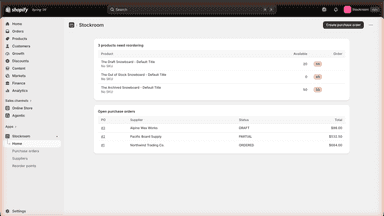
- · Barcode and SKU receiving
- · Barcode shelf label printing
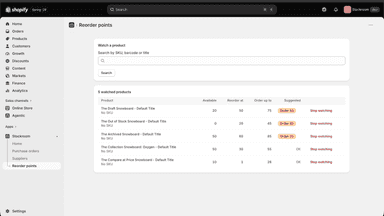
- · Reorder points with suggested quantities
- · Unlimited purchase orders
- · Unlimited suppliers and locations
Coverage counts what each App Store listing names. Every feature, checked off app by app, is in Shoplist.
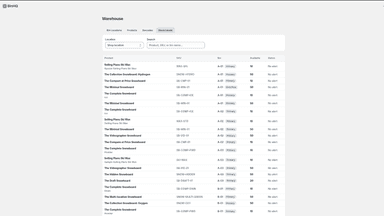
See every featureFulfilling orders one at a time slows you down as your store grows. BinHQ combines multiple orders into a single pick list so you or your team can pick everything in one pass. Assign products to bin locations so pickers know exactly where to go. Use barcode scanning to verify every item before packing. When picking is done, fulfill all orders in bulk directly from Shopify.
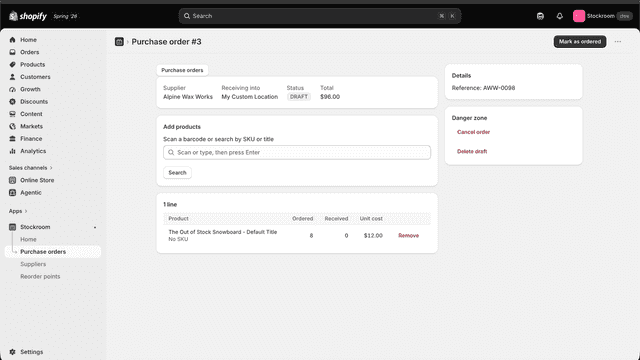
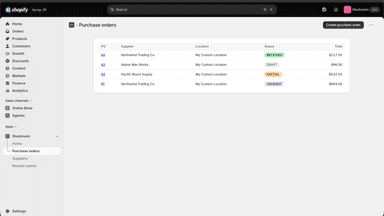
Raise a purchase order against a supplier, send it, then receive the stock by scanning barcodes as it arrives. Partial deliveries are fine — the order stays open until the rest lands. Every receipt writes to inventory at the location you chose. Then print shelf labels straight off that order: barcode, name, and the price if you want it, on sheets or a roll printer.
- Batch pick lists — combine multiple orders into one list, pick in one pass
- Bin locations — assign products to shelves and zones so pickers know where to go
- Barcode scanning — scan items during picking and packing to verify every order
- Bulk fulfillment — mark all picked orders as fulfilled in Shopify with one click
- Raise purchase orders against suppliers and track what is still on the way
- Receive stock by scanning barcodes, or by typing SKUs when you have no scanner
- Print barcode shelf labels straight off a received order, on sheets or a roll
- Receipts write to available inventory at the location you choose



All the numbers
Every figure, side by side
A green dot marks the app ahead on a measured figure. Estimates, gaps and apps that leave no storefront trace never take the lead.
Adoption
| Measure |  BinHQ |  Stockroom |
|---|---|---|
| Detected stores | Not published | Not published |
| Net store change, 28 days | 0 | 0 |
| Stores added, 28 days | Not enough data | Not enough data |
| Big-brand share | Not enough data | Not enough data |
| Top store categories | Not published | Not published |
| Top store countries | Not published | Not published |
Reviews
| Measure | BinHQ | Stockroom |
|---|---|---|
| App Store rating | Not published | Not published |
| App Store reviews | Not published | Not published |
| New reviews, 28 days | Not enough data | Not enough data |
| Reviewers a year or more in | Not enough data | Not enough data |
FAQ
BinHQ and Stockroom: common questions
- Is BinHQ or Stockroom cheaper?
- Only BinHQ lists a free plan. Paid plans start at $19.99/month for BinHQ and $49/month for Stockroom. Shoplist compares base prices only between monthly plans in the same currency; usage charges and annual plans vary, so check each plan’s limits.
- What features does each app list that the other doesn’t?
- BinHQ lists 13 the others don’t mention, such as Analytics, Auto-processing, Auto-restock, Bulk processing. Stockroom lists 1 the others don’t mention, such as Inventory planning. A feature missing from a listing may still be supported; this compares what each App Store listing says.
- Where does this comparison’s data come from?
- Shoplist crawls Shopify storefronts to detect which apps each store runs, and reads each app’s Shopify App Store listing for reviews, pricing, features and integrations. Store counts are as of Oct 13, 2026 for BinHQ, Oct 14, 2026 for Stockroom; estimated figures are labeled.
How Shoplist compares apps
Store counts come from Shoplist’s crawl of Shopify storefronts, which detects the apps each store runs; they are as of Oct 13, 2026 for BinHQ, Oct 14, 2026 for Stockroom. Reviews, ratings, plans, features and integrations come from each app’s Shopify App Store listing. 28-day figures are labeled when estimated, and a figure that is missing or estimated never decides who leads. Read the methodology.