

BeeBalanced Transfer Generator vs Stock transfer pro
Two Shopify apps, side by side: detected stores, momentum, reviews, plans, listed features and who runs each. Store counts as of Oct 14, 2026.
The short answer
- On the Shopify App Store: BeeBalanced Transfer Generator 5.0 from 1 reviews and Stock transfer pro 5.0 from 1 reviews.
- Paid plans start at $29.99/month for BeeBalanced Transfer Generator and $12/month for Stock transfer pro.
- BeeBalanced Transfer Generator lists 7 features Stock transfer pro’s listing doesn’t mention, including Analytics, Forecasting, Import and export.
Head to head


Basic
- · Export Excel Sheets
- · Generate Transfers
- · Inventory Monitoring
- · Store has maximum 500 Active SKUs
Standard
- · Export Excel Sheets
- · Generate Transfers
- · Inventory Monitoring
- · Store has maximum 1500 Active SKUs
Pro
- · Export Excel Sheets
- · Generate Transfers
- · Inventory Monitoring
- · Unlimited SKUs
Starter
- · 5-language UI (FR / EN / IT / ES / DE)
- · Email support
- · Full audit log for transfers and actions
- · Manual transfers (create, send, receive)
- · POS extension (scan, field validation)
- · Partial receive, discrepancies, and note
Pro
- · 30-day stock forecast (simple engine)
- · Create transfers from POS
- · Daily email alert summary
- · Everything in Starter
- · Purchase orders, COGS & stocktakes
- · Smart transfers (stock-based suggestions
Pro +
- · BYOK LLM AI (OpenAI / Anthropic / Gemini
- · Detailed Revenue-at-Risk + trend + spark
- · EWMA + seasonality + multi-country event
- · Email and Slack alerts
- · Everything in Pro
- · Multi-horizon forecast: 14 / 30 / 60 day
Coverage counts what each App Store listing names. Every feature, checked off app by app, is in Shoplist.
See every featureEvenly distribute inventory across multiple locations by generating inventory transfers using stock and forecasted sales. Flexible settings and a powerful algorithm generate transfers tailored to your business. An intuitive interface lets you view stock and forecast for each product at each location, while summary cards help you assess how well your inventory is balanced.
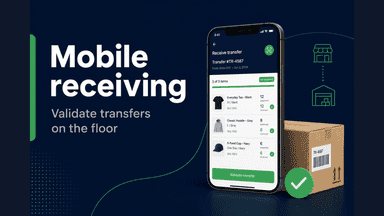
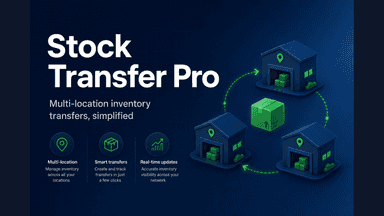
Stock Transfer Pro helps merchants move inventory between Shopify locations. Create manual transfers with a draft, sent, and received workflow, support partial receipts, and review an audit log. Smart transfers suggest quantities from order history between two dates or from stock targets you set per variant and location. A mobile-friendly receiving flow helps store staff confirm incoming stock.
- Sophisticated algorithms analyze data to balance inventory between locations
- Adjustable settings to generate transfers that meet your needs
- Export CSV to review data before importing transfer quantities if needed
- Easily see stock and forecast for each product at each location
- Create transfers between locations with draft, sent, and received statuses.
- Get transfer suggestions from sales over a date range or from stock targets.
- Receive stock on a phone-friendly screen built for store teams.
- Track every action with an audit log and optional partial receipts.




All the numbers
Every figure, side by side
A green dot marks the app ahead on a measured figure. Estimates, gaps and apps that leave no storefront trace never take the lead.
Adoption
| Measure |  BeeBalanced Transfer Generator |  Stock transfer pro |
|---|---|---|
| Detected stores | Not published | Not published |
| Net store change, 28 days | 0 | 0 |
| Stores added, 28 days | Not enough data | Not enough data |
| Big-brand share | Not enough data | Not enough data |
| Top store categories | Not published | Not published |
| Top store countries | Not published | Not published |
Reviews
| Measure | BeeBalanced Transfer Generator | Stock transfer pro |
|---|---|---|
| App Store rating | 5.0 ★ | 5.0 ★ |
| App Store reviews | 1 | 1 |
| New reviews, 28 days | Not enough data | Not enough data |
| Reviewers a year or more in | Not enough data | Not enough data |
Pricing
| Measure | BeeBalanced Transfer Generator | Stock transfer pro |
|---|---|---|
| Free plan | Not listed | Not listed |
| Lowest paid monthly plan | $29.99/month | $12/month(ahead) |
| Longest free trial | 14 days | 14 days |
| Plans listed | 3 | 3 |
Listing
| Measure | BeeBalanced Transfer Generator | Stock transfer pro |
|---|---|---|
| Shopify category rank | #349 | #129(ahead) |
| Shopify App Charts | Not on this week’s charts | Not on this week’s charts |
| Built for Shopify | No | No |
| Launched | May 11, 2026 | Jun 3, 2026 |
| Languages | 1 | 4 |
| Developer | BeeBalanced | Jbdevweb |
FAQ
BeeBalanced Transfer Generator and Stock transfer pro: common questions
- Is BeeBalanced Transfer Generator or Stock transfer pro cheaper?
- Paid plans start at $29.99/month for BeeBalanced Transfer Generator and $12/month for Stock transfer pro. Shoplist compares base prices only between monthly plans in the same currency; usage charges and annual plans vary, so check each plan’s limits.
- Which has better reviews, BeeBalanced Transfer Generator or Stock transfer pro?
- On the Shopify App Store: BeeBalanced Transfer Generator 5.0 from 1 reviews and Stock transfer pro 5.0 from 1 reviews.
- What features does each app list that the other doesn’t?
- BeeBalanced Transfer Generator lists 7 the others don’t mention, such as Analytics, Forecasting, Import and export, Insights. Stock transfer pro lists 2 the others don’t mention, such as Low stock alerts, Restock notifications. A feature missing from a listing may still be supported; this compares what each App Store listing says.
- Where does this comparison’s data come from?
- Shoplist crawls Shopify storefronts to detect which apps each store runs, and reads each app’s Shopify App Store listing for reviews, pricing, features and integrations. Store counts are as of Oct 14, 2026; estimated figures are labeled.
How Shoplist compares apps
Store counts come from Shoplist’s crawl of Shopify storefronts, which detects the apps each store runs; they are as of Oct 14, 2026. Reviews, ratings, plans, features and integrations come from each app’s Shopify App Store listing. 28-day figures are labeled when estimated, and a figure that is missing or estimated never decides who leads. Read the methodology.