
BBOLD Connector vs CRM for monday.com
Two Shopify apps, side by side: detected stores, momentum, reviews, plans, listed features and who runs each. Store counts as of Oct 13, 2026.
The short answer
- BBOLD Connector lists 7 features CRM for monday.com’s listing doesn’t mention, including Customers, Multi-channel, Multi-currency.
Head to head


Momentum
New reviews each month
Review pace is the clearest public read on how fast an app is winning new merchants.
Lite
- · Automatic invoices and credit notes
- · Up to 50 monthly orders
Basic
- · Automatic invoices and credit notes
- · Up to 100 monthly orders
Starter
- · Automatic invoices and credit notes
- · Up to 500 monthly orders
Business
- · Automatic invoices and credit notes
- · Up to 1000 monthly orders
Default Plan
Coverage counts what each App Store listing names. Every feature, checked off app by app, is in Shoplist.
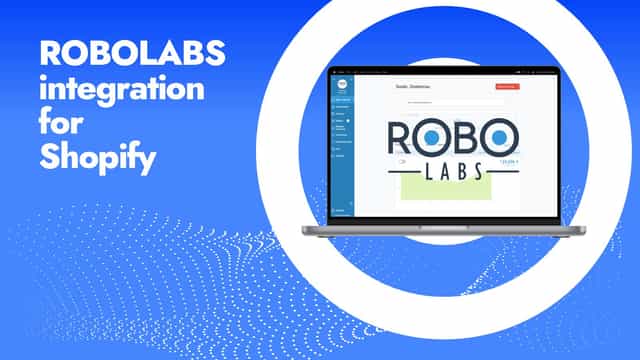
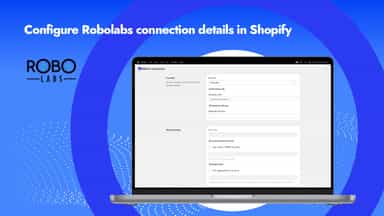
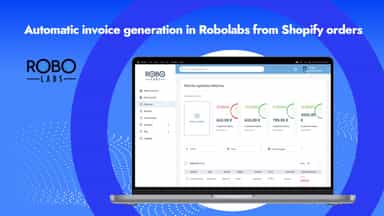
See every featureBBOLD Connector links your Shopify store with Robolabs accounting software, making it simple to keep sales and customer data accurate. Orders are pushed automatically, and customer records stay in sync without manual updates. This reduces errors, saves time, and ensures your accounting system always reflects your store activity.
BoostSync connects Shopify to monday.com so your team can manage wholesale accounts, customers, orders, abandoned checkouts, draft orders, and inventory from the boards you already use. Unlike basic trigger-based connectors, BoostSync supports historical import, real-time updates, guided board mapping, customer reconciliation, B2B company records, and workflow routing. Checkout our tutorials in the resources below!
- Automatic import of orders from Shopify to Robolabs
- Reduce manual entry and accounting errors
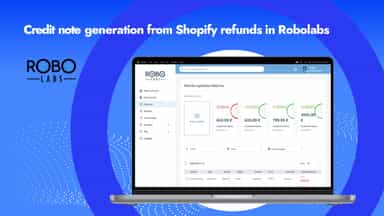
- Automatic credit note creation for refund transactions
- Invoice data kept up-to-date across both systems
- Orders, refunds, customers, and more synced to your monday.com boards
- One-click setup between monday.com and Shopify! No third party platform
- Manage multiple stores through one app


All the numbers
Every figure, side by side
A green dot marks the app ahead on a measured figure. Estimates, gaps and apps that leave no storefront trace never take the lead.
Adoption
| Measure |  BBOLD Connector |  CRM for monday.com |
|---|---|---|
| Detected stores | Not published | Not published |
| Net store change, 28 days | 0 | 0 |
| Stores added, 28 days | Not enough data | Not enough data |
| Big-brand share | Not enough data | Not enough data |
| Top store categories | Not published | Not published |
| Top store countries | Not published | Not published |
Reviews
| Measure | BBOLD Connector | CRM for monday.com |
|---|---|---|
| App Store rating | Not published | 5.0 ★ |
| App Store reviews | Not published | 2 |
| New reviews, 28 days | Not enough data | Not enough data |
| Reviewers a year or more in | Not enough data | Not enough data |
Pricing
| Measure | BBOLD Connector | CRM for monday.com |
|---|---|---|
| Free plan | Not listed | Not listed |
| Lowest paid monthly plan | $18/month | No monthly plan listed |
| Longest free trial | 7 days | Not listed |
| Plans listed | 4 | 1 |
Listing
| Measure | BBOLD Connector | CRM for monday.com |
|---|---|---|
| Shopify category rank | #96 | #108 |
| Shopify App Charts | Not on this week’s charts | Not on this week’s charts |
| Built for Shopify | No | No |
| Launched | Apr 16, 2026 | Nov 4, 2025 |
| Languages | 1 | 1 |
| Developer | BBOLD ONLINE | Boost Technology Holdings, LLC |
FAQ
BBOLD Connector and CRM for monday.com: common questions
- What features does each app list that the other doesn’t?
- BBOLD Connector lists 7 the others don’t mention, such as Customers, Multi-channel, Multi-currency, Multi-store. CRM for monday.com lists 2 the others don’t mention, such as Cash flow, Sales and refunds. A feature missing from a listing may still be supported; this compares what each App Store listing says.
- Where does this comparison’s data come from?
- Shoplist crawls Shopify storefronts to detect which apps each store runs, and reads each app’s Shopify App Store listing for reviews, pricing, features and integrations. Store counts are as of Oct 13, 2026; estimated figures are labeled.
How Shoplist compares apps
Store counts come from Shoplist’s crawl of Shopify storefronts, which detects the apps each store runs; they are as of Oct 13, 2026. Reviews, ratings, plans, features and integrations come from each app’s Shopify App Store listing. 28-day figures are labeled when estimated, and a figure that is missing or estimated never decides who leads. Read the methodology.