

Auto Push Sold Out Items vs Smart Stock Display
Two Shopify apps, side by side: detected stores, momentum, reviews, plans, listed features and who runs each. Store counts as of Oct 13, 2026.
The short answer
- Only Auto Push Sold Out Items lists a free plan. Paid plans start at $3.99/month for Auto Push Sold Out Items and $4.99/month for Smart Stock Display.
- Auto Push Sold Out Items lists 4 features Smart Stock Display’s listing doesn’t mention, including Automated, Custom rules, Push down.
Head to head


Free
- · Auto push-down sorting
- · Export activity reports
- · Manage up to 5 collections
- · Restore when restocked
- · Unlimited products
Basic
- · Auto push-down sorting
- · Export activity reports
- · Manage up to 50 collections
- · Restore when restocked
- · Unlimited products
Advance
- · Auto push-down sorting
- · Export activity reports
- · Manage up to 150 collections
- · Restore when restocked
- · Unlimited products
Advance Plus
- · Auto push-down sorting
- · Export activity reports
- · Manage up to 500 collections
- · Restore when restocked
- · Unlimited products
Advance Pro
- · Auto push-down sorting
- · Export activity reports
- · Restore when restocked
- · Unlimited collections
- · Unlimited products
Monthly
- · Automated sold-out sorting
- · Restore original product position on res
- · Theme embed storefront ordering
Coverage counts what each App Store listing names. Every feature, checked off app by app, is in Shoplist.
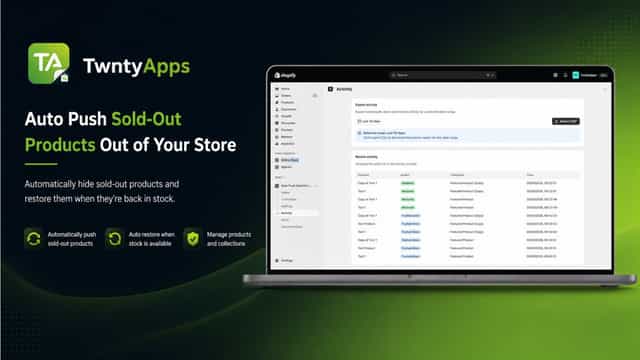
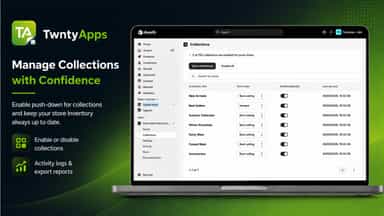
See every featureSold-Out Push-Down helps merchants keep collections tidy by moving products that are truly sold out to the end of enabled collections. Merchants can choose which collections to manage, keep each collection’s chosen sort order as the baseline, exclude products by tag, and skip products that continue selling when out of stock.
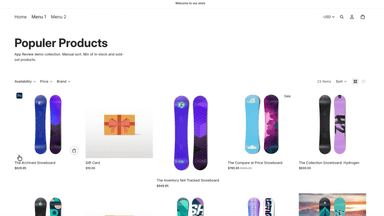
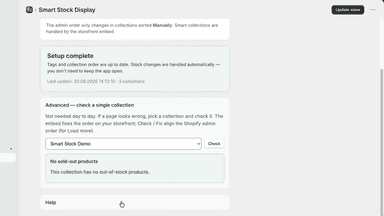
When a product sells out, Smart Stock Display moves it to the end of your manual collection order. When inventory returns, the product moves back into the in-stock zone. Customers see available products first. Setup is one time: enable the Sold-out products last theme app embed, then click Update store. After that, inventory webhooks keep everything in sync.
- Automatically move sold-out products to the end of selected collections
- Restore products toward their saved position when stock returns
- Choose which collections are managed and set each baseline sort order
- Exclude products from push-down by adding protected product tags
- Sold-out products move to the end
- When stock returns, products go back to their original spot
- One Update store click tags products and fixes collection order
- Theme embed shows sold-out products last on the storefront



All the numbers
Every figure, side by side
A green dot marks the app ahead on a measured figure. Estimates, gaps and apps that leave no storefront trace never take the lead.
Adoption
| Measure |  Auto Push Sold Out Items |  Smart Stock Display |
|---|---|---|
| Detected stores | Not published | Not published |
| Net store change, 28 days | 0 | 0 |
| Stores added, 28 days | Not enough data | Not enough data |
| Big-brand share | Not enough data | Not enough data |
| Top store categories | Not published | Not published |
| Top store countries | Not published | Not published |
Reviews
| Measure | Auto Push Sold Out Items | Smart Stock Display |
|---|---|---|
| App Store rating | Not published | Not published |
| App Store reviews | Not published | Not published |
| New reviews, 28 days | Not enough data | Not enough data |
| Reviewers a year or more in | Not enough data | Not enough data |
Pricing
| Measure | Auto Push Sold Out Items | Smart Stock Display |
|---|---|---|
| Free plan | Yes | Not listed |
| Lowest paid monthly plan | $3.99/month(ahead) | $4.99/month |
| Longest free trial | 7 days | 7 days |
| Plans listed | 5 | 1 |
Listing
| Measure | Auto Push Sold Out Items | Smart Stock Display |
|---|---|---|
| Shopify category rank | #89 | #118 |
| Shopify App Charts | Not on this week’s charts | Not on this week’s charts |
| Built for Shopify | No | No |
| Launched | Sep 23, 2026 | Oct 2, 2026 |
| Languages | 1 | 1 |
| Developer | TwntyApps | kadirkaval |
FAQ
Auto Push Sold Out Items and Smart Stock Display: common questions
- Is Auto Push Sold Out Items or Smart Stock Display cheaper?
- Only Auto Push Sold Out Items lists a free plan. Paid plans start at $3.99/month for Auto Push Sold Out Items and $4.99/month for Smart Stock Display. Shoplist compares base prices only between monthly plans in the same currency; usage charges and annual plans vary, so check each plan’s limits.
- What features does each app list that the other doesn’t?
- Auto Push Sold Out Items lists 4 the others don’t mention, such as Automated, Custom rules, Push down, Real-time updates. A feature missing from a listing may still be supported; this compares what each App Store listing says.
- Where does this comparison’s data come from?
- Shoplist crawls Shopify storefronts to detect which apps each store runs, and reads each app’s Shopify App Store listing for reviews, pricing, features and integrations. Store counts are as of Oct 13, 2026; estimated figures are labeled.
How Shoplist compares apps
Store counts come from Shoplist’s crawl of Shopify storefronts, which detects the apps each store runs; they are as of Oct 13, 2026. Reviews, ratings, plans, features and integrations come from each app’s Shopify App Store listing. 28-day figures are labeled when estimated, and a figure that is missing or estimated never decides who leads. Read the methodology.