
Arvo ‑ Custom Product Forms vs Formly
Two Shopify apps, side by side: detected stores, momentum, reviews, plans, listed features and who runs each. Store counts as of Oct 13, 2026 for Arvo, Aug 21, 2026 for Formly.
The short answer
- Only Arvo lists a free plan.
Head to head


Free
- · 10 starter templates
- · Basic analytics
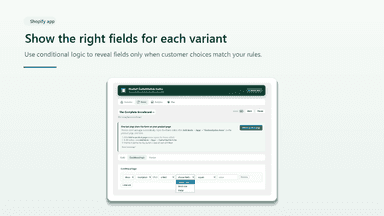
- · Conditional logic
- · Core field types (7)
- · Options on order, email & packing slip
- · Unlimited customized orders
Starter
- · Add-on pricing
- · Advanced analytics
- · Advanced date picker
- · All field types + file upload (5 × 10mb)
- · Full template library (50+)
- · Live preview personalizer
Pro
- · Everything in Starter
- · FOMO badges per choice
- · Image & color swatches
- · Multi-file upload (20 × 50MB)
- · Priority support
Coverage counts what each App Store listing names. Every feature, checked off app by app, is in Shoplist.
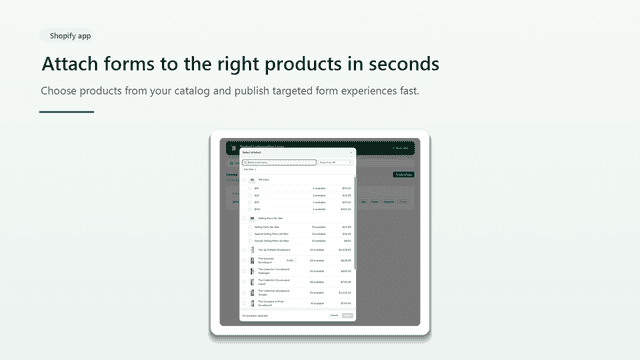
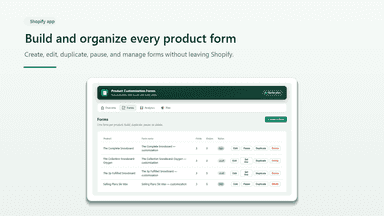
See every featureEasily capture specialized order details directly on your product pages and add custom fields. This app lets you build tailored product forms with functional field types like text inputs, checkboxes, and file uploads. Use conditional logic to show or hide options based on chosen variants, preventing buyer confusion.
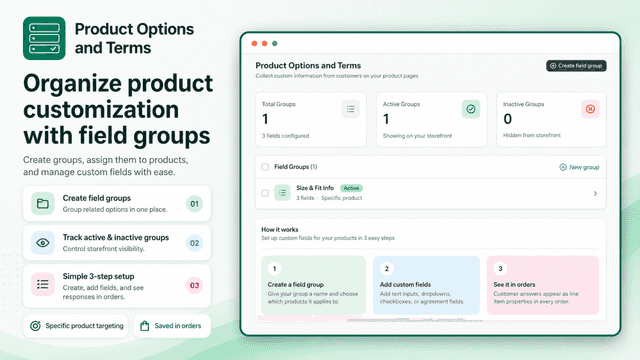
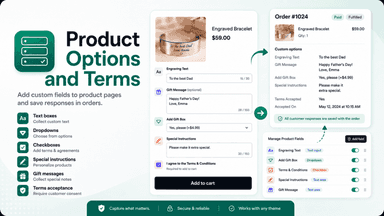
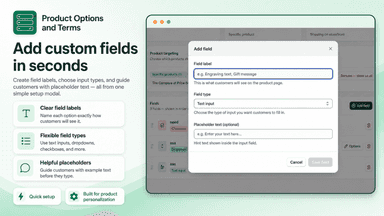
Product Options and Terms lets merchants add custom fields to their Shopify product pages. Customers can fill in text inputs, choose from dropdowns, and check checkboxes before adding to cart. Their responses are automatically saved as line item properties and appear directly in your Shopify orders — no manual work needed. Works with Add to cart and Buy it now buttons.
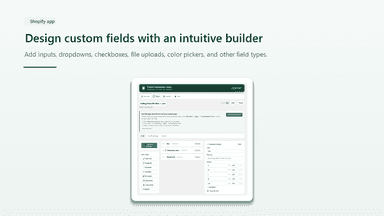
- Build custom forms using checkboxes, dropdown lists, text areas, and text boxes.
- Show or hide form fields dynamically based on the customer selected variant.
- Let shoppers see their custom text and personalized changes instantly on page.
- Allow buyers to upload images and large files directly to their custom order.
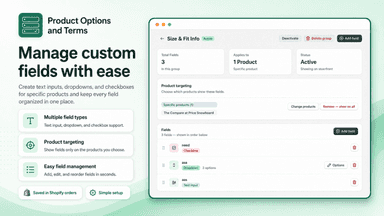
- Add text inputs, dropdowns, and checkboxes to any product page
- Customer responses saved automatically in Shopify orders
- Target fields by product, collection, or show on all products
All the numbers
Every figure, side by side
A green dot marks the app ahead on a measured figure. Estimates, gaps and apps that leave no storefront trace never take the lead.
Adoption
| Measure |  Arvo |  Formly |
|---|---|---|
| Detected stores | Not published | Not published |
| Net store change, 28 days | 0 | 0 |
| Stores added, 28 days | Not enough data | Not enough data |
| Big-brand share | Not enough data | Not enough data |
| Top store categories | Not published | Not published |
| Top store countries | Not published | Not published |
Reviews
| Measure | Arvo | Formly |
|---|---|---|
| App Store rating | Not published | Not published |
| App Store reviews | Not published | Not published |
| New reviews, 28 days | Not enough data | Not enough data |
| Reviewers a year or more in | Not enough data | Not enough data |
FAQ
Arvo and Formly: common questions
- Is Arvo or Formly cheaper?
- Only Arvo lists a free plan. Shoplist compares base prices only between monthly plans in the same currency; usage charges and annual plans vary, so check each plan’s limits.
- Where does this comparison’s data come from?
- Shoplist crawls Shopify storefronts to detect which apps each store runs, and reads each app’s Shopify App Store listing for reviews, pricing, features and integrations. Store counts are as of Oct 13, 2026 for Arvo, Aug 21, 2026 for Formly; estimated figures are labeled.
How Shoplist compares apps
Store counts come from Shoplist’s crawl of Shopify storefronts, which detects the apps each store runs; they are as of Oct 13, 2026 for Arvo, Aug 21, 2026 for Formly. Reviews, ratings, plans, features and integrations come from each app’s Shopify App Store listing. 28-day figures are labeled when estimated, and a figure that is missing or estimated never decides who leads. Read the methodology.