
Anddress Virtual Try‑On vs Fitting Room
Two Shopify apps, side by side: detected stores, momentum, reviews, plans, listed features and who runs each. Store counts as of Oct 14, 2026 for Anddress Virtual Try‑On, Sep 3, 2026 for Fitting Room.
The short answer
- Only Anddress Virtual Try‑On lists a free plan.
- Fitting Room lists 2 features Anddress Virtual Try‑On’s listing doesn’t mention, including Custom branding, Custom products.
Head to head


Momentum
New reviews each month
Review pace is the clearest public read on how fast an app is winning new merchants.
Free
- · "Powered by Anddress" badge
- · 12 diversity models
- · 20 try-ons per month
- · Shopper photo try-on
- · Shopper try-on gallery
Fitting Room
- · 300 try-ons per month
- · Sales attributed to try-ons
- · Shopper photo try-on
- · Shopper try-on gallery
- · Up to 3 AI store models
- · Video try-on (beta)
Boutique Starter
- · 1,000 try-ons per month
- · Sales attributed to try-ons
- · Shopper photo try-on
- · Shopper try-on gallery
- · Up to 6 AI store models
- · Video try-on (beta)
Brand Growth
- · 4,000 try-ons per month
- · 60 AI model generations a month
- · Sales attributed to try-ons
- · Shopper try-on gallery
- · Up to 15 AI store models
- · Video try-on (beta)
Coverage counts what each App Store listing names. Every feature, checked off app by app, is in Shoplist.
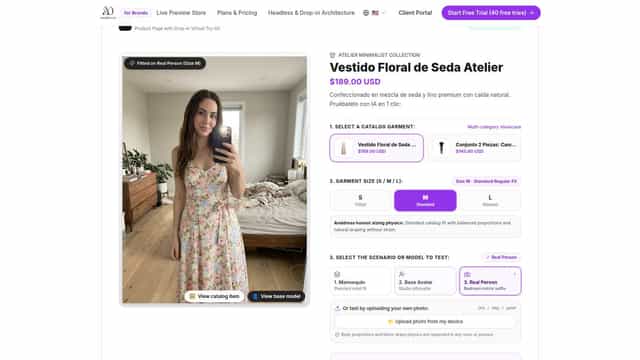
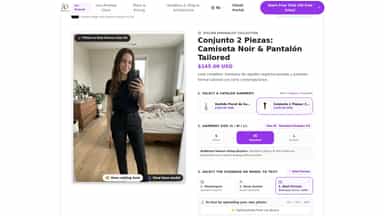
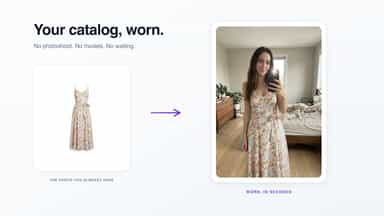
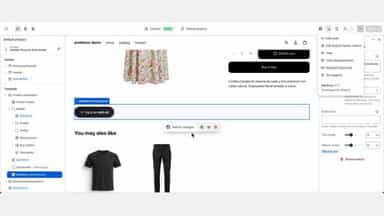
See every featureAnddress turns the product photos you already have into a virtual fitting room on your product pages. A shopper taps one button and sees the garment worn: on a store mannequin, a studio avatar, a real person, or a photo of themselves. They pick a slim, regular or relaxed fit and the render follows it. Setup is two blocks in the theme editor, no code.
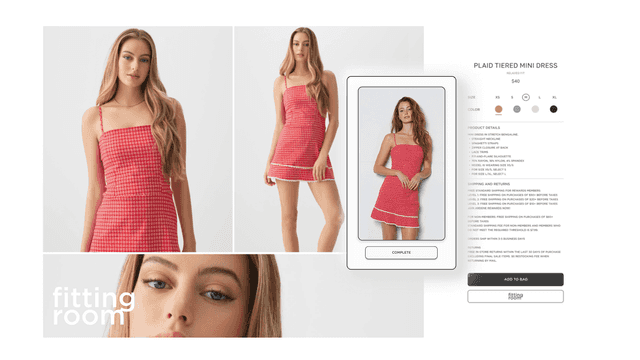
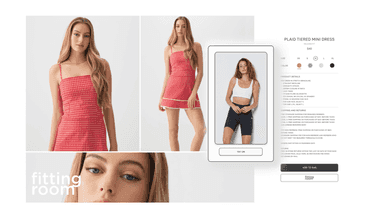
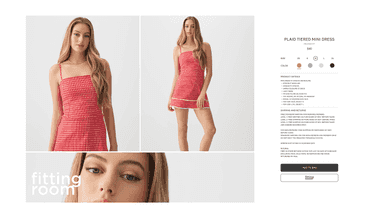
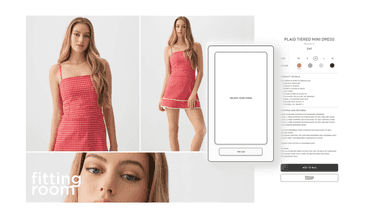
Fitting Room offers a simple and clean virtual try-on experience. Shoppers can upload a photo of themselves directly on product pages and instantly visualize how clothing looks on them. Merchants only need to add the app block — no manual product picking, no accounts, and no complicated configurations required. A quick, seamless, and native way to drive shopper engagement and confidence.
- Try-on generated from your existing catalog photos, with no photoshoot
- Four models: store mannequin, studio avatar, real person, or the shopper's photo
- Shoppers pick slim, regular or relaxed fit and see it on the model
- Seamless virtual try-on widget with photo upload
- No merchant or customer setup required – install and go
- Boosts shopper confidence and engagement on product pages
All the numbers
Every figure, side by side
A green dot marks the app ahead on a measured figure. Estimates, gaps and apps that leave no storefront trace never take the lead.
Adoption
| Measure |  Anddress Virtual Try‑On |  Fitting Room |
|---|---|---|
| Detected stores | Not published | Not published |
| Net store change, 28 days | 0 | 0 |
| Stores added, 28 days | Not enough data | Not enough data |
| Big-brand share | Not enough data | Not enough data |
| Top store categories | Not published | Not published |
| Top store countries | Not published | Not published |
Reviews
| Measure | Anddress Virtual Try‑On | Fitting Room |
|---|---|---|
| App Store rating | Not published | 2.7 ★ |
| App Store reviews | Not published | 4 |
| New reviews, 28 days | Not enough data | Not enough data |
| Reviewers a year or more in | Not enough data | Not enough data |
Pricing
| Measure | Anddress Virtual Try‑On | Fitting Room |
|---|---|---|
| Free plan | Yes | Not listed |
| Lowest paid monthly plan | $29/month | No monthly plan listed |
| Longest free trial | Not listed | Not listed |
| Plans listed | 4 | Not published |
Listing
| Measure | Anddress Virtual Try‑On | Fitting Room |
|---|---|---|
| Shopify category rank | #386 | #157(ahead) |
| Shopify App Charts | Not on this week’s charts | Not on this week’s charts |
| Built for Shopify | No | No |
| Launched | Sep 30, 2026 | May 15, 2025 |
| Languages | 2 | 1 |
| Developer | Anddress | Fitting Room |
FAQ
Anddress Virtual Try‑On and Fitting Room: common questions
- Is Anddress Virtual Try‑On or Fitting Room cheaper?
- Only Anddress Virtual Try‑On lists a free plan. Shoplist compares base prices only between monthly plans in the same currency; usage charges and annual plans vary, so check each plan’s limits.
- What features does each app list that the other doesn’t?
- Fitting Room lists 2 the others don’t mention, such as Custom branding, Custom products. A feature missing from a listing may still be supported; this compares what each App Store listing says.
- Where does this comparison’s data come from?
- Shoplist crawls Shopify storefronts to detect which apps each store runs, and reads each app’s Shopify App Store listing for reviews, pricing, features and integrations. Store counts are as of Oct 14, 2026 for Anddress Virtual Try‑On, Sep 3, 2026 for Fitting Room; estimated figures are labeled.
How Shoplist compares apps
Store counts come from Shoplist’s crawl of Shopify storefronts, which detects the apps each store runs; they are as of Oct 14, 2026 for Anddress Virtual Try‑On, Sep 3, 2026 for Fitting Room. Reviews, ratings, plans, features and integrations come from each app’s Shopify App Store listing. 28-day figures are labeled when estimated, and a figure that is missing or estimated never decides who leads. Read the methodology.