

AltForge ‑ Alt Image Text vs PiksAlt: Alt Text & JSON‑LD
Two Shopify apps, side by side: detected stores, momentum, reviews, plans, listed features and who runs each. Store counts as of Jun 11, 2026 for AltForge, Oct 13, 2026 for PiksAlt.
The short answer
- PiksAlt lists 2 features AltForge’s listing doesn’t mention, including JSON-LD, Rich snippets.
Head to head


Free to Install
- · 10 credits included
- · One-time credit packs available in-app
PiksAlt Starter
- · 600 alt text generations per month
- · Auto-publish to product images
- · Regenerate any output, anytime
- · Rich Results JSON-LD on storefront
PiksAlt Pro
- · 6,500 alt text generations per month
- · Auto-publish to product images
- · Priority email support
- · Regenerate any output, anytime
- · Rich Results JSON-LD on storefront
Coverage counts what each App Store listing names. Every feature, checked off app by app, is in Shoplist.
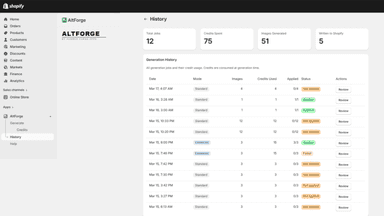
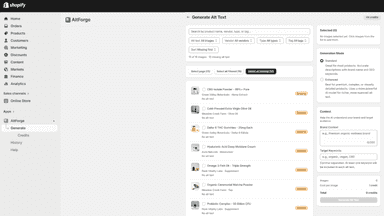
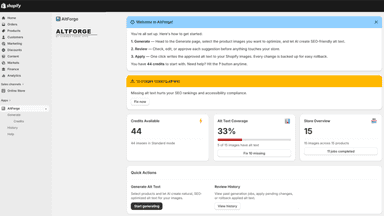
See every featureProduct images without alt text are invisible to search engines and inaccessible to customers using screen readers. AltForge analyzes your product images with AI and generates descriptive alt text automatically. Process images one at a time or in bulk across your entire catalog. Every suggestion can be reviewed, edited, approved, or rejected before publishing.
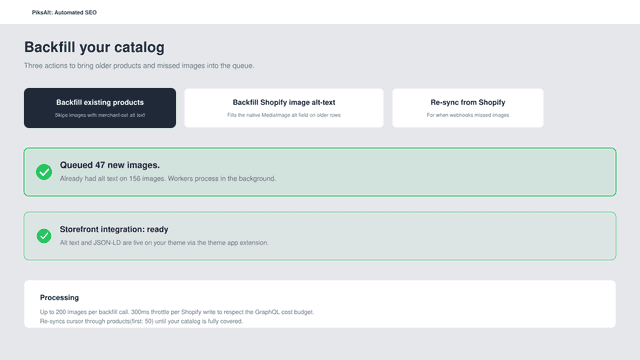
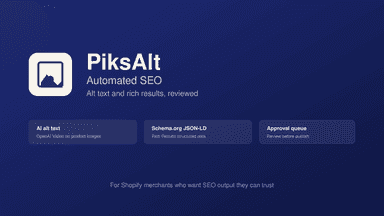
PiksAlt goes beyond alt text with Schema.org JSON-LD for Rich Results. It reads each product title, type, and tags to draft concise alt text that sounds like a merchandiser wrote it, not a keyword-stuffed bot. Review everything in one queue before it goes live. PiksAlt publishes through metafields, so it never edits theme files. Start free with 30 images and keep control of every result.
- AI analyzes product images and writes descriptive alt text automatically
- Process your entire catalog at once with bulk generation
- Review, edit, approve, or reject every suggestion before publishing
- Restore previous alt text anytime with built-in backups
- AI alt text and JSON-LD for product images, generated in one app
- One-screen approval queue. Review every generation before it reaches storefront
- Theme app extension publishes through metafields. No theme file edits, ever



All the numbers
Every figure, side by side
A green dot marks the app ahead on a measured figure. Estimates, gaps and apps that leave no storefront trace never take the lead.
Adoption
| Measure |  AltForge |  PiksAlt |
|---|---|---|
| Detected stores | Not published | Not published |
| Net store change, 28 days | 0 | 0 |
| Stores added, 28 days | Not enough data | Not enough data |
| Big-brand share | Not enough data | Not enough data |
| Top store categories | Not published | Not published |
| Top store countries | Not published | Not published |
Reviews
| Measure | AltForge | PiksAlt |
|---|---|---|
| App Store rating | Not published | Not published |
| App Store reviews | Not published | Not published |
| New reviews, 28 days | Not enough data | Not enough data |
| Reviewers a year or more in | Not enough data | Not enough data |
FAQ
AltForge and PiksAlt: common questions
- What features does each app list that the other doesn’t?
- AltForge lists 1 the others don’t mention, such as Bulk editing. PiksAlt lists 2 the others don’t mention, such as JSON-LD, Rich snippets. A feature missing from a listing may still be supported; this compares what each App Store listing says.
- Where does this comparison’s data come from?
- Shoplist crawls Shopify storefronts to detect which apps each store runs, and reads each app’s Shopify App Store listing for reviews, pricing, features and integrations. Store counts are as of Jun 11, 2026 for AltForge, Oct 13, 2026 for PiksAlt; estimated figures are labeled.
How Shoplist compares apps
Store counts come from Shoplist’s crawl of Shopify storefronts, which detects the apps each store runs; they are as of Jun 11, 2026 for AltForge, Oct 13, 2026 for PiksAlt. Reviews, ratings, plans, features and integrations come from each app’s Shopify App Store listing. 28-day figures are labeled when estimated, and a figure that is missing or estimated never decides who leads. Read the methodology.