

Aero Form Builder vs K: Contact Form Builder
Two Shopify apps, side by side: detected stores, momentum, reviews, plans, listed features and who runs each. Store counts as of Aug 26, 2026 for Aero Form Builder, Nov 6, 2026 for K: Contact Form Builder.
The short answer
- K: Contact Form Builder lists 7 features Aero Form Builder’s listing doesn’t mention, including Analytics, Custom, Custom CSS.
Head to head


Momentum
New reviews each month
Review pace is the clearest public read on how fast an app is winning new merchants.
Coverage counts what each App Store listing names. Every feature, checked off app by app, is in Shoplist.
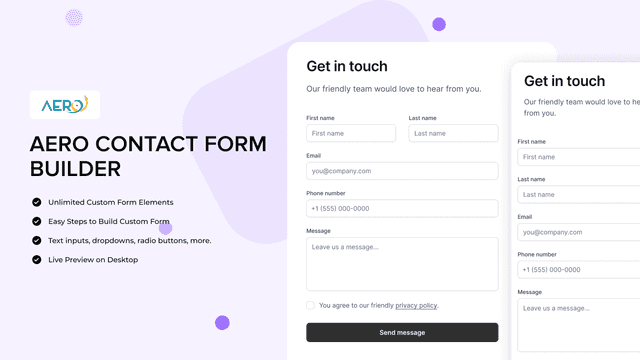
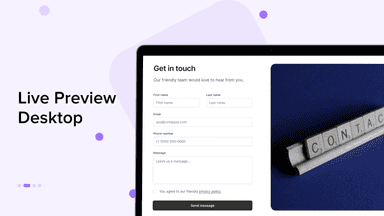
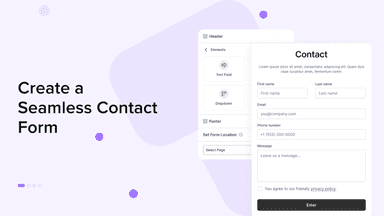
See every featureCreate custom forms effortlessly with a no-code form builder. Design contact form in minutes to collect your contact lists and improve customer service. Automate communications with instant alerts. Manage form submissions efficiently, allowing customers to add custom fields. Display forms on contact page and customize fields for all your form-building needs.
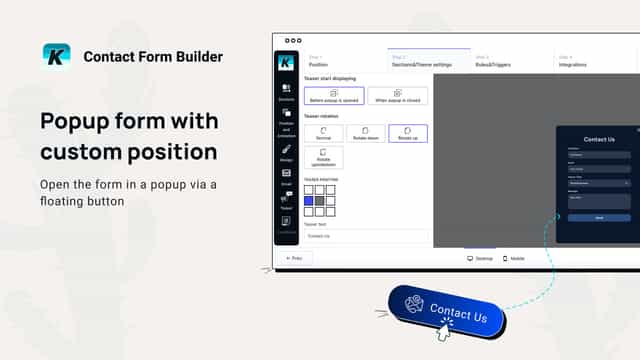
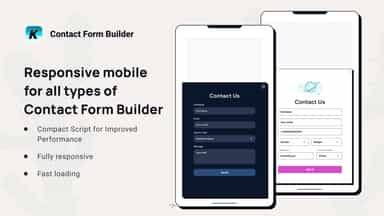
Effortlessly connect with your customers to generate more leads and product sales with Contact Form Builder. Easy to build Popup Contact Form, Page Embedded Forms, Signup Form, Multi Step Forms & Floating Bubble Forms. Select the fields, add contact form file upload, ensuring you gather all the information in register form or data collection form.
- Contact Form, Order Form, Wholesale Form, Return Form, Survey Form and More
- Pre-designed and Custom Template, Conditional Logic
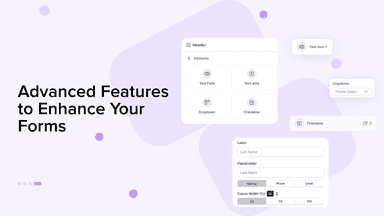
- File Upload, Color Swatch, Date and Time, Rating, Quantity and more elements.
- Instant Submission Error or Success Message.
- Effortlessly create forms and collect data from your customers.
- Customize the app to suit your website style.
- Trigger your form anywhere.
- Lots of form templates to save your time.


All the numbers
Every figure, side by side
A green dot marks the app ahead on a measured figure. Estimates, gaps and apps that leave no storefront trace never take the lead.
Adoption
| Measure |  Aero Form Builder |  K: Contact Form Builder |
|---|---|---|
| Detected stores | Not published | Not published |
| Net store change, 28 days | 0 | 0 |
| Stores added, 28 days | Not enough data | Not enough data |
| Big-brand share | Not enough data | Not enough data |
| Top store categories | Not published | Not published |
| Top store countries | Not published | Not published |
Reviews
| Measure | Aero Form Builder | K: Contact Form Builder |
|---|---|---|
| App Store rating | Not published | 5.0 ★ |
| App Store reviews | Not published | 85 |
| New reviews, 28 days | Not enough data | 8 |
| Reviewers a year or more in | Not enough data | 0% |
Pricing
| Measure | Aero Form Builder | K: Contact Form Builder |
|---|---|---|
| Free plan | Not listed | Not listed |
| Lowest paid monthly plan | No monthly plan listed | No monthly plan listed |
| Longest free trial | Not listed | Not listed |
| Plans listed | Not published | Not published |
Listing
| Measure | Aero Form Builder | K: Contact Form Builder |
|---|---|---|
| Shopify category rank | #121 | #3(ahead) |
| Shopify App Charts | Not on this week’s charts | #2 on Review surge in Forms |
| Built for Shopify | No | No |
| Launched | Oct 7, 2024 | Jul 10, 2024 |
| Languages | 1 | 1 |
| Developer | iBOS Limited | Kaktus |
FAQ
Aero Form Builder and K: Contact Form Builder: common questions
- What features does each app list that the other doesn’t?
- Aero Form Builder lists 3 the others don’t mention, such as Custom fields, File upload, Surveys. K: Contact Form Builder lists 7 the others don’t mention, such as Analytics, Custom, Custom CSS, Dashboard. A feature missing from a listing may still be supported; this compares what each App Store listing says.
- Where does this comparison’s data come from?
- Shoplist crawls Shopify storefronts to detect which apps each store runs, and reads each app’s Shopify App Store listing for reviews, pricing, features and integrations. Store counts are as of Aug 26, 2026 for Aero Form Builder, Nov 6, 2026 for K: Contact Form Builder; estimated figures are labeled.
How Shoplist compares apps
Store counts come from Shoplist’s crawl of Shopify storefronts, which detects the apps each store runs; they are as of Aug 26, 2026 for Aero Form Builder, Nov 6, 2026 for K: Contact Form Builder. Reviews, ratings, plans, features and integrations come from each app’s Shopify App Store listing. 28-day figures are labeled when estimated, and a figure that is missing or estimated never decides who leads. Read the methodology.