

Addressed | Easy Address Fixer vs OptiMail
Two Shopify apps, side by side: detected stores, momentum, reviews, plans, listed features and who runs each. Store counts as of Oct 14, 2026 for Addressed, Oct 22, 2026 for OptiMail.
The short answer
Head to head


Basic/Starter
- · Basic email templates
- · Email support
- · Manual email sending
- · Up to 5 address requests per month
Pro Plan
- · Automatic detection & Sending
- · Custom email branding with logo
- · Order Tagging
- · Priority email support
- · Slack/Webhook Integration
- · Unlimited address requests
Pay as you go
- · Automated UK address checks
- · Customer address self-correction
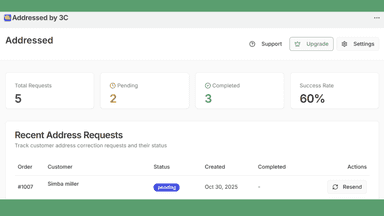
- · Dashboard and daily reports
- · Mover and goneaway detection
- · No monthly subscription
- · Pay only for positive matches
Coverage counts what each App Store listing names. Every feature, checked off app by app, is in Shoplist.
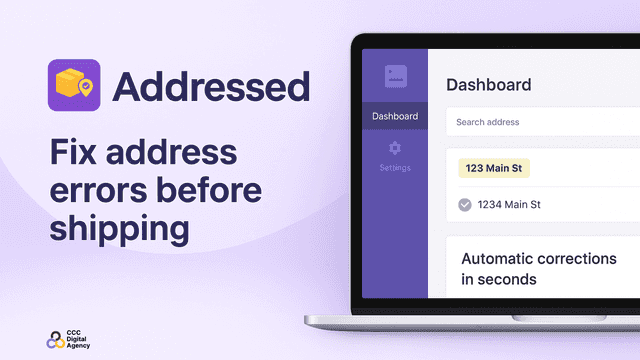
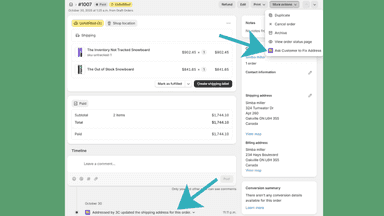
See every featureCustomers keep providing incomplete or incorrect shipping addresses? Fix it now with zero to 1 clicks! Addressed provides a streamlined way to request address fixes from your customers. If you see an address that has been flagged or simply fell through your previous rules, go to the order, click 'More Actions' and click 'Ask Customer to Fix Address'.
Shoppers often let their phone fill in their address at checkout, and it can be one they saved before they moved. Shopify checks the address is real. OptiMail checks your customer still lives there. Every UK order is checked for movers and goneaways as soon as it’s placed.
- Shipping Address Auto-Updated from Customer Correction
- Auto Tag and Un-Tag Orders to keep track of requests
- Staff Notifications for Completed Requests
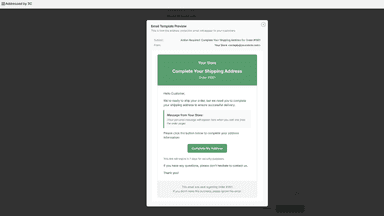
- Brand all emails with your stores logo and colors.
- Checks UK delivery addresses after checkout
- Prompts customers to review their address
- Highlights possible mover and goneaway records
- Helps reduce failed delivery and reshipping costs


All the numbers
Every figure, side by side
A green dot marks the app ahead on a measured figure. Estimates, gaps and apps that leave no storefront trace never take the lead.
Adoption
| Measure |  Addressed |  OptiMail |
|---|---|---|
| Detected stores | Not published | Not published |
| Net store change, 28 days | 0 | 0 |
| Stores added, 28 days | Not enough data | Not enough data |
| Big-brand share | Not enough data | Not enough data |
| Top store categories | Not published | Not published |
| Top store countries | Not published | Not published |
Reviews
| Measure | Addressed | OptiMail |
|---|---|---|
| App Store rating | 5.0 ★ | Not published |
| App Store reviews | 1 | Not published |
| New reviews, 28 days | Not enough data | Not enough data |
| Reviewers a year or more in | Not enough data | Not enough data |
FAQ
Addressed and OptiMail: common questions
- Where does this comparison’s data come from?
- Shoplist crawls Shopify storefronts to detect which apps each store runs, and reads each app’s Shopify App Store listing for reviews, pricing, features and integrations. Store counts are as of Oct 14, 2026 for Addressed, Oct 22, 2026 for OptiMail; estimated figures are labeled.
How Shoplist compares apps
Store counts come from Shoplist’s crawl of Shopify storefronts, which detects the apps each store runs; they are as of Oct 14, 2026 for Addressed, Oct 22, 2026 for OptiMail. Reviews, ratings, plans, features and integrations come from each app’s Shopify App Store listing. 28-day figures are labeled when estimated, and a figure that is missing or estimated never decides who leads. Read the methodology.