

ACODA ‑ AI Product Photos vs Pixify
Two Shopify apps, side by side: detected stores, momentum, reviews, plans, listed features and who runs each. Store counts as of Oct 13, 2026.
The short answer
- Only ACODA lists a free plan. Paid plans start at $23/month for ACODA and $15/month for Pixify.
Head to head


Free Plan
- · Access to Explore
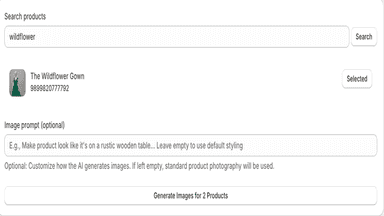
- · Generate 2 Free Product Images
Basic
- · 1000 Credits
- · Create 40+ Images | 10+ Videos
- · Create AI Product Images & Videos
- · Designer for Social Media Posts
- · Studio Access for Zero Prompting
Pro
- · 2500 Credits
- · Create 200+ Images | 30+ Videos
- · Create AI Product Images & Videos
- · Designer for Social Media Posts
- · Studio Access for Zero Prompting
Creator
- · 4500 Credits
- · Create 375+ Images | 55+ Videos
- · Create AI Product Images & Videos
- · Designer for Social Media Posts
- · Studio Access for Zero Prompting
Starter
- · 100 images
Growth
- · 500 images
Scale
- · 2000 images
Coverage counts what each App Store listing names. Every feature, checked off app by app, is in Shoplist.
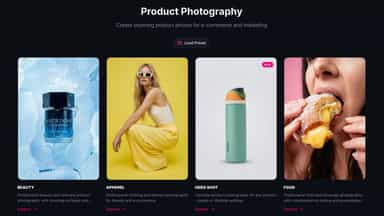
See every featureACODA helps Shopify merchants create professional product photos, lifestyle imagery, and marketing visuals using AI — without expensive photoshoots or prompts. Choose from 20+ AI models including Google Nano Banana Pro, Flux 2 Pro, and ChatGPT Image. Use guided templates for product photography, or describe exactly what you need.
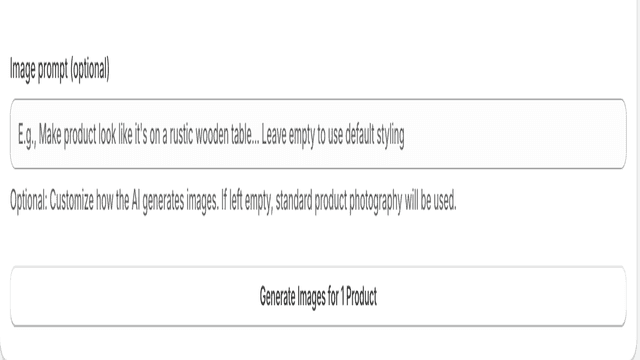
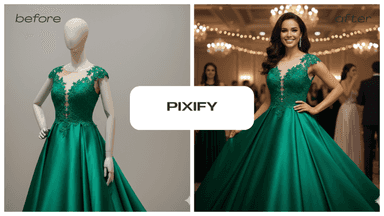
Pixify brings studio-level product photography to every Shopify store — no camera, no studio, no designer required. Using groundbreaking image generation and editing capabilities, Pixify enables you to create on-brand product photos from text prompts.
- Generate product photos and lifestyle images without knowing how to prompt.
- Guided templates for product photography, logos, and marketing visuals
- Turn product photos into AI videos with Seedance 2.0, Veo 3.1, and Kling 3.0
- One-click generation & editing — Turn prompts into product images
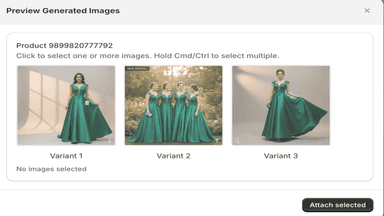
- Shopify-native workflow — Preview and attach images directly to product pages.
- Usage dashboard — See how many images you’ve used


All the numbers
Every figure, side by side
A green dot marks the app ahead on a measured figure. Estimates, gaps and apps that leave no storefront trace never take the lead.
Adoption
| Measure |  ACODA |  Pixify |
|---|---|---|
| Detected stores | Not published | Not published |
| Net store change, 28 days | 0 | 0 |
| Stores added, 28 days | Not enough data | Not enough data |
| Big-brand share | Not enough data | Not enough data |
| Top store categories | Not published | Not published |
| Top store countries | Not published | Not published |
Reviews
| Measure | ACODA | Pixify |
|---|---|---|
| App Store rating | Not published | Not published |
| App Store reviews | Not published | Not published |
| New reviews, 28 days | Not enough data | Not enough data |
| Reviewers a year or more in | Not enough data | Not enough data |
FAQ
ACODA and Pixify: common questions
- Is ACODA or Pixify cheaper?
- Only ACODA lists a free plan. Paid plans start at $23/month for ACODA and $15/month for Pixify. Shoplist compares base prices only between monthly plans in the same currency; usage charges and annual plans vary, so check each plan’s limits.
- Where does this comparison’s data come from?
- Shoplist crawls Shopify storefronts to detect which apps each store runs, and reads each app’s Shopify App Store listing for reviews, pricing, features and integrations. Store counts are as of Oct 13, 2026; estimated figures are labeled.
How Shoplist compares apps
Store counts come from Shoplist’s crawl of Shopify storefronts, which detects the apps each store runs; they are as of Oct 13, 2026. Reviews, ratings, plans, features and integrations come from each app’s Shopify App Store listing. 28-day figures are labeled when estimated, and a figure that is missing or estimated never decides who leads. Read the methodology.