
Addify: Custom Stock Status Shopify App: Stores, Pricing & Alternatives
Key signals for Addify
As of , Addify: Custom Stock Status runs on 1 Shopify store. It’s #11 in Inventory optimization by stores running it; Shopify’s own listing ranks it #368. Pricing fills in the rest of the picture.
Shopify stores using Addify
From Shoplist’s scans of Shopify storefronts and its brand data.
Recent Addify installs and uninstalls
What kind of stores use Addify
A breakdown of the 1 Shopify stores Shoplist detects running Addify: what they sell, how many products they carry, and where they’re based.
What they sell
100% of Addify stores sell Food, Beverages & Tobacco.
- Food, Beverages & Tobacco
How many products they carry
100% carry 201–500 products, the most common size.
Where they’re based
- Unknown
How Addify’s install base is moving
Shoplist re-crawls the same storefronts, so every store that adds Addify, comes back to it or removes it shows up here. The store count also grows when Shoplist finds stores already running it; the breakdown keeps those apart from real installs.
Stores, last 28 days
+1
1 now · 0 28 days earlier
Reach
0.0000574%
of the stores Shoplist tracks
Big-brand share
Not enough data: fewer than 150 of its stores have a known size
Where Addify’s store count change came from
- Real installs and removalsEstimated0 added · 0 came back · 0 removed
- 0
- Detection changesStores counted or dropped because Shoplist’s detection for the app changed
- +1
Stores adding and removing Addify, by week
| Week of | Added or back | Removed | Net | Notes |
|---|---|---|---|---|
| Aug 31, 2026 | 0 | 0 | 0 | Estimated |
| Sep 7, 2026 | 0 | 0 | 0 | Estimated |
| Sep 14, 2026 | 0 | 0 | 0 | Estimated |
| Sep 21, 2026 | 0 | 0 | 0 | Estimated |
| Sep 28, 2026 | 0 | 0 | 0 | Estimated |
| Oct 5, 2026 | 0 | 0 | 0 | Estimated |
| Oct 12, 2026 | 0 | 0 | 0 | Estimated |
| Oct 19, 2026 | 0 | 0 | 0 | Estimated |
| Oct 26, 2026 | 0 | 0 | 0 | Estimated |
| Nov 2, 2026 | 0 | 0 | 0 | 2 held-out days |
| Nov 9, 2026 | 0 | 0 | 0 | 1 held-out day |
| Nov 16, 2026 | 0 | 0 | 0 | 2 held-out days |
Addify reach, by day
Show the daily numbers
- Oct 30, 2026: 0% of tracked stores
- Oct 31, 2026: 0% of tracked stores
- Nov 1, 2026: 0% of tracked stores
- Nov 2, 2026: 0% of tracked stores
- Nov 3, 2026: 0% of tracked stores
- Nov 4, 2026: 0% of tracked stores
- Nov 5, 2026: 0% of tracked stores
- Nov 6, 2026: 0% of tracked stores
- Nov 7, 2026: 0% of tracked stores
- Nov 8, 2026: 0% of tracked stores
- Nov 9, 2026: 0% of tracked stores
- Nov 10, 2026: 0% of tracked stores
- Nov 11, 2026: 0% of tracked stores
- Nov 12, 2026: 0% of tracked stores
- Nov 13, 2026: 0% of tracked stores
- Nov 14, 2026: 0% of tracked stores
- Nov 15, 2026: 0.0000673% of tracked stores
- Nov 16, 2026: 0.0000674% of tracked stores
- Nov 17, 2026: 0.0000674% of tracked stores
- Nov 18, 2026: 0.0000673% of tracked stores
- Nov 19, 2026: 0.0000673% of tracked stores
- Nov 20, 2026: 0.0000673% of tracked stores
- Nov 21, 2026: 0.0000673% of tracked stores
- Nov 22, 2026: 0.0000673% of tracked stores
- Nov 23, 2026: no tracked-store count
- Nov 24, 2026: 0.0000672% of tracked stores
- Nov 25, 2026: 0.0000657% of tracked stores
- Nov 26, 2026: 0.0000574% of tracked stores
Stores running Addify over the stores Shoplist crawled in the 30 days before. Counted daily from Oct 30, 2026.
Addify on the Shopify App Store
Shoplist reads Addify’s App Store listing every day: where it ranks, what merchants say, what it charges and every edit it ships.
Where Shopify ranks Addify
Shoplist reads Shopify’s full category listings every day, so a climb or a slip shows up the day it happens.
| Day | Inventory optimization |
|---|---|
| Sep 3, 2026 | #334 |
| Sep 4, 2026 | #330 |
| Sep 5, 2026 | #329 |
| Sep 6, 2026 | #331 |
| Sep 7, 2026 | #330 |
| Sep 8, 2026 | #328 |
| Sep 9, 2026 | #328 |
| Sep 10, 2026 | #332 |
| Sep 11, 2026 | #336 |
| Sep 12, 2026 | #335 |
| Sep 13, 2026 | #335 |
| Sep 14, 2026 | #333 |
| Sep 15, 2026 | #334 |
| Sep 17, 2026 | #339 |
| Sep 19, 2026 | #353 |
| Sep 20, 2026 | #358 |
| Sep 21, 2026 | #356 |
| Sep 22, 2026 | #357 |
| Sep 23, 2026 | #356 |
| Sep 24, 2026 | #358 |
| Sep 25, 2026 | #363 |
| Sep 26, 2026 | #362 |
| Sep 27, 2026 | #362 |
| Sep 28, 2026 | #362 |
| Sep 29, 2026 | #361 |
| Sep 30, 2026 | #365 |
| Oct 1, 2026 | #369 |
| Oct 2, 2026 | #368 |
| Oct 3, 2026 | #368 |
| Oct 4, 2026 | #372 |
| Oct 5, 2026 | #370 |
| Oct 6, 2026 | #370 |
| Oct 7, 2026 | #371 |
| Oct 8, 2026 | #374 |
| Oct 9, 2026 | #375 |
| Oct 10, 2026 | #377 |
| Oct 11, 2026 | #376 |
| Oct 12, 2026 | #378 |
| Oct 13, 2026 | #379 |
| Oct 14, 2026 | #379 |
| Oct 15, 2026 | #378 |
| Oct 16, 2026 | #379 |
| Oct 17, 2026 | #381 |
| Oct 18, 2026 | #384 |
| Oct 19, 2026 | #384 |
| Oct 20, 2026 | #383 |
| Oct 21, 2026 | #384 |
| Oct 22, 2026 | #385 |
| Oct 23, 2026 | #385 |
| Oct 24, 2026 | #431 |
| Oct 25, 2026 | #433 |
| Oct 31, 2026 | #416 |
| Nov 1, 2026 | #416 |
| Nov 2, 2026 | #414 |
| Nov 4, 2026 | #306 |
| Nov 5, 2026 | #384 |
| Nov 6, 2026 | #394 |
| Nov 7, 2026 | #397 |
| Nov 8, 2026 | #394 |
| Nov 9, 2026 | #396 |
| Nov 10, 2026 | #397 |
| Nov 11, 2026 | #395 |
| Nov 12, 2026 | #397 |
| Nov 13, 2026 | #399 |
| Nov 14, 2026 | #402 |
| Nov 15, 2026 | #405 |
| Nov 16, 2026 | #407 |
| Nov 17, 2026 | #407 |
| Nov 18, 2026 | #408 |
| Nov 19, 2026 | #409 |
| Nov 20, 2026 | #412 |
| Nov 21, 2026 | #413 |
| Nov 22, 2026 | #415 |
| Nov 23, 2026 | #417 |
| Nov 24, 2026 | #353 |
| Nov 25, 2026 | #363 |
| Nov 26, 2026 | #368 |
What Addify charges
Free trial available. Every plan on its listing, and every price change Shoplist has caught, so you can see exactly how it packages and prices.
BASIC
$4.99/month
STANDARD
$5.99/month
ADVANCED
$6.99/month
PLUS
$7.99/month
How Addify sells itself on the App Store
The pitch, integrations and features merchants see before they install: the positioning a competitor is betting on.
“Add multiple custom stock statuses and show them based on product, user-tag, stock quantity & status”
What it does
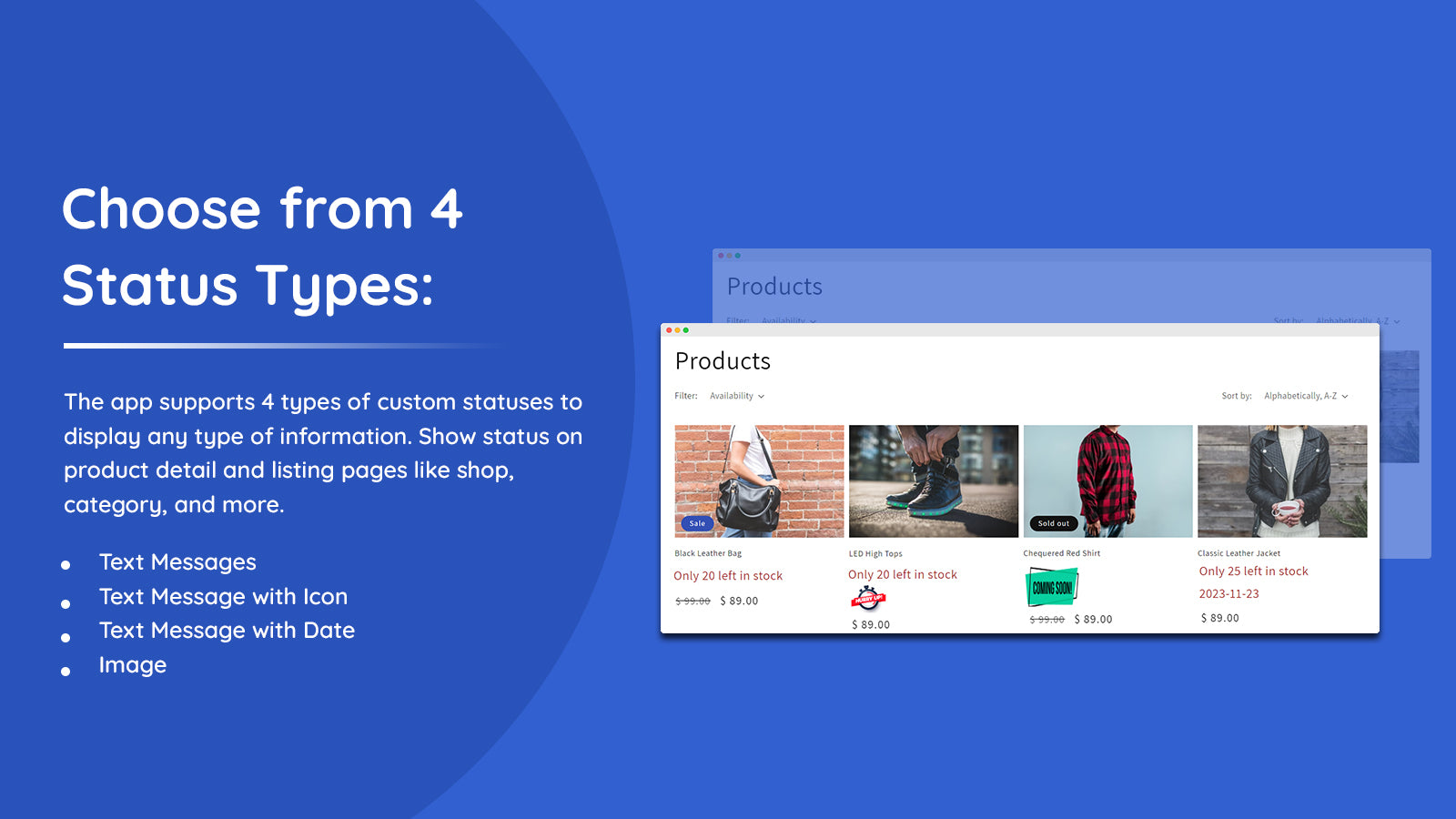
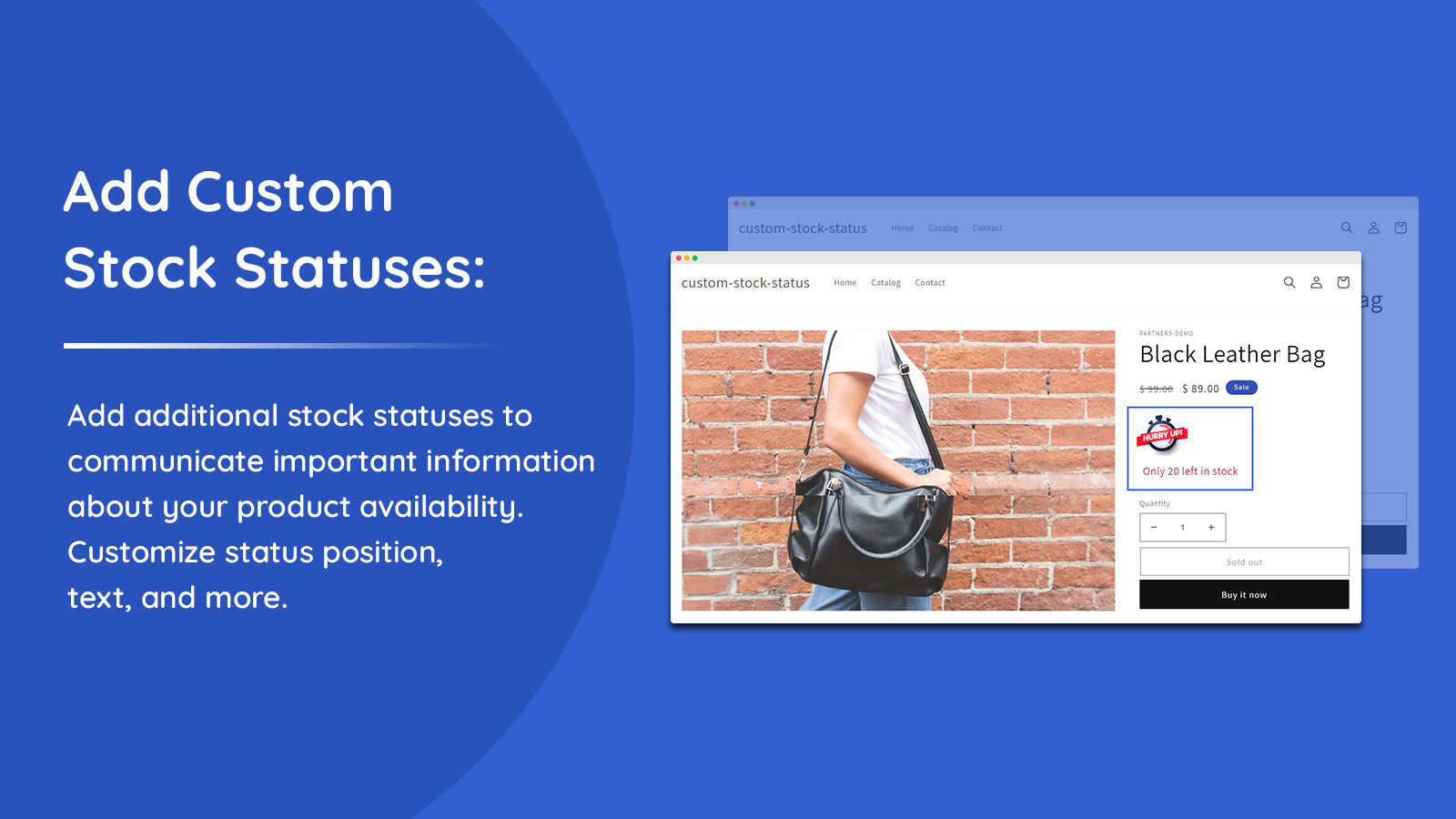
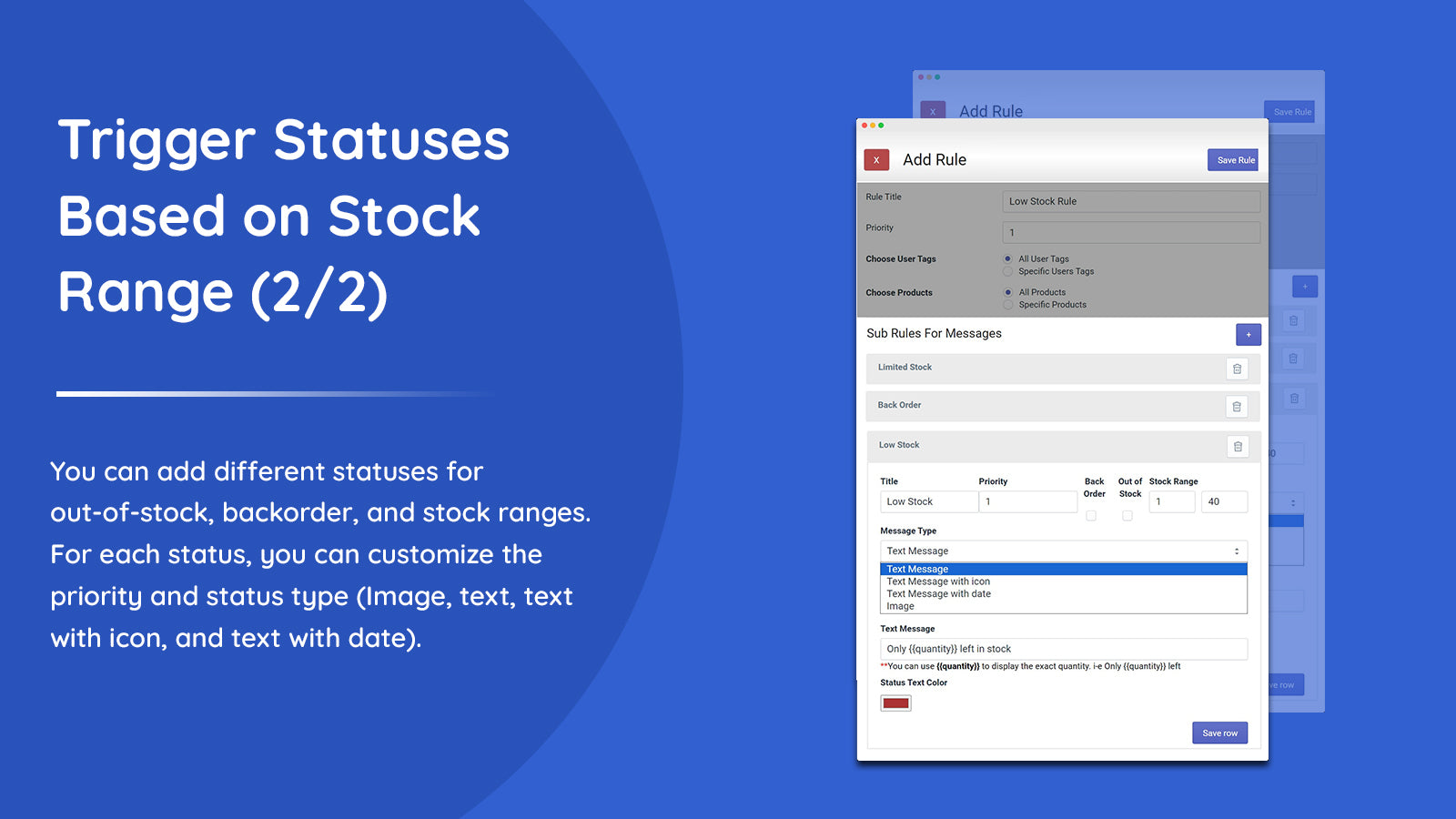
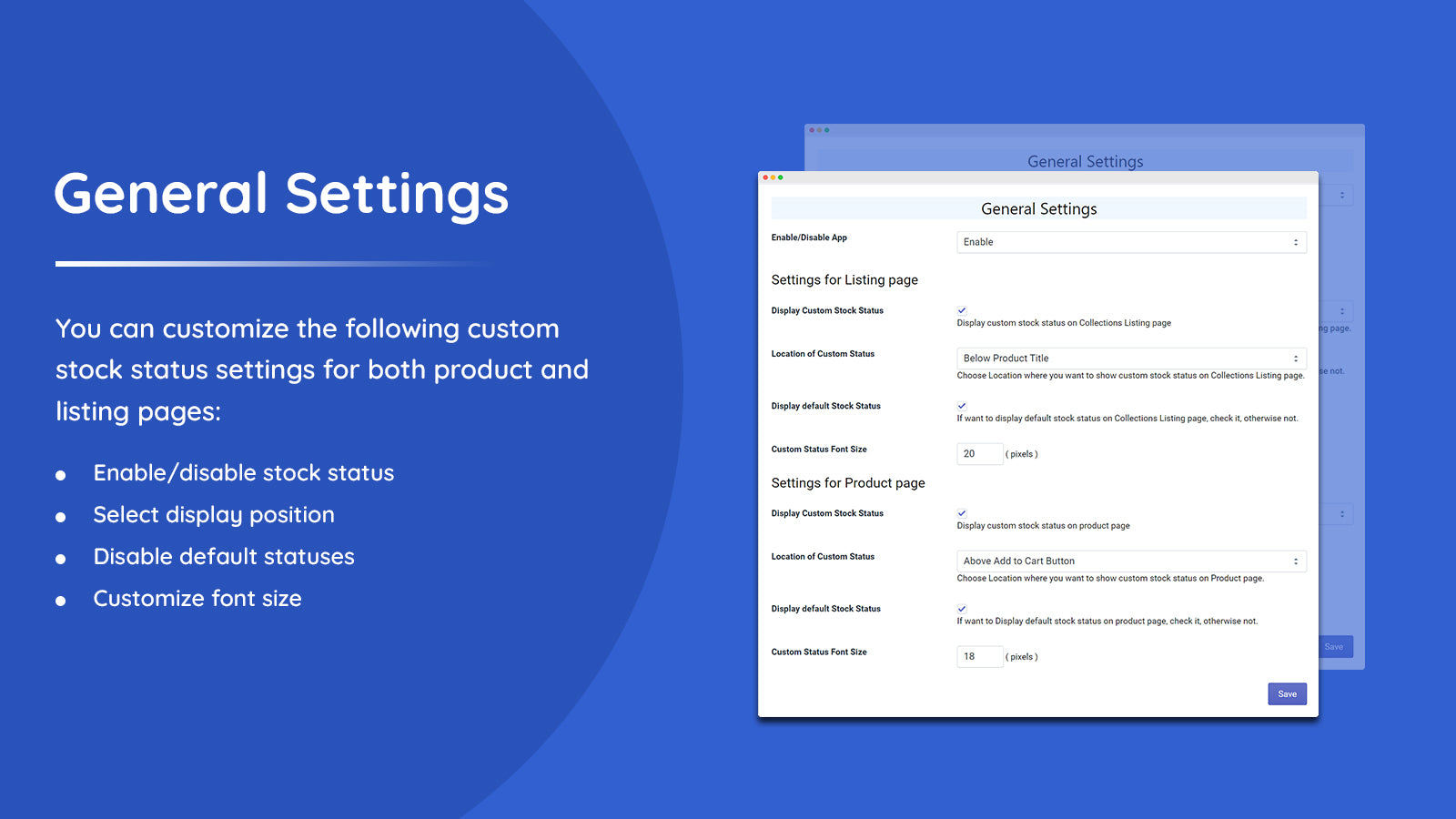
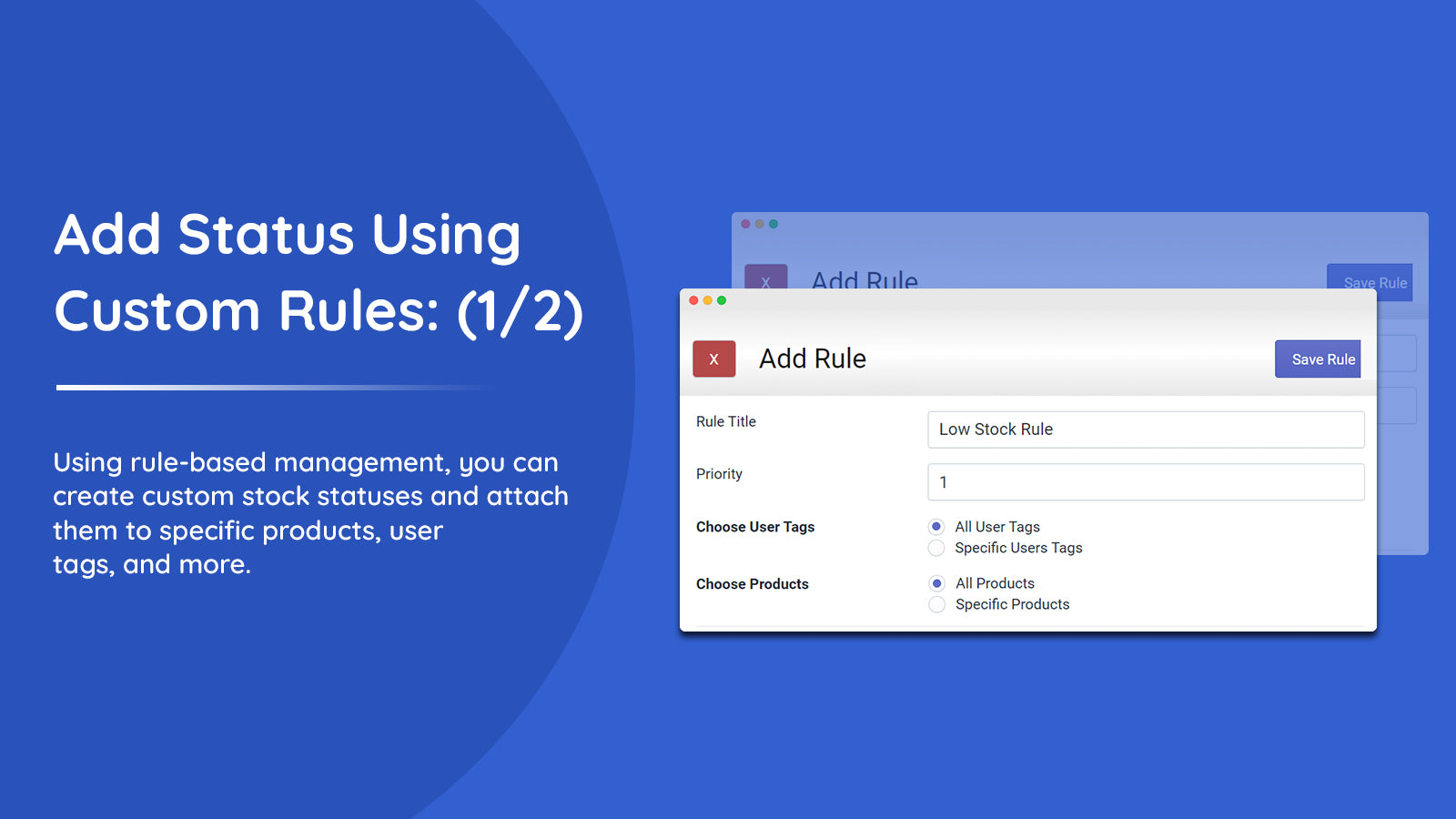
Custom Stock Status Apps enables you to add additional image and text based stock statuses to communicate important information about product stock. You can add multiple stock status and display them on specific products based on user-tag, stock quantity… Custom Stock Status Apps enables you to add additional image and text based stock statuses to communicate important information about product stock. You can add multiple stock status and display them on specific products based on user-tag, stock quantity range, stock status (in-stock, back order, out of stock). Display stock statuses anywhere on your product and listing pages to enhance product stock management. Customize stock status text, image, icons and other details to personalize status.
Features it lists
Screenshots
Addify listing facts
- Developer
- Addify
- Launched
- January 17, 2024
- Shopify rank
- #368 in Inventory optimization
- Languages
- English
Compare Addify
The apps in its App Store category, with the stores Shoplist detects on each and their listing ratings.
Alternatives to Addify
Apps merchants weigh against Addify: Custom Stock Status, with their own store counts and ratings.
Addify vs Jedi
Addify vs Magic Apps
Addify vs Inventora
Addify vs Scarcity! Low Stock Counter
Addify vs Batchable Inventory
Addify vs Ordersify


Follow the apps you compete with and decide which changes deserve action. See the competitor-monitoring workflow.
Read from live Shopify storefronts
If Shoplist shows Addify on a store, it’s there. Every count on this page traces to code found on a live storefront, re-checked on every crawl.
1
Found in the storefront’s own code
Shoplist matches the scripts, app blocks and pixels Addify loads on each live storefront.
Re-checked, so the count stays current
Shoplist keeps crawling the same storefronts and updates the count as stores install and remove Addify.
Daily
The App Store, read every day
Shoplist reads the Shopify App Store daily for rank, reviews, pricing and listing edits.
Two public sources, labelled on every section. Store data last checked .
Read the full methodologyQuestions about Addify
Straight answers from the same data as the rest of this page. The full store list answers the rest.
How many Shopify stores use Addify: Custom Stock Status?
Shoplist detects Addify: Custom Stock Status on 1 Shopify storefront as of November 26, 2026. The count comes from repeat crawls of public storefronts, so it moves as stores install and remove the app.
Which Shopify brands use Addify: Custom Stock Status?
Shoplist detects Addify: Custom Stock Status on 1 Shopify store. Find the store list in Shoplist with filters for category, country and traffic.
What apps do Addify: Custom Stock Status stores also use?
Shoplist ranks the apps most often running on the same stores as Addify: Custom Stock Status as soon as there are enough of them.
Can I export the stores using Addify: Custom Stock Status?
Yes. A free account opens the first stores with filters and contact availability. Paid plans export every store running Addify: Custom Stock Status to CSV and alert you when stores install or remove it.
How does Shoplist detect Addify: Custom Stock Status?
Shoplist crawls public Shopify storefronts and matches the code Addify: Custom Stock Status loads on each one. A store counts once that evidence is found and drops out when it disappears.
Go beyond Addify
Its closest rival, its developer and the charts it competes on, from the same data.
Start with the one store running Addify, named and dated.
Filter by category, country, and traffic, see contact availability, and get alerted when stores install or leave.
